ADB Push Fix Remote Couldn’t Create File: Read-Only File System
In this guide, we will show you the steps to fix the Remote Couldn’t Create File: Read-Only File System error while trying to use ADB Push. So recently I was trying to make some certain changes to the build.prop file which is situated in the vendor partition. My device was already rooted and I even had TWRP installed. So I booted to recovery, mounted the Vendor partition, and then used the ADB Pull command to transfer the build.prop file over to my computer.
Then I made some changes to the file and tried ending it back to its intended location via the Push command. But unfortunately, that was no longer possible. Every time I used the ADB Push command, I was greeted with the Remote Couldn’t Create File: Read-Only File System error.
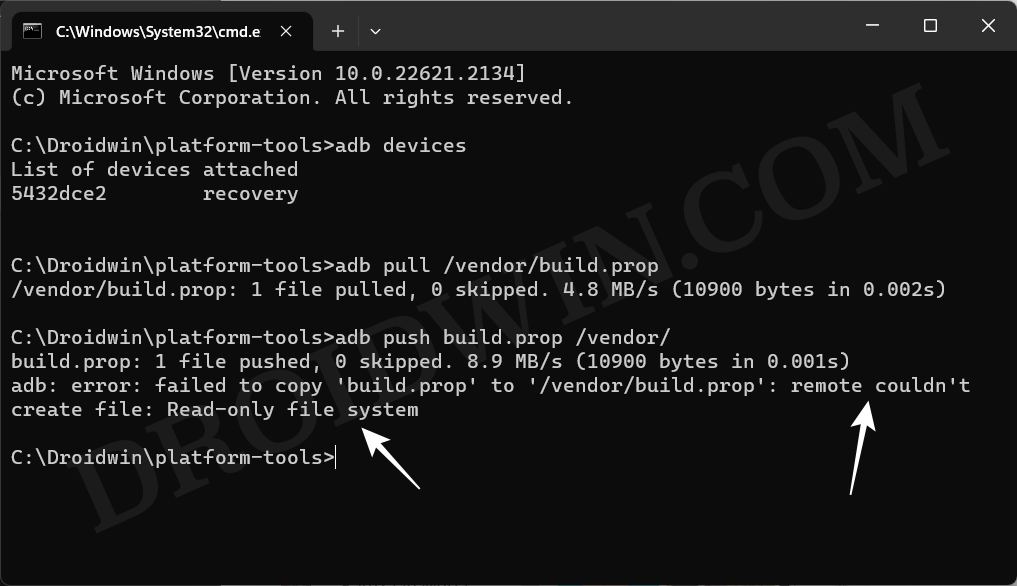
The issue wasn’t with TWRP, I booted to the OS and tried executing a few adb root and shell commands to get this job done, but none of them worked. This is when I did some further research and found out the fix of this issue. So without any further delay, let’s check it out.
ADB Push Fix Remote Couldn’t Create File: Read-Only File System
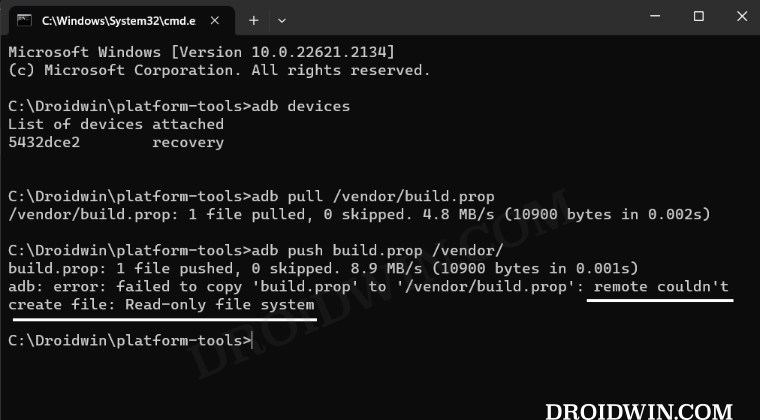
In order to rectify this issue, all that you need to do is mount the system partition Read/Write. There are two ways of doing so- via Custom Recovery and using Fsstboot Commands. In this regard, if you have a custom recovery like TWRP installed, then it is highly recommended that you opt for the recovery method [because it is easy and shorter to carry out]. With that said we have explained both these methods in the below linked guide, do check them out.
How to Make System Partition Read Write on Android
- Execute ADB Commands when multiple devices are connected
- How to Create and Restore App Backup via ADB Commands
- Format Data/Factory Reset Android via ADB Command
- How to Set up and Run Shizuku [Wireless Debugging, Root, ADB]

(Cancel Reply)
Δ
