ADB will not work when OnePlus is set to Charging Only!
UPDATE [December 2025]: I wrote this article when OxygenOS 14 had just been released [18th January 2024]. With that OS and even the subsequent OxygenOS 15, this guide stood true. However, with Android 16, it seems things have taken a drastic turn. Now, with OxygenOS 16, ADB will ‘only’ work if your OnePlus is set to Charging Only. If it is set to File Transfer or any other USB mode, then ADB will not work. The below article is still preserved, just in case OnePlus decides to take a U-turn in the next update!

So I recently had a OnePlus 11 for a few days for some testing purposes, and the first thing I did was to enable Developer Options, followed by USB Debugging. Then, I installed the Android SDK Platform Tools and connected the device to the PC via a USB cable. After that, the usual process of opening a Command Prompt window inside the platform-tools folder and executing the desired commands should have followed, but unfortunately, that wasn’t the case.
No matter how many times I tried, the device just refused to acknowledge the ADB connection. While there was nothing wrong with the USB cable or the port on my PC [as my other devices were responding to the ADB commands via the same cable and port], I decided to change both of them, and it turned out to be futile. So I then tried a different tweak. I booted my device to Fastboot Mode and then verified the connection. Voila! The PC did recognize the connection this time around!
So this means that at least the USB port and cable aren’t to blame, and neither is the Platform Tool because it is the official one from Google [and other Android devices are working well and good with it]. So something was going on with the Debugging environment that I wasn’t able to get a hold of. After carrying out tons of USB-related tweaks and close to an hour later, I finally managed to find the root cause behind this issue, which is:
ADB will not work when OnePlus is set to Charging Only!
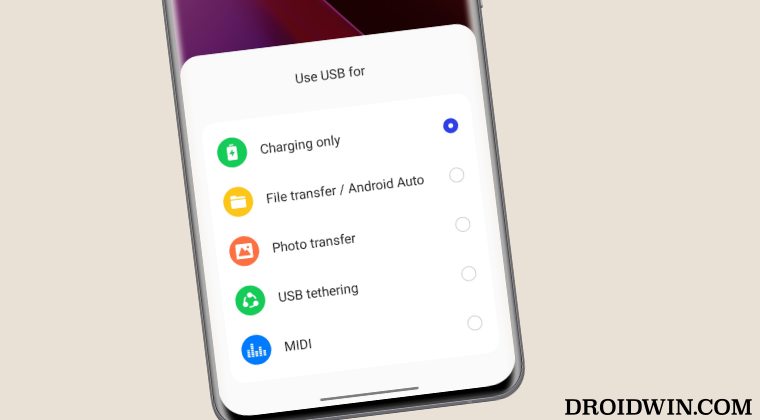
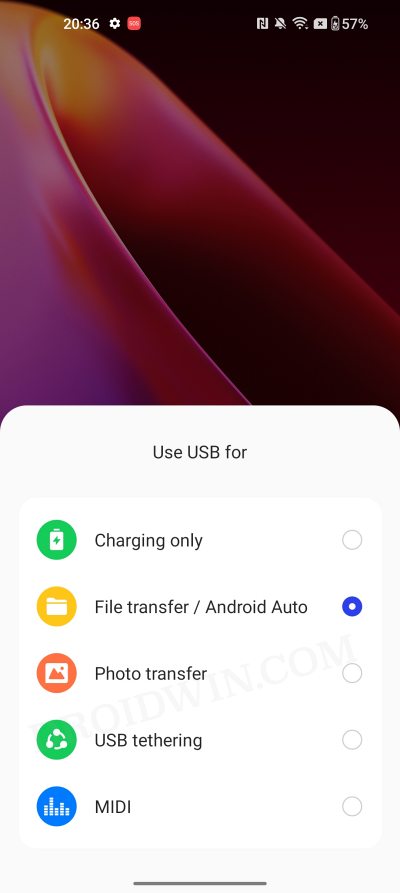
Yes, you read that right. If your OnePlus device is set to charging only, then the ADB connection will not be established. You will have to change to File Transfer Mode, and only then can you proceed. This is a really absurd move from OnPlus that is quite hard to understand as well [unless it has to do something with the technicalities that we are unaware of, in which case, other OEMs would have followed suit, but we all know that it’s not the case].
- Download and Install Fastboot ROM on any OnePlus Device
- How to Update Rooted OnePlus to OxygenOS 14/Android 14
- Downgrade OnePlus Open from Android 14 to Android 13
- OEM Unlock Missing on OnePlus: How to Fix

(Cancel Reply)
Δ
