AdGuard not working on Safari on iOS 17: How to Fix
In this guide, we will make you aware of a nifty workaround that could help you rectify the issue of AdGuard not working on Safari on iOS 17. Beholding a slew of open source, free, and shareware, AdGuard is usually the go-to choice for iPhone users as its handy extension for Safari is able to block all intrusive ads and hence a clean usage experience is on the cards. However, as of late it is giving a tough time to many.
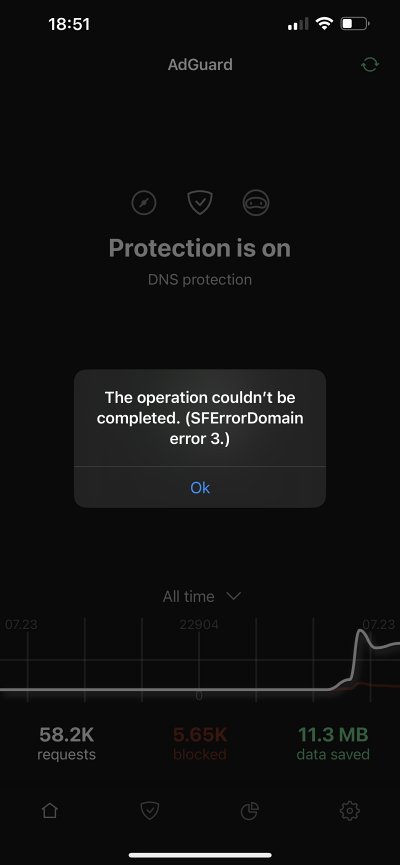
Numerous users have voiced their concern that AdGuard is currently not working along the expected lines on Safari on iOS 17. Not only are they unable to turn on Safari Protection, but when trying to update the filters, they are either stuck at an “updating” message, a “filter update error”, or an “SFErrorDomain 3” popup message. if you are also getting bugged by these issues, then this guide will help you rectify them. Follow along.
Fix AdGuard not working on Safari on iOS 17
Do not that the bug is present on iOS 17 Beta 3 build and according to the developers, it should be fixed with Beta 4. However, if you want to skip this waiting queue, then try out the below-listed workarounds and it should rectify the issue.
- To begin with, uninstall and then reinstall AdGuard.
- Then Start DNS Protection and choose AdGuard DNS.
- It should now work in Split Tunnel Mode even if the iCloud Private Relay is on.
- Fix iOS 17 Verification Failed: Stuck on Updating Apple ID Settings
- Cannot Scrub Through Video using Full Screen in iOS 17 [Bug]
- Personal Voice not working/missing in iOS 17: How to Fix
- Fix Incoming Calls on iOS 17 from Android only shows first name

(Cancel Reply)
Δ
