Android 16 QPR2 Update is Here: List of all New Features

Google has just rolled out the latest QPR2 update for the Android 16 base, and with this, you are about to be blessed with a plethora of new features. Most of them have been carried forward from its Canary builds [which are first in line to get new features but are unstable], but this time around, it would be received by a large chunk of the audience as the update has reached the stable channel. The update size is around 808 MB on my Pixel 9 Pro XL, so it should be about the same for all the Pixels as well. So on that note, let’s dive deep into all the features that the Silicon Valley giant has in store for us in this update. But that is just not possible that we can carry out this task this way around…
- Android 16 QPR2 Update is Here: List of all New Features Auto Themed Icons Custom Icon Shapes Expanded Dark Theme Lock Screen Widget Disable Background Blur Notification Organizer 90:10 Split Screen Mode Graphical App Support in the Linux Terminal Enhanced support for touchpads and mice Other Under-the-Hood Features
Android 16 QPR2 Update is Here: List of all New Features
Here are all the noteworthy features that you are about to come across on your Pixel:
Auto Themed Icons
Wallpaper & Style > Home Screen > Icons > Themed Icons.

Left: Android 16 QPR1: Right: Android 16 QPR2
Custom Icon Shapes
Keep in mind that your selected shape applies only to the home screen — it won’t appear in the app drawer, the Settings app, or the Recents menu.

Expanded Dark Theme
Settings > Display & touch > Dark theme.

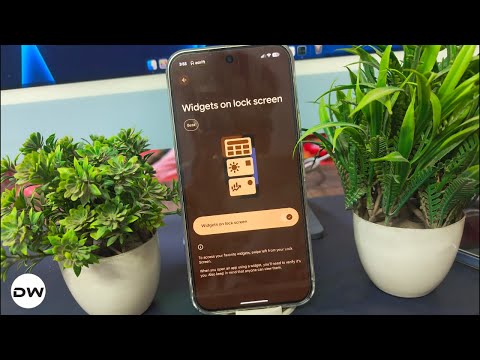
Lock Screen Widget

Settings > Display & Touch > Lock screen > Widgets on lock screen.
Disable Background Blur
Settings > Accessibility > Color & motion and toggle on “Reduce blur effects”. Once enabled, you won’t see any blur in the Quick Settings panel, the notification shade, the lock screen, the app drawer, or the Recents menu.

Notification Organizer
Available on the Pixel 9 and newer (excluding the Pixel 9a) for notifications in English, Notification Organizer silences and bundles alerts into four categories: Promotions, News, Social, and Suggested. The first two are enabled by default; the rest can be enabled by going to Settings > Notifications > Notification organizer.
90:10 Split Screen Mode

Graphical App Support in the Linux Terminal
You Can Now Launch Graphical Apps in Android’s Linux Terminal
Enhanced support for touchpads and mice
Other Under-the-Hood Features
The lock screen clock now fidgets when you tap it
The Android Easter egg now supports Live Updates
Featured widgets in the widget list
Step Tracking in Health Connect
Numerous security features
And many more security features….
How to Enable Flip to Shhh on any Android Device using Tasker
All New Features in Android 16 QPR 1 Based Custom ROMs
How to Turn Off Blur in Android 16 Without Using Battery Saver
What is Android Canary and How to Install it on your Device

(Cancel Reply)
Δ
