Android Auto Audio Quality Issue might not be fixed! Here’s why
When it comes to mirroring features of your Android device over to your car’s infotainment system, then the offering from the Silicon Valley giant is the best in this domain. However, the recent update to Android Auto has made the matter worse for the audio quality as it has paved the way for a plethora of bugs and issues. As a result of this, many users are reporting that the music sounds muffled, static, and drastically cut down.
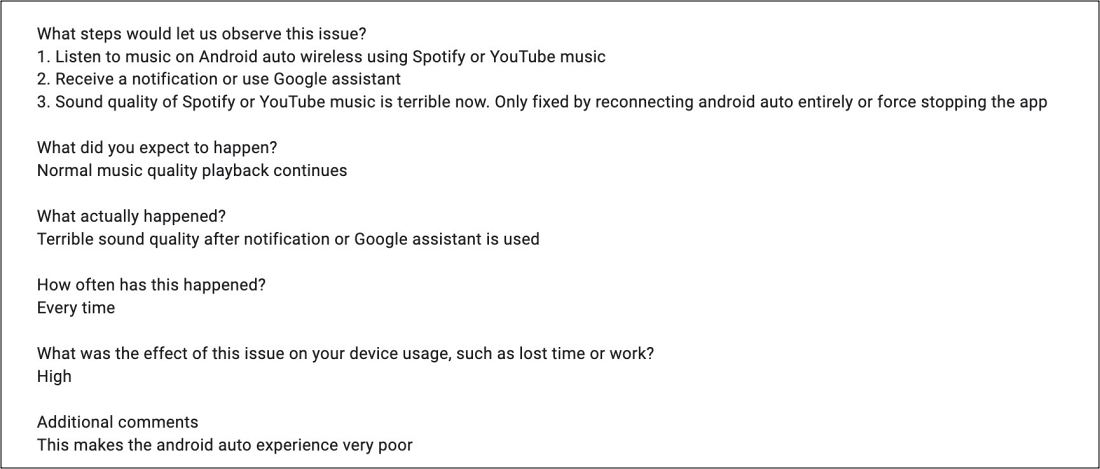
Moreover, numerous user reports suggest that the issue tends to occur if you first involve Google Assistant or make a call and then play the music. If you do the reverse, i.e. straightaway play the music right after starting up the car, then you wouldn’t face this issue. So this begs the all-important question- how to fix the Android Auto audio quality issues? Let’s find out.
How to Fix Android Auto Audio Quality Issues
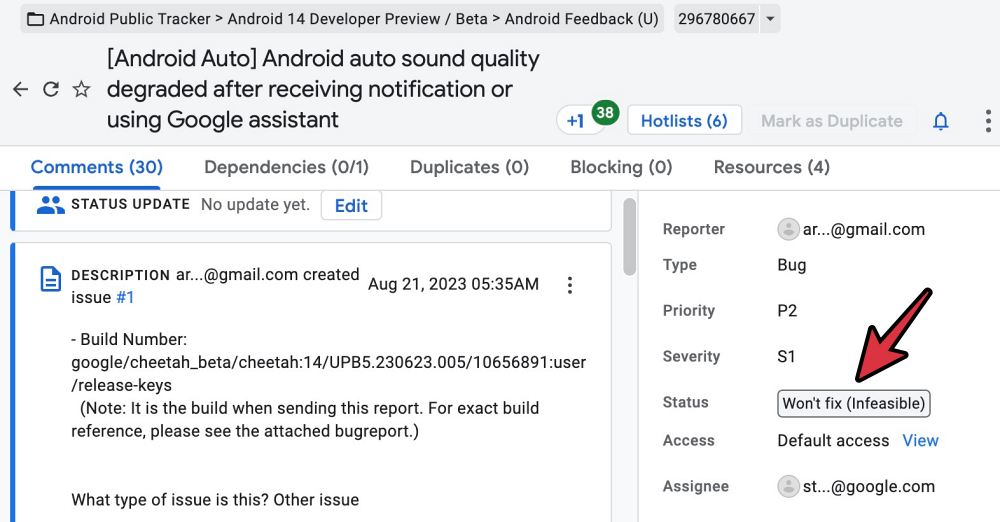
On paper, there are two workarounds that might get the job done [play music as soon as you start up the car or restart Android Auto], but both of them will give you temporary respite. This is because as soon as the Assistant is invoked or you receive a call, the issue will re-appear once again. To make matters worse, even Google might not fix this issue this time around.
Why Google Wouldn’t Fix Android Auto Audio Issues?
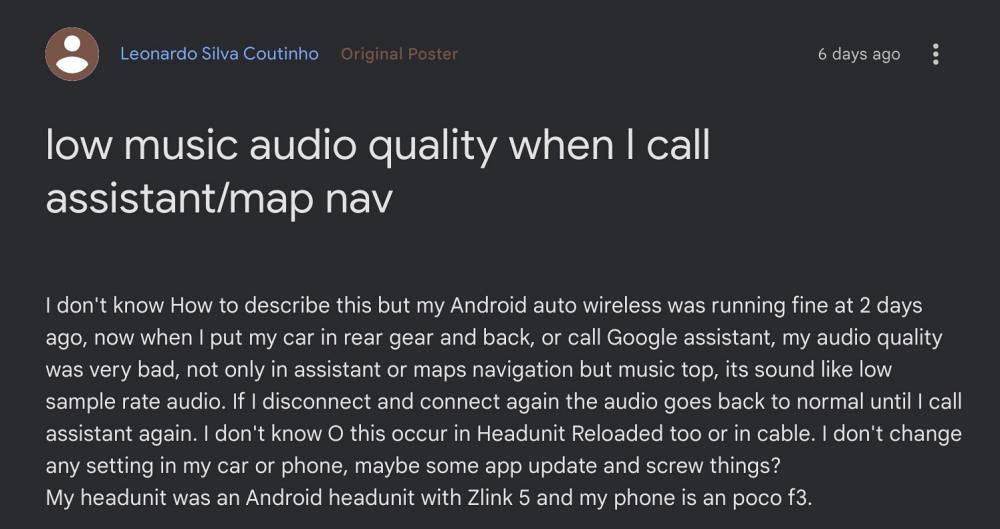
Well, if we strictly talk about this issue, then it is mostly or rather only happening with those users who are using the Zlink aftermarket software to run Android Auto. In harsh terms, you could tag it as pirated software and hence there wouldn’t be any support from Google.
- Fix Google Maps running in Android Auto even after exiting the car
- Android Auto not working on MIUI 14 Android 13: How to Fix
- Waze stuck on Welcome to Waze on Android Auto [Fixed]
- Android Auto Coolwalk UI: Lower Screen Frozen [Fix]

(Cancel Reply)
Δ
