Asus ROG Phone 5/5S Wi-Fi & Hotspot not working: How to Fix
In this guide, we will show you two different methods to fix the issue of the Asus ROG Phone 5/5S Wi-Fi & Hotspot not working. When it comes to gaming smartphones, then there’s no denying the fact that the offering from Asus is probably the best in this domain. In this regard, its fight iteration in the ROG series managed to grab the attention of the masses. And it is still in the news even to this date, but not for all the right reasons.
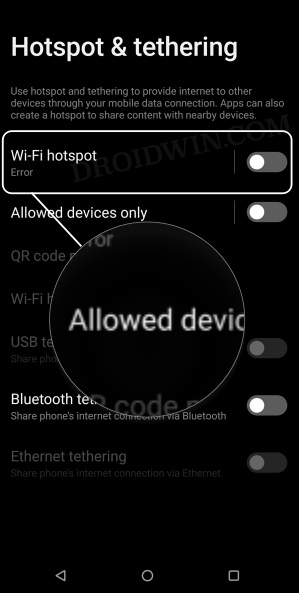
Asus recently rolled out the monthly software update which ended up breaking the ROG Phone 5/5S Wi-Fi & Hotspot functionalities. While this is definitely quite infuriating to note that an official update paves the way for the bug to creep into such an important feature, but, we have seen such instances with other OEMs as well. However, in those cases, the OEM tends to subsequently roll out an OTA which tends to patch this bug.
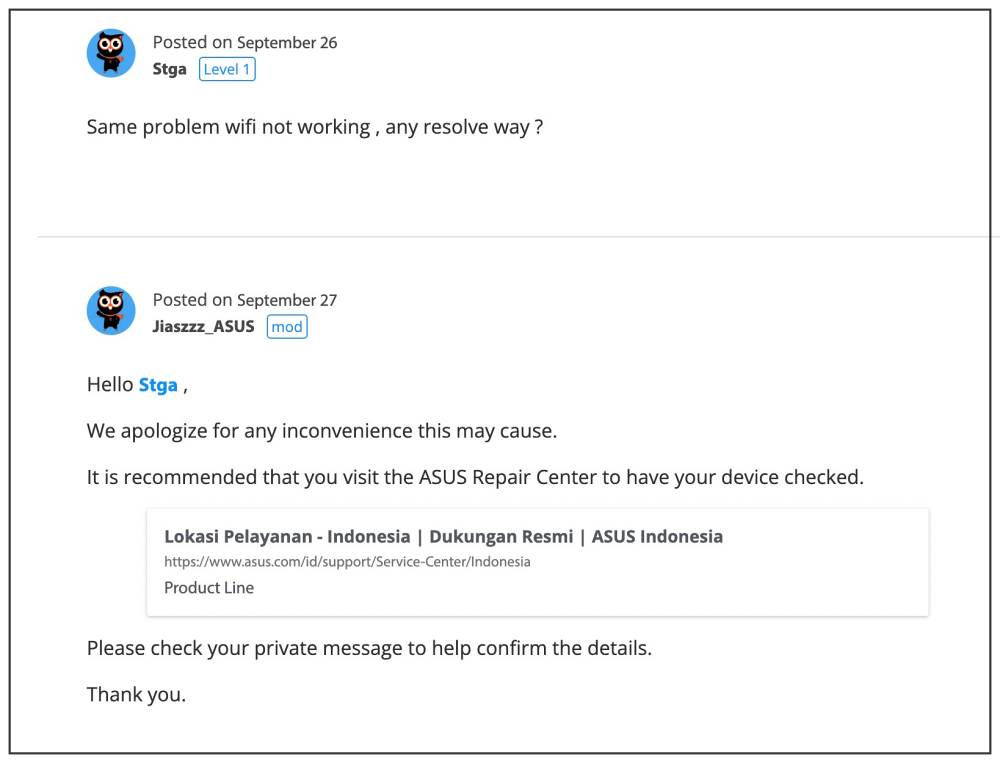
But this time around, things aren’t looking great. The mods at the Asus discussion forum are now requesting the affected users to visit the service center and get their devices repaired. When users took this route, the employees there suggested getting the motherboard gets replaced. Well, well, that’s could be one of the most unethical ways of filling in their pockets.
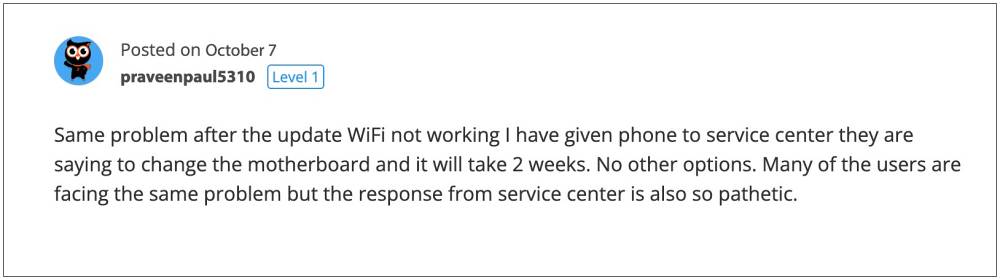
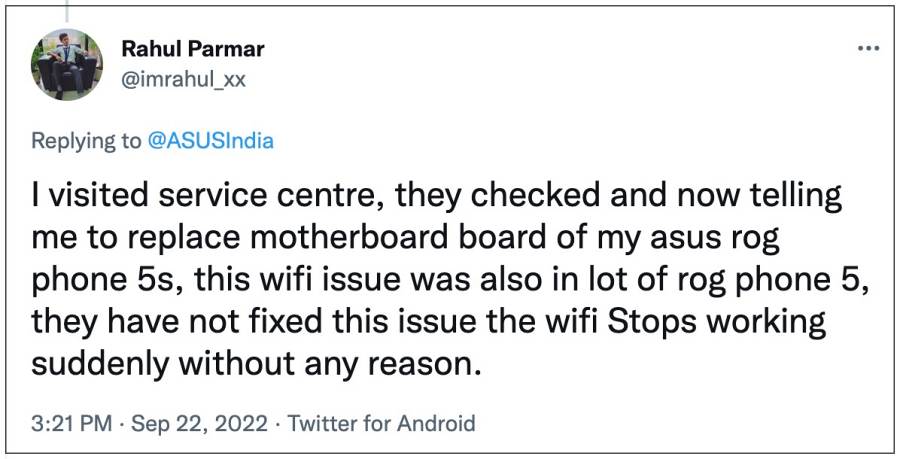
First, they roll out a buggy official update and then don’t release any subsequent OTA to patch this bug. Rather they send us to their service center wherein we are left with no choice but to opt for a costly procedure to replace the device’s motherboard. This level of unjust practice from such a big OEM wasn’t really expected, but that’s usually what happens when a company gets hold of monopolistic power in a particular domain.
With that said, the speculations are still rife that it could well be a software-side bug itself. So on that note, we will be listing out a couple of tweaks that might help you rectify this bug. Follow along.
- How to Fix Asus ROG Phone 5/5S Wi-Fi & Hotspot not working FIX 1: Downgrade to Android 11 [Locked Bootloader] FIX 2: Reflash Stock Firmware via Fastboot [Unlocked Bootloader] Unlock Bootloader on Asus ROG Phone 5/5S Install Android SDK Download Asus ROG Phone 5/Pro/Ultimate Firmware Extract Asus ROG Phone 5/Pro/Ultimate Payload.bin Boot Device to Fastboot Mode Flash Asus ROG Phone 5/Pro/Ultimate Firmware via Fastboot Commands
How to Fix Asus ROG Phone 5/5S Wi-Fi & Hotspot not working
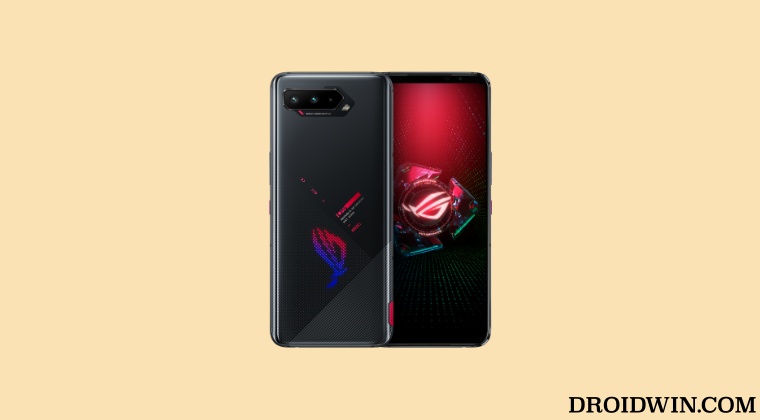
Given here are two different methods that shall help you get this job done. But before trying out any of these two methods, please take a complete device backup beforehand. Droidwin and its members wouldn’t be held responsible in case of a thermonuclear war, your alarm doesn’t wake you up, or if anything happens to your device and data by performing the below steps.
FIX 1: Downgrade to Android 11 [Locked Bootloader]
- To begin with, remove your Gooogle account from your device [recommended]
- Then download the Android 11 downgrade firmware from below and transfer it to your device WW/EU/RU versions: ZS673KS/UL-ASUS_I005_1-ASUS-99.0840.2202.231-1.1.103-user.zip CN versions: ZS673KS/UL-ASUS_I005_1-CN-99.0840.2202.232-1.1.103-user.zip
- Now pull down the Quick Settings from the top and you should see a firmware prompt.
- Tap on it and the firmware will be installed. Once done, restart your device.
- It will now boot to Android 11 OS and the Wi-Fi & Hotspot will now be working on your Asus ROG Phone 5/5S.
FIX 2: Reflash Stock Firmware via Fastboot [Unlocked Bootloader]
The below instructions are listed under separate sections for ease of understanding. Make sure to follow the same sequence as mentioned.
Unlock Bootloader on Asus ROG Phone 5/5S
The below process will wipe off all the data and could nullify its warranty as well. So proceed ahead keeping these points in mind
- Download and install the Asus Unlock Bootloader APK corresponding to your device from the below links: ROG Phone 5: Unlock Device App ROG Phone 5S: Unlock Device App
- Then launch the app, scroll to the bottom and accept the License Agreement.
- Again scroll to the bottom and hit the Agree button.
- Then type in your PIN and your device will then automatically reboot.
- Once the device boots up, you should see the Unlocked Bootloader Warning Message.
Install Android SDK
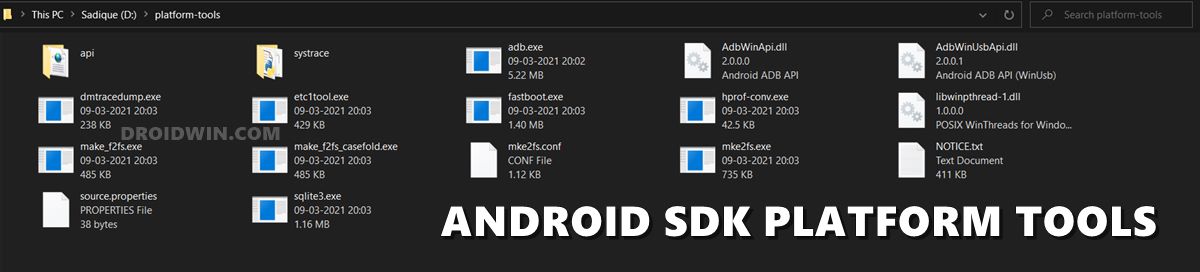
First and foremost, you will have to install the Android SDK Platform Tools on your PC. This is the official ADB and Fastboot binary provided by Google and is the only recommended one. So download it and then extract it to any convenient location on your PC. Doing so will give you the platform-tools folder, which will be used throughout this guide to unbrick the Asus ROG Phone 5/Pro/Ultimate devices via Fastboot Commands.
Download Asus ROG Phone 5/Pro/Ultimate Firmware
You will now have to download the firmware for your device from the below official links. Once downloaded, extract it to any convenient location on your PC. Doing so shall give you a couple of files, including the all-important payload.bin.
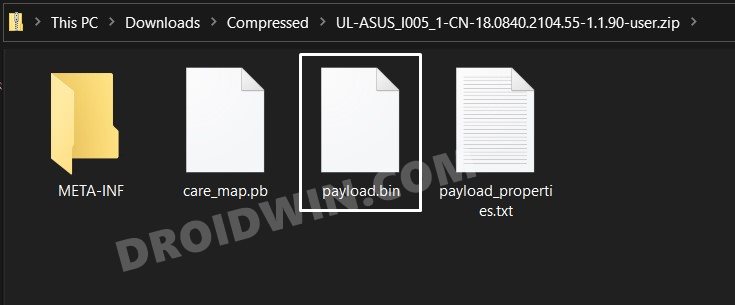
- ROG Phone 5: Stock Firmware Collection
- ROG Phone 5S: Stock Firmware Collection
Extract Asus ROG Phone 5/Pro/Ultimate Payload.bin
Once you have got hold of the payload.bin file, you need to extract it. This is turn will give us all the partition files (boot, system, vendor, etc). So please refer to our detailed guide to How to Extract payload.bin and get Fastboot Files.
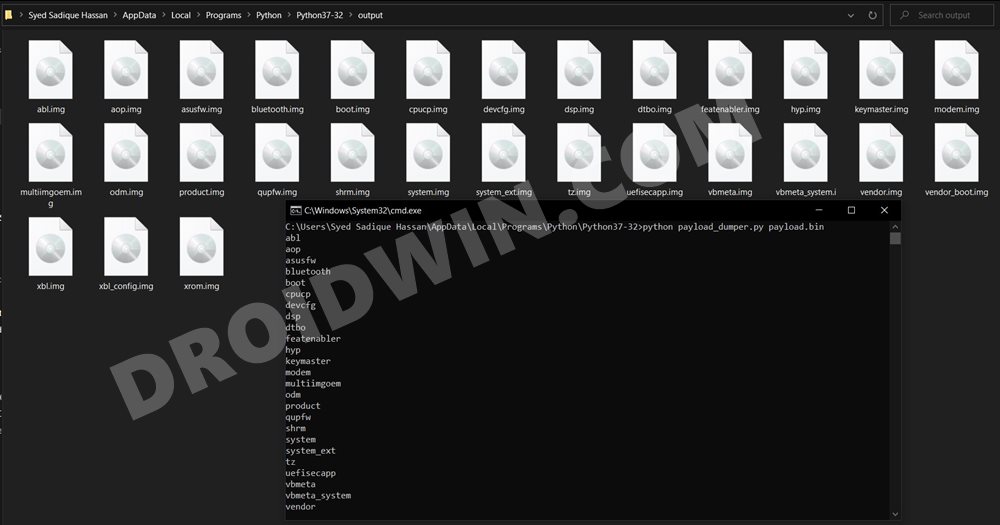
Once you have successfully extracted the payload bin, you will get all the files inside Python’s Output folder (as explained in the linked guide). Make sure to transfer all those files to the platform-tools folder.
Boot Device to Fastboot Mode
- Connect your device to the PC via a USB cable. Make sure USB Debugging is enabled.
- Then head over to the platform-tools folder, type in CMD in the address bar, and hit Enter. This will launch the Command Prompt.
- Type in the following command in the CMD window to boot your device to Fastboot Mode adb reboot bootloader
- To verify the Fastboot connection, type in the below command and you should get back the device ID, as shown in the image. fastboot devices
Flash Asus ROG Phone 5/Pro/Ultimate Firmware via Fastboot Commands
Head over to the platform-tools folder, type in CMD in the address bar, and hit Enter. This will launch the Command Prompt. Now type in each of the below commands, one at a time, to flash the files to their respective partitions and hence fix the underlying WiFi and Hotspot issue.
fastboot flash abl abl.elf

fastboot flash asusfw asusfw.img

fastboot flash aop aop.img

fastboot flash bluetooth bluetooth.img

fastboot flash boot boot.img

fastboot flash cpucp cpucp.img

fastboot flash devcfg devcfg.img

fastboot flash dsp dsp.img

fastboot flash dtbo dtbo.img

fastboot flash featenabler featenabler.img

fastboot flash hyp hyp.img

fastboot flash keymaster keymaster.img

fastboot flash modem modem.img

fastboot flash multiimgoem multiimgoem.img

fastboot flash odm odm.img

fastboot flash product product.img

fastboot flash qupfw qupfw.img

fastboot flash shrm shrm.img

fastboot flash system system.img

fastboot flash system_ext system_ext.img

fastboot flash tz tz.img

fastboot flash uefisecapp uefisecapp.img

fastboot flash vbmeta vbmeta.img

fastboot flash vbmeta_system vbmeta_system.img

fastboot flash vendor vendor.img

fastboot flash xbl xbl.img

fastboot flash xbl_config xbl_config.img

fastboot flash xrom xrom.img
That’s it. These were the two different methods to fix the issue of the Asus ROG Phone 5/5S Wi-Fi & Hotspot not working. As far as the official stance on this matter is concerned, the developers are yet to acknowledge this issue, let alone give out any ETA for the rollout of a fix. As and when any of these two things happen, we will update this guide accordingly. In the meantime, the aforementioned workarounds are your best bet.
- Unbrick Asus ROG Phone 5/Pro/Ultimate Fastboot Commands
- Unlock Bootloader & Root Asus ROG Phone 5/Pro/Ultimate via Magisk
- Convert Asus ROG Phone 6 from Chinese [CN] to Global ROM [WW]
- Unbrick Asus ROG Phone 6/Pro via Fastboot Commands

- yudi 3 years ago Reply not work .. my rog 5s wifi still not detected after downgrade
- Himanshu 3 years ago Reply The update shows its failed. Trying from first method!
(Cancel Reply)
Δ
