Bloodhunt Multiplayer Crossplay not working: How to Fix
In this guide, we will make you aware of a workaround that might help you fix the multiplayer crossplay not working issue in Bloodhunt. This battle royale game has just made its way from the early access phase over to the stable release. Based on the tabletop role-playing game Vampire: The Masquerade, the players are cast as vampires who try to survive the sect war, either alone or in a team.
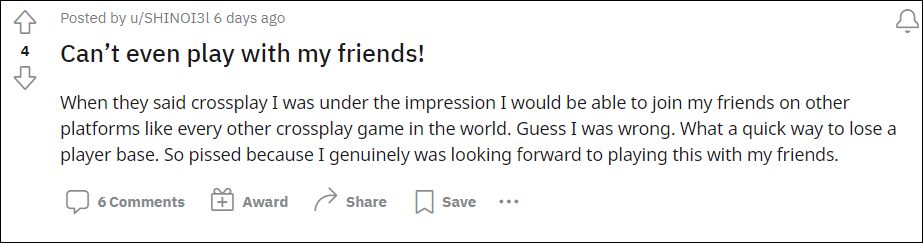
Regarding the latter, the game has recently been blessed with cross-play functionality. However, it isn’t working along the expected lines. Various users have voiced their concerns that they are neither able to add any friends nor send them an invite. One major reason for the same is the game’s inability to display the player’s Sharkmob ID, which is the prerequisite for sending an invite.
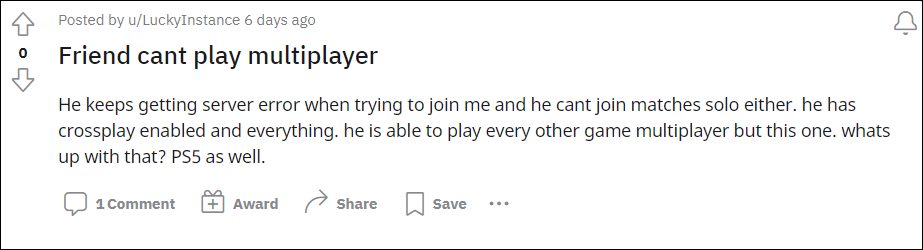
Even if someone does get an invite, they are unable to accept it as they get the ‘Failed to join group’ error message. All in all, if you are sending an invite to a player that has another platform [say a PC user sending an invite to PS5], then it wouldn’t work. So is there any way to fix the multiplayer crossplay not working issue in Bloodhunt? Yes, there exists a workaround that has spelled out success for some users. So without further ado, let’s check it out.
Bloodhunt Multiplayer Crossplay not working
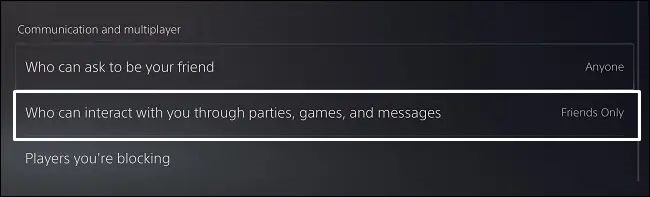
At the time of writing, the developers have said that you should set the ‘Who can interact with you through parties, games, and messages’ option to ‘Anyone’ on your PS5 console’s ‘Privacy’ settings. So try out this tweak and check if it fixes the multiplayer crossplay not working issue in Bloodhunt. As far as the ETA regarding the rollout of a fix is concerned, the devs haven’t made their intentions aware of that.
- COD Modern Warfare Multiplayer Missing Data Pack Error [Fixed]
- Destiny 2 Friends shown as Blocked on Xbox: How to Fix?
- How to Fix Call of Duty Modern Warfare Dev Error 6034
- Fix COD Modern Warfare: Cannot Change Reticle on any Optics/Guns

(Cancel Reply)
Δ
