Breaking News Brief app re-installs on Android: How to Uninstall
In this guide, we will show you the steps to fix the issue of the Breaking News Brief app re-installing itself on your Android device. There are a plethora of news apps available for the Android OS, so as t make your offering stand out from the crowd, your best curse of action should be to provide the content to your user base, right? Well, not according to the developers of Breaking News.
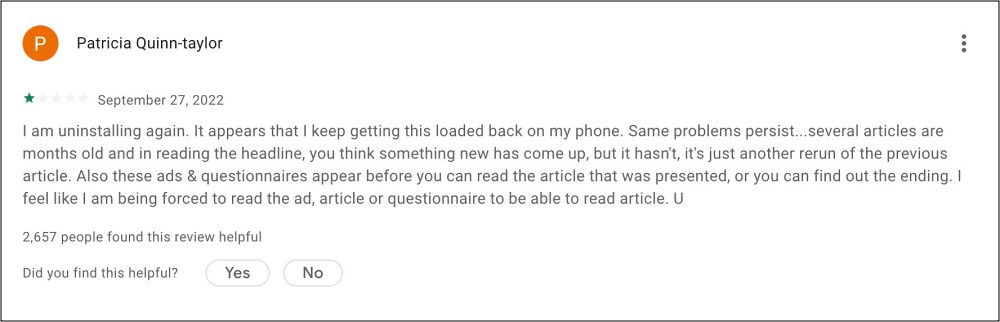
They have started opting for such low and shady practices that their app, Breaking News Brief, tends to automatically reinstall itself on every Android device after a brief internal. It usually disguises itself in an in-game or in-app ad wherein the users unintentionally end up tapping on it. And once that happens, it’s usually doom for the end users. Irrespective of the number of times the app is uninstalled by the user, it tends to get automatically reinstalled on its own. So is there an end to this fiasco? Let’s check it out.
Breaking News Brief app re-installs on Android: How to Uninstall

We did some in-depth investigating and found the app is somehow linked to the Verizon App Manager. On most devices, the Verizon App is a system app, so you won’t be able to uninstall it the native way. You’ll either have to take the help of ADB Commands to get this job done or disable the app by heading over to Settings > Apps > All Apps > Verizon App Manager > Disable > Disable App.
- Verizon canceling free Apple Arcade on Play More: How to Fix
- Cannot Activate Verizon on New Device: How to Fix
- Watch 720p HD Videos on Verizon 5G Start Plan [Bypass 480p Restriction]
- How to Install OTA Updates on Unlocked Verizon Pixel 6/6 Pro

(Cancel Reply)
Δ
