Bummer! OnePlus Pad does not have a fingerprint sensor
When it felt that OnePlus might have finally managed to steer the ship in the right direction, it seems to have once again hit the iceberg! On paper, you get quite an impressive sheet, with the likes of a 144Hz screen, Dimensity 9000 chipset, and 12GB RAM, but there is a glaring omission on the hardware side- the OnePlus Pad doesn’t have a fingerprint sensor or any form of secure biometric authentication for that matter!
The fact that a tablet is being launched in 2023 without these basic features is really hard to digest. While it does have the usual password/pin/pattern, but for many users, having a fingerprint sensor is an easier way of unlocking their device. And what about face unlock? Well, it does have a selfie camera and that could be used as a facial recognition tool, but that is something that we used to have a decade back as well.
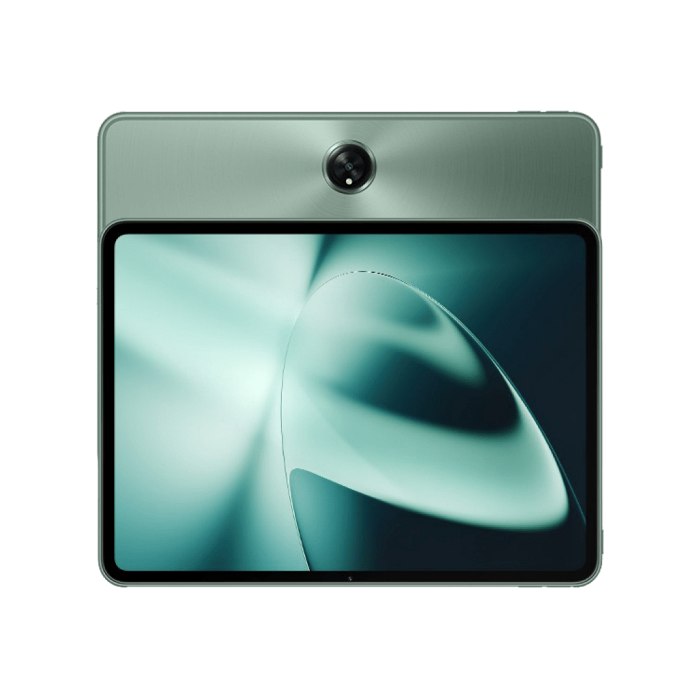
It doesn’t have any dedicated sensor for the same, so you might be at risk if you are planning to use this face unlock on sensitive apps such as the banking and payments app. Anyways, coming back to the point, why does OnePlus Pad not have a fingerprint sensor? Well, the company has given an explanation to 9to5Google and it might really surprise you.
Why Does OnePlus Pad not have a fingerprint sensor?
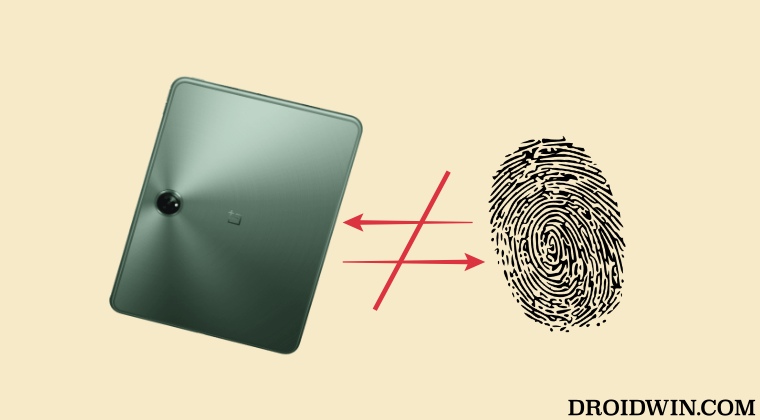
According to them, an in-display fingerprint sensor “is not as natural as how that’s used in a smartphone, ” and a side-mounted fingerprint sensor “is also not that efficient”. Well, well, we seem the company isn’t quite aware of the tablet markets yet, so let’s take them in that direction- Samsung is using the under-display fingerprint sensors on its Galaxy Tab S series for the past few years and Apple is using a side-mounted fingerprint sensor in the iPad for ages.
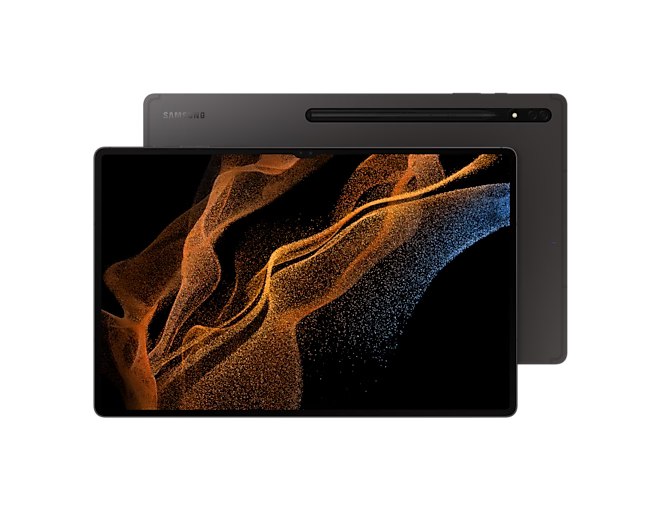
Galaxy Tab S8 Ultra
So if any member of your team didn’t have a chance to use any of these two products ever, then let me break it down for you- the fingerprint sensor on the Galaxy S series is completely “natural”- exactly how it is on any other premium smartphones and the one from Apple- well it’s among the most efficient ones out there. So you might have to come up with a better excuse next tie, OnePlus [something that could make even an iota of sense].
- MSM Download Tool for OnePlus 10 Pro: The Final Nail in the Coffin
- Fix OnePlus Fingerprint issues without Persist backup
- How to Unbrick OnePlus 11R via Fastboot Commands
- OnePlus 9 Pro Green Line after installing update [Fix]

- Steve 3 years ago Reply Red line. Idiotic.
(Cancel Reply)
Δ
Fix OnePlus Fingerprint issues without Persist backup
In this guide, we will show you the steps to fix the OnePlus fingerprint issues without using the persist backup. OnePlus has long been among the most active players in custom development. Even though MSM Download Tool has become a thing of the past, but that hasn’t stopped tech enthusiasts from trying out new tweaks. You just need to take a backup of all the partitions and then dive deep dive into the technicalities of the open-source ecosystem.
While all the partition backups are equally important, but for me two really stand out among the crowds- the EFS partition that holds the IMEI number and the Persist partition that houses the fingerprint. This is because while you might be able to recover other partitions by flashing that partition file from a shared user firmware, but that would never work with the two aforementioned partitions as both are unique for every Android device.
But even then, we all have been on the receiving end of forgetting to take a backup or the backup getting corrupted or deleted unintentionally. Well, if you are also in the same boat, then this guide will help you out, at least with regard to fingerprints. In this guide, we will show you the steps to fix the fingerprint issues on your OnePlus device without using the persist backup file. Follow along.
- Fix OnePlus Fingerprint issues without Persist backup STEP 1: Unlock Bootloader STEP 2: Flash persist of any other user STEP 3: ReCalibrate Fingerprint
Fix OnePlus Fingerprint issues without Persist backup
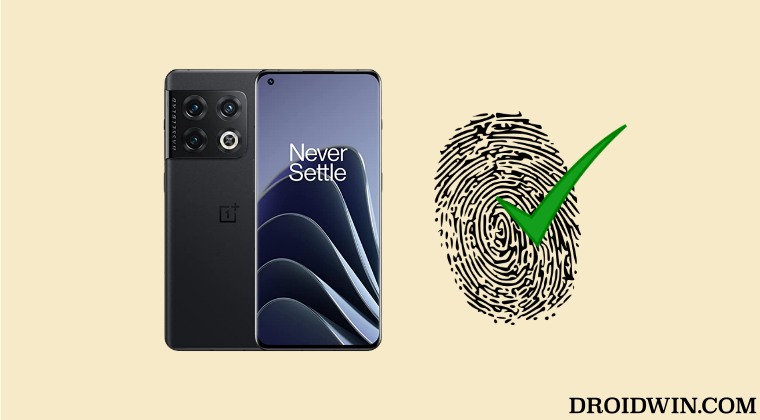
The below process will require you to purchase an Optical Fingerprint Calibration [see STEP 3] which costs around Rs 1000 [$ 12.2] and in my case it proved to be a worthy investment in comparison to going to the official service center. Anyways, the choice is all yours. So decide accordingly and then proceed ahead. Droidwin and its members wouldn’t be held responsible in case of a thermonuclear war, your alarm doesn’t wake you up, or if anything happens to your device and data by performing the below steps.
STEP 1: Unlock Bootloader
To begin with, you’ll have to unlock the bootloader. This will wipe off all the data and might nullify the warranty as well. So if that’s well and good, then do check out our guide on How to Unlock Bootloader on any OnePlus Device [Video] .
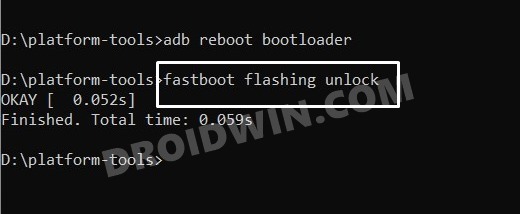
STEP 2: Flash persist of any other user
- Next up, grab hold of the persist.img file [you may ask it from any other user] corresponding to your device.
- Then download and extract Android SDK Platform Tools on your PC.
- Now place the persist.img file inside the platform-tools folder.
- Then enable USB Debugging on your device and connect it to your PC via a USB cable.
- Now open CMD inside the platform-tools folder and execute the below command to boot your device to Fastboot Mode: adb reboot bootloader
- Now type in the below command to flash the persist file: fastboot flash persist persist.img
- You may now reboot to the OS via the below command: fastboot reboot
STEP 3: ReCalibrate Fingerprint
Now comes the most important part of this guide. You’ll now have to re-calibrate the fingerprint on your phone. For that, you need to buy an Optical Fingerprint Calibration tool such as the Relife RL-071B or rl-071A. Once you have got this tool, let’s proceed ahead to fix the fingerprint on your OnePlus device.
- Bring up the dialer and type in the below code *#899#
- Now select AfterSale Devices Calibration. It will ask for a code, type in the below code and hit OK. 6776
- Skip [hit Pass or do a back gesture] all the other calibration tests until you reach fingerprint.
- On fingerprint calibration, press Start and follow the on-screen instructions: yellow – yellow, black -black, and stripped- blue [in my case].
- The stripped test usually never works in the initial attempts. You might get errors like Relative Illuminance Abnormal [in such cases, you just need to apply a little bit more pressure on the screen].
- So carry out this step a couple of times and ultimately you’ll achieve success. Once done, restart your device.
- Once the device boots up, you could now re-add your fingerprint from the Settings menu.
- Take a Backup of Persist Partition: Fix Fingerprint Not Working
- RAM Expansion greyed out on OnePlus: How to Fix
- How to Enable Engineer Mode on any OnePlus device
- How to Enable 5G in OnePlus Phones [2 Methods]
- AbdulWasay 3 years ago Reply OnePlus 8 in2017 after downgrade baseband unknown Solution plz Lucian 2 years ago Reply For nothing phone 1 there is a way to recover broken persist partition. I ended up with no fingerprint and no serial number.
(Cancel Reply)
Δ
Bummer! OnePlus Pad does not have a fingerprint sensor
When it felt that OnePlus might have finally managed to steer the ship in the right direction, it seems to have once again hit the iceberg! On paper, you get quite an impressive sheet, with the likes of a 144Hz screen, Dimensity 9000 chipset, and 12GB RAM, but there is a glaring omission on the hardware side- the OnePlus Pad doesn’t have a fingerprint sensor or any form of secure biometric authentication for that matter!
The fact that a tablet is being launched in 2023 without these basic features is really hard to digest. While it does have the usual password/pin/pattern, but for many users, having a fingerprint sensor is an easier way of unlocking their device. And what about face unlock? Well, it does have a selfie camera and that could be used as a facial recognition tool, but that is something that we used to have a decade back as well.
It doesn’t have any dedicated sensor for the same, so you might be at risk if you are planning to use this face unlock on sensitive apps such as the banking and payments app. Anyways, coming back to the point, why does OnePlus Pad not have a fingerprint sensor? Well, the company has given an explanation to 9to5Google and it might really surprise you.
Why Does OnePlus Pad not have a fingerprint sensor?
According to them, an in-display fingerprint sensor “is not as natural as how that’s used in a smartphone, ” and a side-mounted fingerprint sensor “is also not that efficient”. Well, well, we seem the company isn’t quite aware of the tablet markets yet, so let’s take them in that direction- Samsung is using the under-display fingerprint sensors on its Galaxy Tab S series for the past few years and Apple is using a side-mounted fingerprint sensor in the iPad for ages.
Galaxy Tab S8 Ultra
So if any member of your team didn’t have a chance to use any of these two products ever, then let me break it down for you- the fingerprint sensor on the Galaxy S series is completely “natural”- exactly how it is on any other premium smartphones and the one from Apple- well it’s among the most efficient ones out there. So you might have to come up with a better excuse next tie, OnePlus [something that could make even an iota of sense].
- MSM Download Tool for OnePlus 10 Pro: The Final Nail in the Coffin
- Fix OnePlus Fingerprint issues without Persist backup
- How to Unbrick OnePlus 11R via Fastboot Commands
- OnePlus 9 Pro Green Line after installing update [Fix]
- Steve 3 years ago Reply Red line. Idiotic.
(Cancel Reply)
Δ
Bummer! OnePlus Pad does not have a fingerprint sensor
When it felt that OnePlus might have finally managed to steer the ship in the right direction, it seems to have once again hit the iceberg! On paper, you get quite an impressive sheet, with the likes of a 144Hz screen, Dimensity 9000 chipset, and 12GB RAM, but there is a glaring omission on the hardware side- the OnePlus Pad doesn’t have a fingerprint sensor or any form of secure biometric authentication for that matter!
The fact that a tablet is being launched in 2023 without these basic features is really hard to digest. While it does have the usual password/pin/pattern, but for many users, having a fingerprint sensor is an easier way of unlocking their device. And what about face unlock? Well, it does have a selfie camera and that could be used as a facial recognition tool, but that is something that we used to have a decade back as well.
It doesn’t have any dedicated sensor for the same, so you might be at risk if you are planning to use this face unlock on sensitive apps such as the banking and payments app. Anyways, coming back to the point, why does OnePlus Pad not have a fingerprint sensor? Well, the company has given an explanation to 9to5Google and it might really surprise you.
Why Does OnePlus Pad not have a fingerprint sensor?
According to them, an in-display fingerprint sensor “is not as natural as how that’s used in a smartphone, ” and a side-mounted fingerprint sensor “is also not that efficient”. Well, well, we seem the company isn’t quite aware of the tablet markets yet, so let’s take them in that direction- Samsung is using the under-display fingerprint sensors on its Galaxy Tab S series for the past few years and Apple is using a side-mounted fingerprint sensor in the iPad for ages.
Galaxy Tab S8 Ultra
So if any member of your team didn’t have a chance to use any of these two products ever, then let me break it down for you- the fingerprint sensor on the Galaxy S series is completely “natural”- exactly how it is on any other premium smartphones and the one from Apple- well it’s among the most efficient ones out there. So you might have to come up with a better excuse next tie, OnePlus [something that could make even an iota of sense].
- MSM Download Tool for OnePlus 10 Pro: The Final Nail in the Coffin
- Fix OnePlus Fingerprint issues without Persist backup
- How to Unbrick OnePlus 11R via Fastboot Commands
- OnePlus 9 Pro Green Line after installing update [Fix]
- Steve 3 years ago Reply Red line. Idiotic.
(Cancel Reply)
Δ
