Call of Duty Warzone Disc Read Error 6.154: How to Fix
In this guide, we will show you the steps to fix the Call of Duty Warzone Disc Read Error 6.154. This battle royale game from Activision is one of the most popular names in this genre. With traces of Modern Warfare, Cold War, and Vanguard, its multiplayer mode allows up to 150 players in combat. If that isn’t in sync with your requirements, then you could try the likes of Plunder, Rebirth: Resurgence, Buy Back, Payload, and Clash Modes. However, as of now, many users aren’t able to give a shot at this game.
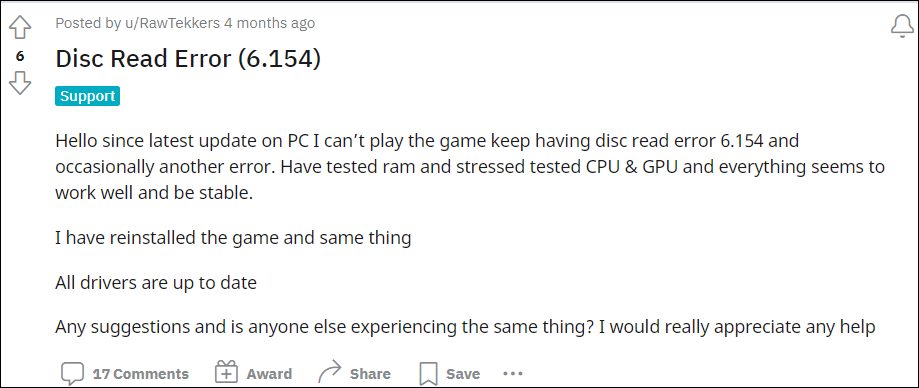
Whenever they are trying to play Call of Duty Warzonem they are straightaway greeted with the Disc Read Error 6.154. Along with the error message, it also lists out the file name. This could be either common_mp.fp, mp_hackney_am.fp, global.stream.mp.fp, mp_hackney_am.fc, mp_don3.fp, code_post_gfx, or common_base_mp.fp. If you are also getting bugged with this issue, then this guide will make you aware of a nifty method that will help you rectify this bug. So without any further ado, let’s check it out.
- How to Fix Call of Duty Warzone Disc Read Error 6.154 Method 1: Via Settings Menu Method 2: Via Device Manager
How to Fix Call of Duty Warzone Disc Read Error 6.154
The culprit behind this issue is the Sonic Studio Virtual Mixer which is an audio suite that usually comes pre-installed in laptops from Asus, among other brands. While it offers tons of goodies in the form of multiple audio controls, Smart Volume, Bass Boost, Treble Boost, Voice Clarity, Reverb, in-game noise cancellation, and voice-volume stabilization, but as of now, it is the sole reason behind this problem as well. So you should disable it right away, using any of the two methods listed below.
Method 1: Via Settings Menu
- Bring up the Settings menu via Windows I shortcut keys.
- Then go to System Sound More Sound Settings.
- Now right click on Sonic Studio Virtual Mixer under Speakers and select Disable.
Method 2: Via Device Manager
- Press the Windows X shortcut and select Device Manager from the menu.
- Then expand the Sound, video, and game controller section.
- Now right on Sonic Studio Virtual Mixer and select Disable.
- How to Fix Call of Duty Warzone Dev Error 5573
- How to Fix Call of Duty Modern Warfare Dev Error 6034
- COD Warzone Pacific freezing and crashing on PS5: How to Fix
- How to Fix COD Warzone Menu Lags/FPS Drops

(Cancel Reply)
Δ
