Cannot Access about:config in Firefox Android [Fixed]
In this guide, we will show you the steps to fix the issue of being unable to access about:config in Firefox Android. If we talk about privacy-centric browsers, then there are quite a few players in town, including the popular Tor. However, the offering from Mozilla is probably the only one that gives equal weightage to both the usage experience as well as the security and privacy front. Apart from that, it also beholds a slew of additional goodies in the form of experimental features.
These configuration settings are hidden from normal users and can only be accessed manually via the about:config. You may find the tech enthusiasts, testers, and developers being frequent visitors to this page. On rare occasions, even the general user might have to give this section a visit to rectify some underlying issues. However, the oath to this journey is no easy task.
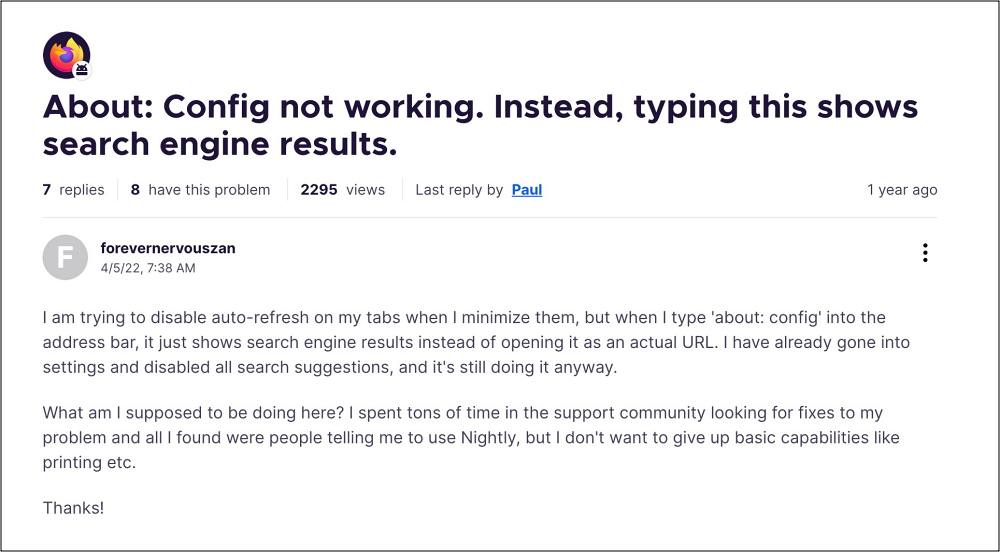
This is because numerous users have voiced their concern that they cannot access the about:config page in the Firefox browser on their Android device. While some get the Cannot Complete Request error and are redirected to a Request page, others are simply taken to a blank screen. So why is this happening and more importantly, how you could fix this issue? Let’s find out.
Cannot Access about:config in Firefox Android
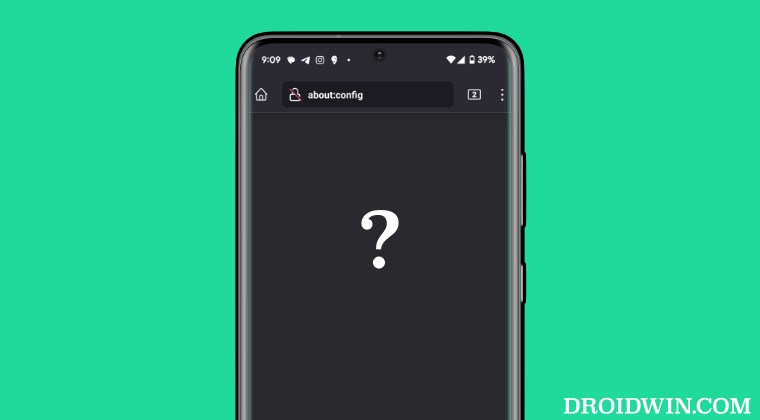
The about:config page is not available in Firefox stable build for Android. Instead, you’ll have to use the Firefox Beta or Nightly build to have access to this page. The reason for the same, as told by a Mozilla Forum Moderator, is “about:config is not a feature that most people will use and it can make your browser seriously unstable.”
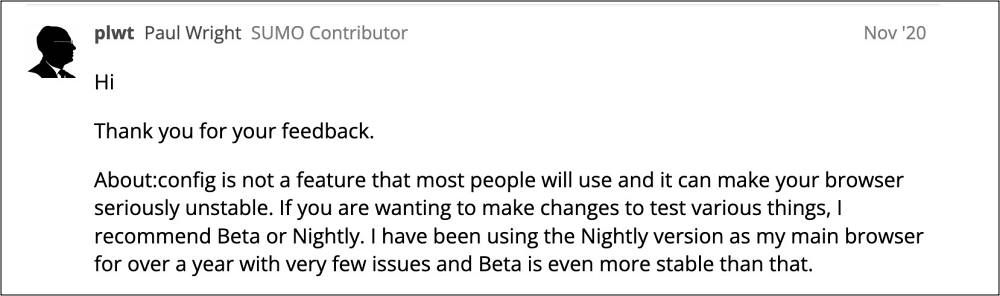
This is as dumb as a reasoning as it could get. While making changes to the browser via the config page could definitely result in the browser’s inability to function along the expected lines, however, how could someone end up unintentionally accessing this page? You cannot simply mistakenly type in the about:config in the address bar and enable/disable the toggle.
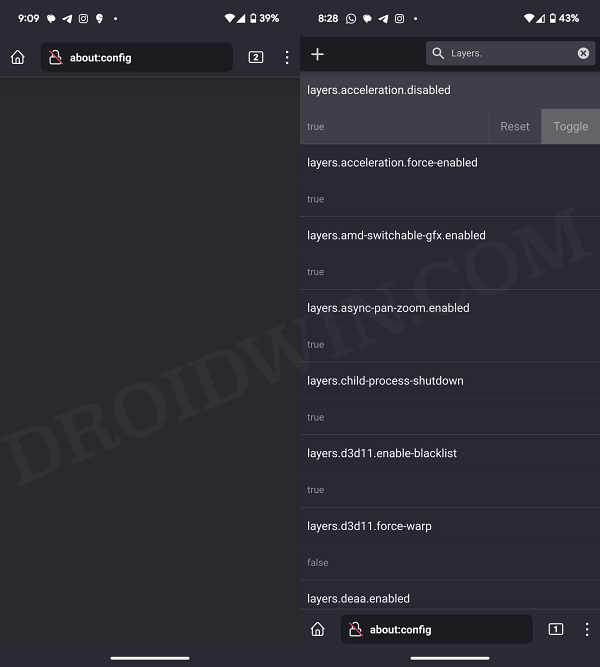
Left: Firefox Stable | Right: Firefox Beta
While taking precautions is necessary, but even that should be done up to an extent. It’s like having a car that could speed up to 300kmph but is limited to 100 because it could end up causing serious damage in case of an accident! Anyways, coming back to the point, ditching the stable build of the browser and switching over to one of its unstable counterparts is the only through which fix this issue of being unable to access about:config in Firefox Android.
- Pixel 8/Pro Visual Glitch on Firefox: How to Fix
- Firefox YouTube Videos Darker with Higher Contrast: How to Fix
- Cannot Download PDF Files on Firefox Android
- Firefox URL auto-complete suggestions not working: How to Fix

- nik 1 year ago Reply I’d like to live in privacy, which is an important civil right; if you want to surf in privacy, you need to disable webgl, webrtc, …, in order to protect you from browserprinting; only in about:config you can disable those things; (see more: browserleaks.com); if it is not possible to disable those, you are 100% identifiable, which means that civil rights are denied; in the end of the day, there is no more browser without fingerprint, the surveillants have won (google and all others). Apart from that, the people have to pay for the surveillance in money and in waste of time, because all is slower than it would be without the surveillance; they pay for the traffic and new equipment because the old one is too slow;
- Nick 2 years ago Reply I’ve used about:config in the past, both in mobile and desktop apps, but haven’t been able to get it to work on my Samsung J6. There are a few things I’ve been wanting to do to streamline my FF Android install, and now I finally know why about:config isn’t working. Thank you,droidwin.com! Off to get FF Beta. And piss on you, Mozilla! If I want to tinker, let me! If it crashes, it’s my fault! But don’t take features away because it MIGHT cause problems! Stupids.
- Alexis 2 years ago Reply Absolute BS. I have been having major problems with firefox android crashing for about 3 months now. I open it, type in what I want to search, go to a page, and it crashes, but it also forgets the search I just did and the page I was on and will crash again after about the same amount of time. Completely unusable. I finally have time to try and fix it, beyond uninstalling etc that I already tried, and the only other solutions requires about:config. So instead I will be deleting it as it’s a useless app taking up space on my phone.
(Cancel Reply)
Δ
