Cannot Add Widgets on OnePlus OxygenOS 16 [Fixed]
Quite a few users reached out to me informing me that they are unable to add widgets on their OnePlus device after updating it to the latest OxygenOS 16 build. I straightaway went to check the bugs section, but there wasn’t anything related to widgets. Then I went back to them asking if they have unl;ockd the bootloader and/or rooted their device. While some had others did not, so this as a culprit was out of the equation.
Then I did some further debugging, and an idea struck my mind- they might have disabled an app via the ADB command to debloat their devices. Turned out that was indeed the case. So I asked for the list of all the apps that they all have disabled, and there were only 2-3 apps common to all. Out of which, it was quite an easy task to identify which disabled app is causing this issue.
So I asked them to re-enable that app and let me know the result. Well, as it was expected, the issue was rectified, and they were able to easily add widgets on their OnePlus device running OxygenOS 16. So I thought of documenting my findings here as well because if anyone is currently facing this issue, then they might stumble upon this blog [if Google’s AI allows them to] and get it rectified.
Fix: Cannot Add Widgets on OnePlus OxygenOS 16
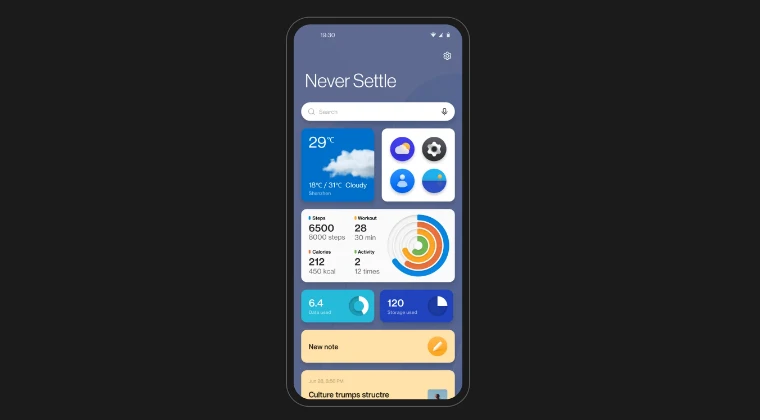
The culprit behind this issue is the Shelf app. So you need to enable it, and the underlying problem will be ironed out. This can be done in three different ways:
Go to Settings > Apps > All Apps> search Shelf > Enable it. [This is not supported by every OnePlus].
Use a third-party app like Canta to re-enable the Shelf app.
Use the ADB Command to re-enable the Shelf app. If you have disabled it, use: pm enable -–user 0
. If you have uninstalled it, reinstall it via: cmd package install-existing . The app package name for the OnePlus Shelf app is com.oneplus.opshelf . Download OxygenOS 16 Android 16 for OnePlus [Direct Links]
Downgrade OnePlus from Android 16 to 15/OxygenOS 16 to 15
How to Unlock Bootloader on OnePlus Firmware 863
Download & Install Android 16 Custom ROMs on OnePlus 9 Pro

- A 1 month ago Reply Bro. You need to make the tags on this better. I’ve been breaking my head over this issue for the past 3 hours and only now finally I came across your article and it worked!! The widget button was showing up after long pressing on the homescreen but after that nothing was happening. And I knew it was the fault of the new update because I hadn’t had this issue before at all. Anyway. Thanks. It worked well. I have my widgets back. Sadique Hassan 1 month ago Reply thanks mate for the appreciation…. Actually ever since AI got into the search, it pushed my site way back in the search result. So it has become extremely difficult to rank nowadays :/
(Cancel Reply)
Δ
