Cannot Change Search Engine in Vivaldi after v5.3 [Stuck with Bing]
In this guide, we will show you the steps to fix the issue of being unable to change the search engine in the Vivaldi Browser and being stuck with Bing. There are a plethora of browsers out in the wild that is based on the Chromium source engine. And Vivaldi is a part of that family as well, however, it manages to distinguish itself from the crowds.
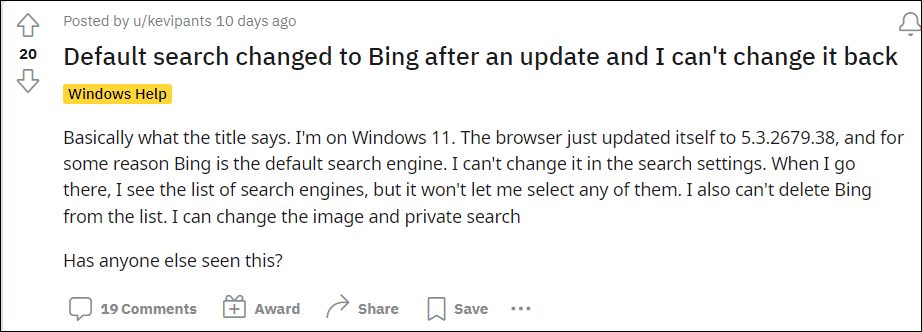
While it does share its engine with the open-source Chromium, however, this is where its dependency on Google ends. Its entire UI/UX and the fact that it maintains a distance from various Google services [including the sync functionality] help it in differentiating itself from other Chromium browsers. However, in spite of all that, it isn’t free from its fair share of issues either.
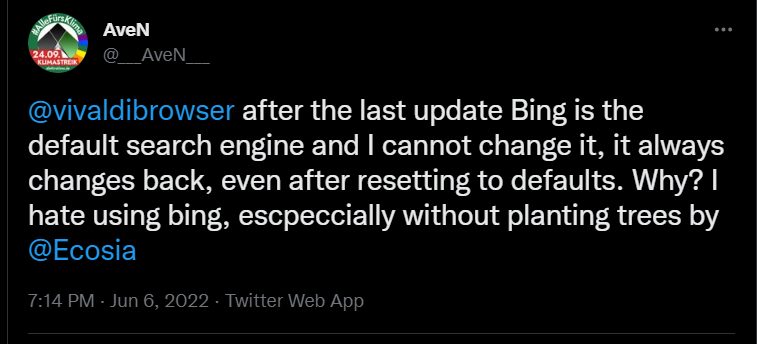
As of now, various users have voiced their concern that they are unable to change the default search engine in Vivaldi and are rather forced to stay with Bing. While they could still see the list of all available search engines, they aren’t able to switch to any other engine. Likewise, they aren’t even able to delete Bing from that list. If you are also on the same page, then this guide shall make you aware of a nifty workaround to resolve this issue. Follow along.
Fix Cannot Change Search Engine in Vivaldi after v5.3 [Stuck with Bing]

Users have already tried out the basic workarounds of deleting Bing from the list, resetting the browser to its factory default state, and even reinstalling it, but none of them spelled out success. Fortunately, the browser developers did come to the rescue and have shared a workaround that would give you a temporary respite from this issue. Here’s what you need to do-
- To begin with, launch Vivaldi and head over to its extension page.
- Then disable all the extensions that have any link with the search engines.
- Now go to the settings menu and you will be able to select the search engine of your choice.
- Once done, you could then re-enable all those extensions.
That’s it. These were the steps to fix the issue of being unable to change the search engine in the Vivaldi Browser and being stuck with Bing. As far as the official stance on this matter is concerned, the developers are aware of this issue , but they haven’t given out any ETA for the rollout of a fix. As and when that happens, we will update this guide accordingly. In the meantime, the aforementioned workaround is your best bet.
- Brave Browser URL/Address Bar Disappears in New Tab [Fix]
- How to Uninstall Samsung Internet Browser from Samsung
- Video Lags in Firefox Browser: How to Fix
- How to Add Multiple Values in Browser’s Target Field

- Chris 2 years ago Reply Developers get money for having bing installed on vivaldi. Simple fix do not ut bing on browser. Will not install vivaldi browser because of bing issues. If more pc users did this bing issues would be fixed or bing would not be installed on browser in the first place. Who wants to waste time fooling around trying fixes? Myself Firefox, Waterfox and Palemoon work for me. Freedom of CHOICE to delete search engines and use others.
(Cancel Reply)
Δ
