Cannot Close Ventura (Wallpaper) Process in macOS Sonoma [Fix]
In this guide, we will show you a nifty workaround to rectify the issue of being unable to close the Ventura (Wallpaper) Process in macOS Sonoma. The Cupertino giant has recently rolled out the fourteenth iteration of the OS build. With that, there are a slew of intriguing goodies to look forward to. However, at the time of writing, the OS is still in the beta testing phase, so you might occasionally come across a few bugs and issues [which we are continuously documenting here ].
Among them, there has been an addition of a rather interesting though equally infuriating bug that has left many users their heads scratching. Many users have voiced their concern that they are witnessing the Ventura (Wallpaper) Process taking up an astronomical amount of system resources in macOS Sonoma.
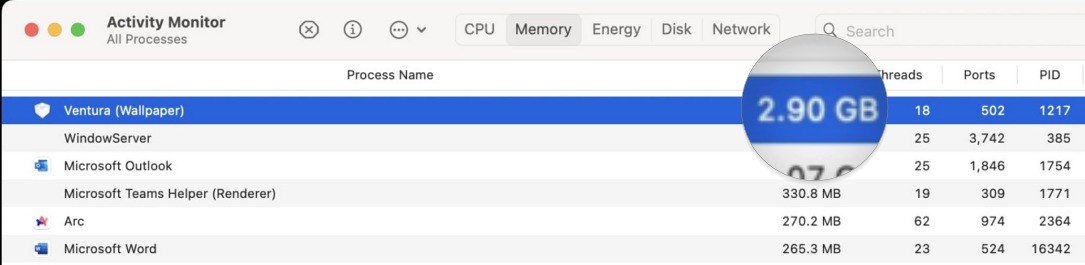
A wallpaper app taking such an exorbitant amount of resources is itself quite questionable, to begin with, but the fact that the wallpaper app is part of the previous OS only makes the matter further complicated. To make matters worse, the users said that they cannot close that process via any generic methods that they usually opt for while closing any process from the Activity Monitor. If you are also in the same boat, then this guide will help you out. Follow along for the fix.
Fix Cannot Close Ventura (Wallpaper) Process in macOS Sonoma
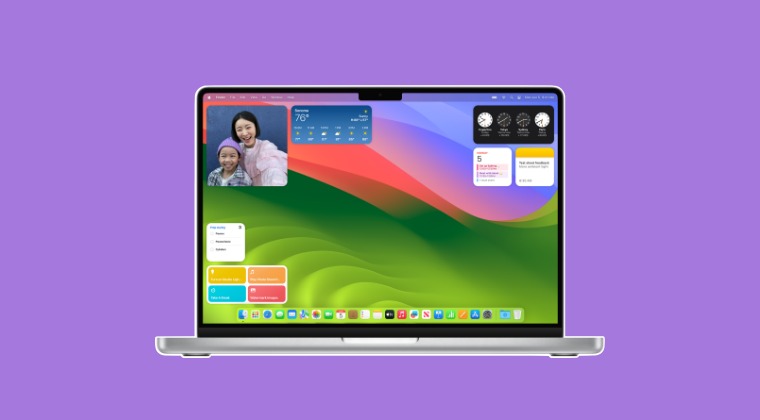
In order to rectify this issue, not only you’ll have to Force Quit the Ventura (Wallpaper) Process [which is located in /Users/username/Library/Containers/com.apple.ScreenSaver.Ventura/Data] but also the currently applied screensaver and wallpaper [such as Sonoma Wallpaper and Drift Screensaver]. So launch Activity Monitor from the LaunchPad and stop the aforementioned processes. Once done, you’ll have to restart your Mac.
- macOS 14 Sonoma Bugs, Issues, and Their Fixes
- How to Downgrade macOS 14 Sonoma to macOS 13 Ventura
- Safari Browser Profiles not working on macOS Sonoma: How to Fix
- Cannot Install macOS Sonoma in External Disk: How to Fix

(Cancel Reply)
Δ
