Cannot Enable OEM Unlocking in iodeOS ROM? Try this Fix!
The seventh iteration of the iodeOS based on Android 16 has just been rolled out. So I straightaway went to give it a try on my Pixel 6A. Apart from being a de-Googled and privacy-centric ROM, it also supports the ability to relock the bootloader. While this might prove to be a risky approach because if something goes wrong, you wouldn’t be able to flash the stock firmware and fix the underlying issue, in other words, unbrick your device.
But since I was making a video, I had to include that part as well, which I did. And anyway, you always have the option to keep the OEM Unlocking enabled. In that case, even if you’re stuck somewhere, you can easily unlock the bootloader via the fastboot flashing unlock command in Fastboot Mode. Or so I thought.

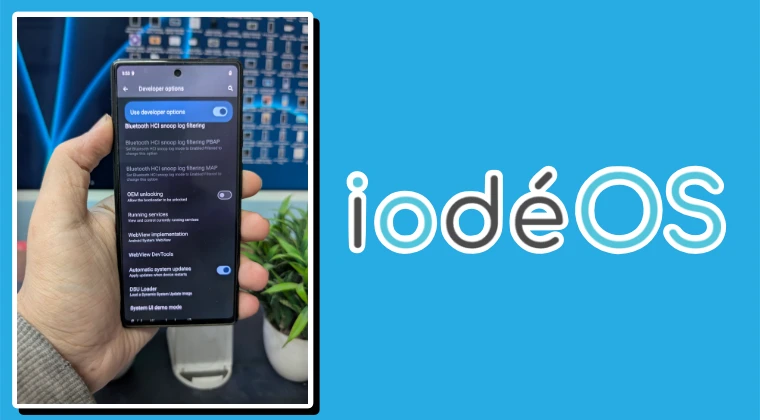
Right after flashing the ROM and relocking the bootloader, I straightaway went to enable the OEM Unlocking toggle, but guess what, the Settings menu crashed right away! Tried it a couple of times, but always faced the same problem. Then I did a restart followed by a factory reset, but to no avail. I even installed the latest OAT image, but the issue was still there. So then I moved over to a slightly technical approach, which involved taking logs and going through them.
12-12 16:53:37.954 29135 29135 E OemUnlockPreferenceController: Failed to check OEM unlock allowed

12-12 16:53:37.954 29135 29135 E OemUnlockPreferenceController: java.lang.SecurityException: FRP is active

12-12 16:53:40.585 29135 29135 E AndroidRuntime: FATAL EXCEPTION: main

12-12 16:53:40.585 29135 29135 E AndroidRuntime: Process: com.android.settings, PID: 29135 12-12 16:53:40.585 29135 29135 E AndroidRuntime: java.lang.SecurityException: FRP is active
So I ran the adb logcat -c && adb logcat *:E > logcat.txt command and tried enabling OEM Unlocking during that process so that the culprit gets caught in the log. Then I opened the log file and went through all the lines [which took ages!] and finally found the culprit- it was Factory Reset Protection. Yes, I had my Google account logged in to my device when I flashed the iodeOS ROM.
This ended up triggering the FRP in the iodeOS, and out of all the functionalities it could have impacted, it decided to go with the OEM Unlocking. So I added the same Google account to my device, which was there earlier [from Settings > System > microG Settings > Google Accounts > Add Google Account], but even this didn’t do any good! Well, I could have waited for a month, anticipating that the developers might roll out the ‘fix’ in the next update, but that was a long wait time for me.
So I then decided to have a look at some of the bootloader unlocking values in the Fastboot Mode, and guess what, something hit me, and thanks to it, I was able to unlock the bootloader on my Pixel running iodeOS! And I’m quite sure I wouldn’t be the only one with this issue, so for the rest of the affected users, I decided to write down the ‘fix’ in this guide to help them affected users. Follow along.
How to Enable OEM Unlocking and Unlock Bootloader on iodeOS ROM
Currently in Fastboot Mode, I decided to test out the values of get_unlock_ability. If the value is 0, then you wouldn’t be able to unlock the bootloader, whereas if it is 1, you can easily unlock it. Since the OEM Unlocking on my device was currently disabled, it was obvious that the value would be 0 in my case. But before I decided to check that out, an idea came to my mind that, up until this point, I had never tried unlocking the device’s bootloader even once!
I know that the OEM Unlock is currently disabled and unlocking will not be possible, but there’s nothing to lose in trying it out. I just need to enter one single line of command. Since I was already in the Fastboot Mode, I tried the fastboot flashing unlock command, and guess what, I got the option to toggle between Lock and Do Not Lock the Bootloader. So I used the volume key to bring up Unlock the Bootloader and pressed the Power key to confirm. Guess what! The bootloader indeed got unlocked!

So what’s happening here? Well, even I’m currently scratching my head, but it might be the case that the OEM Unlocking might be enabled in the backend; it’s just that in the front end, there might be a UI issue, which is resulting in the inability to show the actual state of OEM Unlock. I may be completely wrong with my hypothesis, but for now, I’m going with this only. Will do some further investigation and then update this section accordingly.

(Cancel Reply)
Δ
