Cannot Open PDFs via WhatsApp: How to Fix
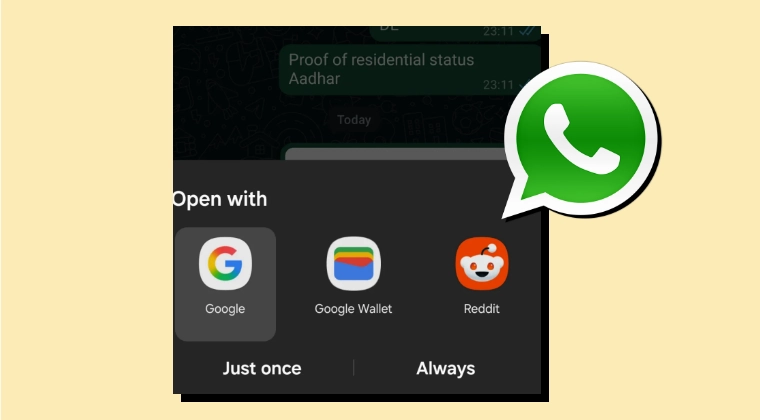
In this guide, we will show you the steps to fix the issue of being unable to open PDF files via WhatsApp. While this instant messaging service usually gets bugged with an issue or two, however, the one that it is currently been impacted with is both infuriating and hilarious in equal measures. Numerous users [ 1 , 2 , 3 , 4 , 5 , 6 , 7 , 8 , 9 , 10 , 11 ] have voiced their concern that when they try to open a PDF file via WhatsApp, they are greeted with the following app suggestions:
Reddit, Google Play Services, Termux [terminal emulator], or even the Dialer app!

Ah yes, WhatsApp, why wouldn’t one want to open the PDF via using the phone app! Making matters weirder is the fact that this issue cannot be reproduced if they are trying to open a file that others have sent to them; it only throws these weird Open With suggestions on a file that they have sent to anyone. So if you are also facing these issues, then this guide is here to help you out. Follow along for the fixes.
- Fix: Cannot Open PDFs via WhatsApp FIX 1 FIX 2
Fix: Cannot Open PDFs via WhatsApp
Users have already tried resetting the app’s permission or deleting its cache, but it didn’t work out in their favor. So i t is recommended that you try the below-mentioned workarounds and then see which one spells out success. So with that in mind, let’s get started.
FIX 1
You can still open those documents manually via the File Manager app. So launch it, go to WhatsApp -> Media -> Documents [or Downloads or Documents folder] > Open the desired PDF > You’ll now get a PDF file opener suggestion [if you haven’t chosen any default one] > Select the one of your choice and the file will be opened.
FIX 2
WhatsApp Web is still not impacted by this bug, so you can use it for now. For that, launch any browser and open web.whatsapp.com, and that’s it.
So these were the various methods that should help you fix the issue of being unable to open PDF files via WhatsApp. As far as the official stance on this matter is concerned, the developers are yet to acknowledge this issue, let alone give out any ETA for the rollout of a fix. As and when any of these two things happen, we will update this guide accordingly. In the meantime, the aforementioned workarounds are your best bet.
- WhatsApp Web Scrolling Not Working: How to Fix
- How to Restore WhatsApp Chats & Media Without Google Drive
- Guide to Run WhatsApp on Rooted Unlocked Bootloader Device
- How to Download WhatsApp Backup from Google Drive

(Cancel Reply)
Δ
