Cannot search files on mounted NAS Drive: How to Fix
In this guide, we will show you various methods to fix the issue wherein you cannot search files on a mounted NAS drive. Quite a few users have voiced their concerns that they have mounted a few folders mounted As AFP. However, when thy try to search any file inside that folder using Finder, the latter isn’t able to find anything.
Similarly, the Spotlight search also takes ages to find a file or in some instances returns empty-handed. This is because that data isn’t in Spotlight’s index to work with. With that said, there does exist a few nifty methods through which you could easily search files on a mounted NAS drive. And in this guide, we will show you how to do just that. Follow along.
- Fix Cannot search files on mounted NAS Drive FIX 1: Using Terminal FIX 2: Using Universal Search FIX 3: Use EasyFind FIX 4: Mount it as SMB
Fix Cannot search files on mounted NAS Drive

It is recommended that you try out each of the below-mentioned workarounds and then see which one spells out success for you. So with that in mind, let’s get started.
FIX 1: Using Terminal
You could get hold of the desired file by searching it via the terminal window as well. Here’s how:
- To begin with, head over to Launchpad > Others and open Terminal.
- Then use the below command syntax to find the desired file: find /Volumes/media -name “file name”
- It will now search the requested file on your mounted NAS drive.
FIX 2: Using Universal Search
If you are on Synology DSM 7, then you could make use of its Universal Search feature to get this job done it no time whatsoever. Here’s how:
- To begin with, launch Universal Search and click on Preferences.
- Then click on Indexed Folder List under the File Indexing tab.
- Now click Create and then click on Select next to Folder name.
- After that, browse to the desired folder and click Select.
- Likewise, also checkmark Photo, Music, Video, and Document.
- The indexing will now begin and it might take some time [since this is the first indexing].
- Once done, you will now be able to search the desired files on your mounted NAS drive.
FIX 3: Use EasyFind
Easy Find is a third-party app that is able to search files and folders by name or content using advanced Boolean operators similar to DEVONthink and DEVONagent. So if you wish to step into the third-party app territory, then you should definitely try out this app.
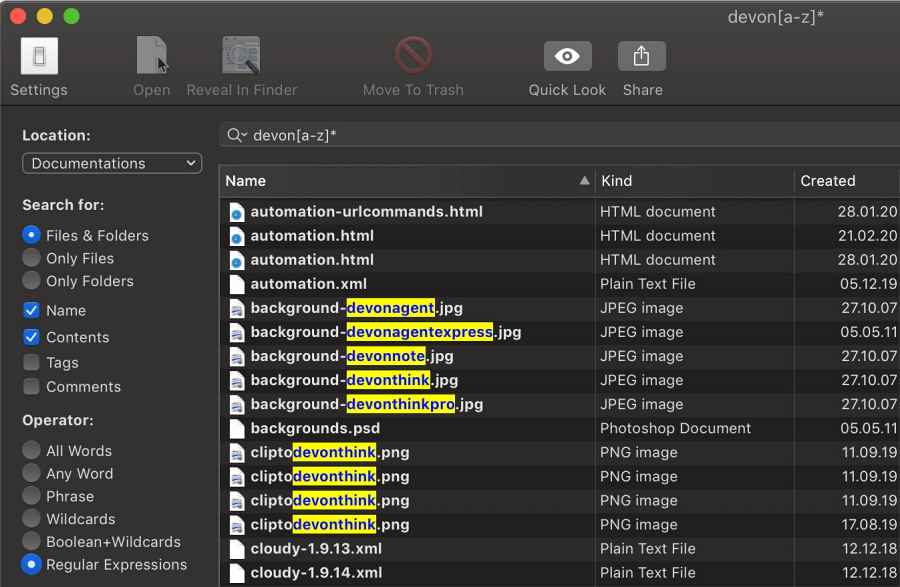
Credits: Devon Technologies
FIX 4: Mount it as SMB
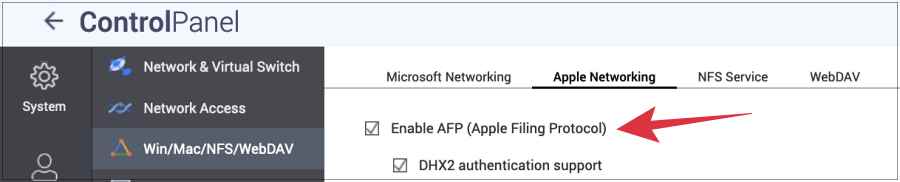
Last but not the least, we would recommend you mount the NAS as SMB instead of AFP as the latter has been depreciated now.
- Google Drive Local Search Indexing Not Working in Stream Mode [Fixed]
- Fix Time Machine couldn‘t complete the backup: Disk image already in use
- Time Machine: The backup disk image sparsebundle could not be accessed (error 16)
- Mac automatically downloads the “Install macOS Monterey.app”[Fixed]

(Cancel Reply)
Δ
