Cannot Set Reminders via Gemini [Fixed]
In this guide, we will show you the steps to fix the issue of being unable to set reminders via Gemini. This AI multimodal language model from the Silicon Valley giant didn’t seem to have the best of starts. While it was initially shaken by racial and gender bias [for which Google even had to issue an apology], it has now started being plagued by a few bugs and issues as well.
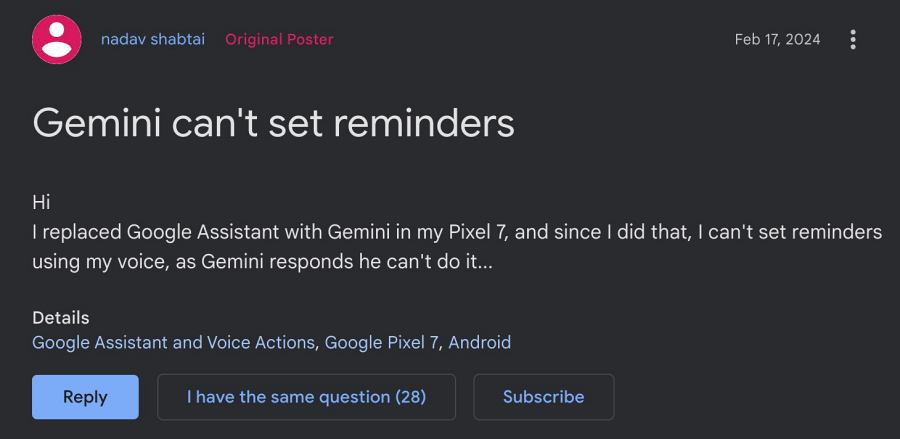
Although it was along the expected lines as the AI module is still in its infancy stage with most of its functionalities in the beta phase, still these issues need to be addressed at the earliest. While Google might take eternity to get this job done, we have taken matters into our hands to resolve these infuriating bugs, one among which is the inability of Gemini to set reminders.
Whenever the user issues a command for that, Gemini simply responds that he can’t do that. And that’s the end of the road. Or is that really the case? Well, we came across a nifty workaround that should help you rectify this issue. So without further ado, let’s check it out.
Fix Cannot Set Reminders via Google Gemini
- Head over to gemini.google.com.
- Then go to Settings > Extensions.
- Now enable Google Workspace > Connect.
- If it’s already enabled, then disable and re-enable it.
- How to make Gemini work on Lock Screen
- Gemini Missing from Android: How to Fix
- How to Enable and Use Gemini in Unsupported Country
- How to Switch from Gemini to Google Assistant

(Cancel Reply)
Δ
