Downgrade OnePlus Nord 2T from Android 13 to Android 12
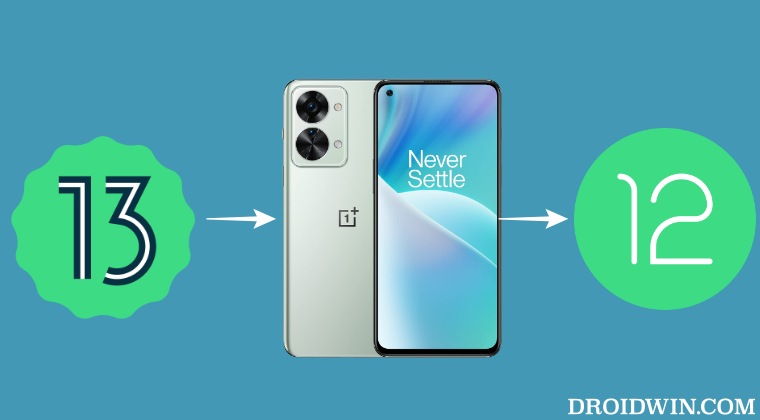
In this guide, we will show you the steps to downgrade your OnePlus Nord 2T from Android 13 to Android 12. This device has recently been blessed with the thirteenth iteration of the OS. And with that, there is a slew of intriguing features that you are about to welcome. These include the likes of Aquamorphic Design, tons of Personalization, enhanced security, upgrades to HyperBoost GPA 4.0, and many more.
On the flip side though you are now closer to the ColorOS than ever before. So a bloated UI/UX experience with tons of unnecessary customizations is on the way. Fortunately, you do have the option to escape from the shackles of the Android 13 update and downgrade your OnePlus Nord 2T to Android 12 which at least had some of the elements of the beloved OxygenOS. So without further ado, let’s get started.
How to Downgrade OnePlus Nord 2T from Android 13 to Android 12
The below process will wipe off all the data from your device, so take a complete device backup beforehand. Droidwin and its members wouldn’t be held responsible in case of a thermonuclear war, your alarm doesn’t wake you up, or if anything happens to your device and data by performing the below steps.
- To begin with, download the downgrade firmware corresponding to your region from below- OnePlus Nord 2T (IN): CPH2401_11_A_OTA_0170_all_a0d695_00011011.zip
- Then transfer the downloaded firmware to your device’s internal storage [but not inside any folder].
- After that, head over to Settings > About device > Version.
- Now tap on Build Number 7 times and enter your password [if asked]. It will enable the Developer Mode.
- Then go back to Settings -> About device -> Up to date.
- Now tap on the button situated at the top right and select Local Install. [Missing Local Install? Here’s the Fix ].
- Then navigate to the downloaded Android 12 firmware and select it. Then tap on Extract > Upgrade.
- Now, wait for the installation to complete. Once done, tap on Restart.
- Your device will now reboot to the downgraded OxygenOS 12 firmware.
- How to Unbrick OnePlus Nord 2T via Fastboot [Video]
- How to Install TWRP Recovery on OnePlus Nord 2T
- Guide to Root OnePlus Nord 2T via Magisk [Video]
- How to Unlock Bootloader on OnePlus Nord 2T [Video]

- Abhi 4 months ago Reply The Link is not working . please fix it ASAP
- Tanay 12 months ago Reply The link is not working, can you please update?
- Sudhanshu Pandya 1 year ago Reply Not working Now please fix it🙏🏻
- Ahmed 2 years ago Reply Guys think twice before you install it because, they didn’t mention my all data will erased. I install it all my days is erased now Sadique Hassan 2 years ago Reply Hi Ahmed, it’s unfortunate that you had to lose your data. But doing any type of downgrade will always wipe off all the data from your device. And I had listed the same in the guide as well.
- Ranjeet Singh 3 years ago Reply OnePlus nord 2t 5g roll back oxygen 13 to 12
(Cancel Reply)
Δ
