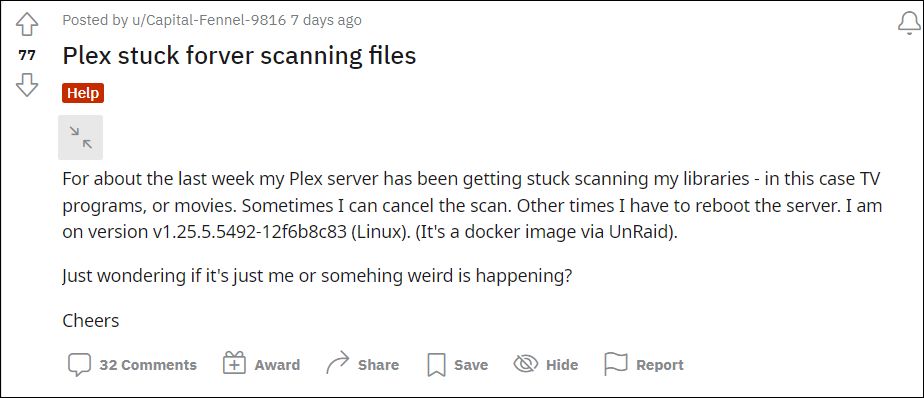
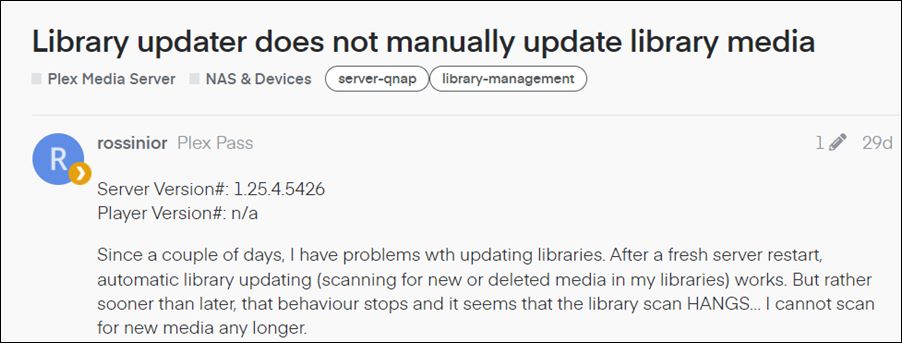
However, in spite of all the goodies attached, it isn’t free from its fair share of issues. In this regard, there have been numerous instances in the past wherein Plex rolled out a buggy update thereby leading to quite a few issues with third-party streaming apps and services. While they do rectify these issues by releasing a new patch but that release does take a few days to even weeks to arrive.
- How to Downgrade Plex on Windows
- How to Downgrade Plex on Mac
- How to Downgrade Plex on Nvidia Shield TV STEP 1: Uninstall Current Plex Server STEP 2: Download Old Version of Plex STEP 3: Install Cloud-Based File Explorer STEP 4: Downgrade Plex on Shield TV
- How to Downgrade Plex on Amazon Fire Stick STEP 1: Uninstall Current Plex Server STEP 2: Downgrade to an Older Plex Version
How to Downgrade Plex on Windows
- Bring up the Run dialog box via Windows+R shortcut keys, copy-paste the below location, and hit Enter. %LOCALAPPDATA%\Plex Media Server
- There will be a folder named Updates. Go there and you should see the previous installation builds of Plex.
- Copy any one of the older versions EXE file and transfer it anywhere outside of the Plex Media Server folder.
- However, if there’s no Updates folder or EXE files inside the Updates folder, then you may manually download the older Plex Media Server setup file from a third-party site.
- Now head over to the Start Menu, search Control Panel, and open it.
- Then select Plex Media Server from the list and click Uninstall.
- Again click Uninstall in the confirmation dialog box and wait for the process to complete.
- Once done, install the earlier build of Plex Media Server using the setup you had copied/downloaded earlier.
- Finally, restart your PC for the changes to take place.
- With this, you have successfully downgraded Plex on your Windows PC.
How to Downgrade Plex on Mac
- Bring up the Finder’s Go menu, select Go to the Folder, and type in the below location: ~/Library/Application Support/Plex Media Server/
- There will be a folder named Updates. Go there and you should see the previous installation builds of Plex.
- Copy any one of the older versions setup files and transfer it anywhere outside of the Plex Media Server folder.
- However, if there’s no Updates folder or previous setup files inside the Updates folder, then you could manually download the older Plex Media Server setup file for your Mac from a third-party site.
- Now select Application from the sidebar of the Finder window to open the Applications folder.
- Then drag the Plex Media Server to the trash can and the app stands uninstalled.
- Now download and install the older Plex Media Server on your Mac. Once done, restart your PC.
- That’s it. These were the steps to downgrade Plex on the macOS.
How to Downgrade Plex on Nvidia Shield TV
Downgrading Plex on your Android TV is a three-step process. First off, you will have to uninstall the currently installed version of Plex. Next up, install a cloud-based File Explorer app across both your Android device and TV, and finally, sideload the older version of Plex onto your TV. Here’s how it could be carried out:
STEP 1: Uninstall Current Plex Server
- Head over to Settings > Apps on your Nvidia Shield TV.
- Then select Plex Server App and hit Uninstall.
- Now, wait for the process to complete.
STEP 2: Download Old Version of Plex
Next up, download an older version of the Plex APK for your Nvidia Shield TV from a third-party site.
STEP 3: Install Cloud-Based File Explorer
You will now have to install a network-supported File Explorer that will help us to transfer files between devices that are connected to the same network. As for this guide, we will be using the ‘Send files to TV’ app. So download and install this app on your TV and smartphone from the Play Store .
STEP 4: Downgrade Plex on Shield TV
- Open the ‘Send files to TV’ app on your TV and select the Receive option.
- After that, open the app on your phone and tap on Send.
- It will now open a navigation menu. Navigate to the downloaded Plex APK and select it. Reference Image
- The File will now be transferred over to your TV. Select it and click Open.
- Then proceed with the on-screen instructions to install it. That’s it.
- These were the steps to downgrade the Plex Server on your Nvidia Shield TV.
While there exist quite a few methods to carry out the downgrade process, we will be taking the shortest approach that doesn’t involve the use of any other device or networking/IP Address.
STEP 1: Uninstall Current Plex Server
- Head over to the Settings menu on your TV.
- Then go to Applications > Manage Installed Applications.
- Now select the Plex app and hit Uninstall.
- Proceed with the on-screen instructions to complete the uninstallation process.
STEP 2: Downgrade to an Older Plex Version
- Head over to your Fire TV home page and bring up the Search bar.
- Then search for the Downloader app and install it via the Amazon App Store.
- Now open the app and head over to the below location using it: https://www.apkmirror.com/apk/plex-inc/plex-media-server/
- Highlight one of the older versions of Plex APK and select it.
- Then choose Install and subsequently hit Finish once the process is complete.
- Plex Slow & Lagging on Samsung and LG Smart TV: How to Fix
- Plex App Crashing on iPad and iOS after v7.27: How to Fix
- How to Downgrade Nvidia Shield TV to Android 9
- Plex App Audio/Video Issues on One UI 4 and Samsung TV [Fixed]

- Will 4 years ago Reply FORBIDDEN! After all that, Downloader won’t let me in. Does this page need an update or something? Waste of time otherwise.
(Cancel Reply)
Δ
