Download Agent, Scatter, Authentication Files in SP Flash Tool?
In this guide, we will show you how to get the Download Agent/DA, Scatter, and Authentication files in the SP Flash Tool. This is usually the preferred tool when it comes to flashing stock firmware on MediaTek devices. However, as opposed to other flashing tools [such as Xiaomi’s Mi Flash Tool], it is a bit complicated.
The biggest query that leaves users with their heads scratching is where they can get their hands on the Download Agent or DA file. Apart from that, finding the Scatter and Authentication files might prove to be a tough nut to crack in some cases as well. If you also have these queries, then now is the right time to put them to rest once and for all, as this guide will answer all these questions. So without any further ado, let’s get started.
How to Get Download Agent, Scatter, Authentication Files in SP Flash Tool?

First off, let’s address the elephant in the room- from where can I get the Download Agent or DA file? Well, there are two sources for the same- the SP Flash Tool folder and your stock firmware. First off, you should try using the DA file from the SP Flash Tool folder, and if that doesn’t work out [you might get the STATUS_SEC_IMG_TYPE_MISMATCH vbmeta error in those cases], then you should use the file from your stock firmware [click on the image to enlarge it].
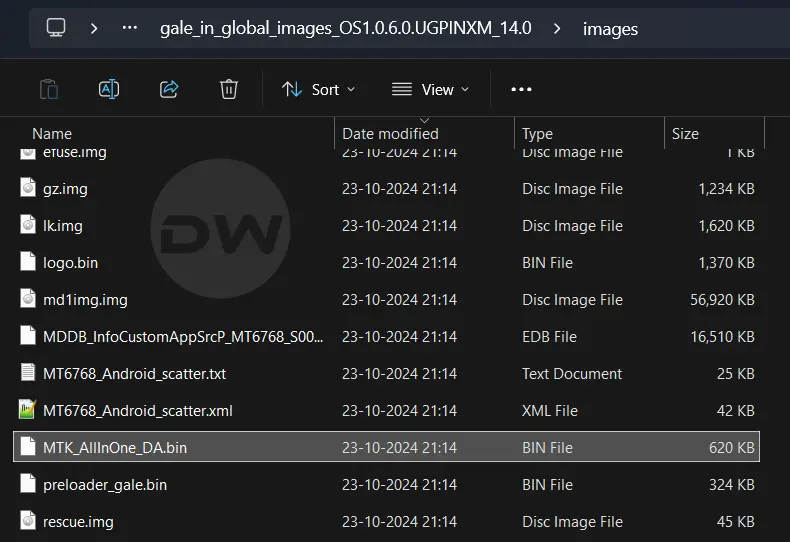

Do note that the DA file can be found in two names: DA_SWSEC.bin and MTK_AllInOne_DA.bin. The file name doesn’t matter; what matters is its location, as already explained above. Moving on, now comes the turn of the Scatter file. This is a text file usually named after your device’s chipset, such as MT6768_Android_Scatter.txt, and is present in the stock firmware. Do note that there’s also an XML variant of this file; you don’t have to use it.

- How to Fix status sec img type mismatch in SP Flash Tool
- ‘Verified boot is enabled’ Error in SP Flash Tool: How to Fix
- How to Backup NVRAM, NVDATA, NVCFG without SP Flash Tool
- How to Backup MediaTek Firmware using SP Flash Tool

(Cancel Reply)
Δ
