Download and Install WearOS 4 Apps on any Smartwatch
From this guide, you can download and install the WearOS 4 apps on any supported WearOS watches. The latest iteration of the WearOS is based on the Android 13 and brings in a slew of noteworthy goodies to the fore. Among them, the most useful one is definitely the revamped backup and restore feature which now allows you to pair your watch to a device without formatting the former.
Along with that, many apps have also been blessed with new features as well as UI/UX redesign. Owing to these reasons, it’s no hidden secret why users are looking forward to getting hold of these WearOS 4 apps on their smartwatch. While you would get these apps by default on the latest Watch 6, Watch 5 and 4 users might have to wait a while before the update is available.
Likewise, some of these apps might not even be available for non-Samsung watches. But since these watches run on Android-based OS, you have the option to easily sideload them via ADB. So on that note, let’s make you aware of the steps to download and install the WearOS 4 Apps on your smartwatch.
- Download and Install WearOS 4 Apps on any Smartwatch Download Samsung Music Download Battery Tile Widget Download AppleMint Font Download Watch Voice Recorder Download Gallery
- How to Install APKs on SmartWatch
Download and Install WearOS 4 Apps on any Smartwatch
Here’s a list of all the apps, what’s new in them/important notes, and their download links. All Credits go to XDA Senior Member Sameer Al Sahab for the same.
Download Samsung Music
Full UI Changed

Volume Panel Changes

New Revanced Design

Taken from Watch6 Classic


DOWNLOAD LINK: music_signed-apk
Download Battery Tile Widget
DOWNLOAD LINK: batterytile_clone-apk
Download AppleMint Font
New Font taken from Watch6


DOWNLOAD LINK: applemint_sign-apk
Download Watch Voice Recorder
UI Changes

Taken from Watch6 Classic


DOWNLOAD LINK: voicerecorderwatch_clone-apk
Download Gallery
Install cloned one


DOWNLOAD LINK: samsunggallerywatch_clone-apk
How to Install APKs on SmartWatch
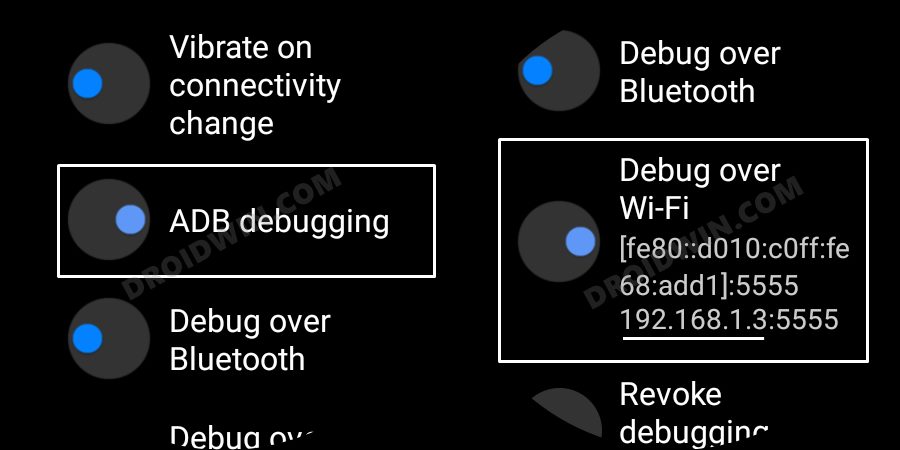
Now that you have got hold of the desired APKs, you would be planning to install them onto your watch. Well, we have got you covered for that as well. Just refer to our guide on Sideload APK/Install Apps via ADB in Galaxy Watch [2 Methods] and your task stands complete.
- How to Flash WearOS 2 on Gear S3 using NetOdin
- Install Custom Fonts on any Samsung Galaxy Watch
- Galaxy Watch 4 Stuck on Bootloop: How to Fix
- How to Connect Galaxy Watch 6 with Huawei Devices

(Cancel Reply)
Δ
