Drag & Drop Web Address is Treated as URL File in Gmail: How to Fix
In this guide, we will show you the steps to fix the issue of dragging and dropping a web address in Gmail isn’t having hyperlinks but is rather treated as an external URL file. When it comes to email services, there are no brownie points in guessing that the service from the Search Engine giants is right there at the top. But as is the case with other services, it isn’t free from its fair share of issues, though it’s few and far in between.
At the time of writing, a rather intriguing issue has made its way. Normally, whenever you drag and drop a hyperlinked word over to the Gmail message body, it would be pasted as the hyperlink text. So the users just need to click on that word and he would be taken to that linked site. But as of now, that doesn’t seem to be the case. When a user is dragging and dropping a hyperlinked text, it is not being added to the message body. Rather, it is now being treated as an external file, having the extension .URL.
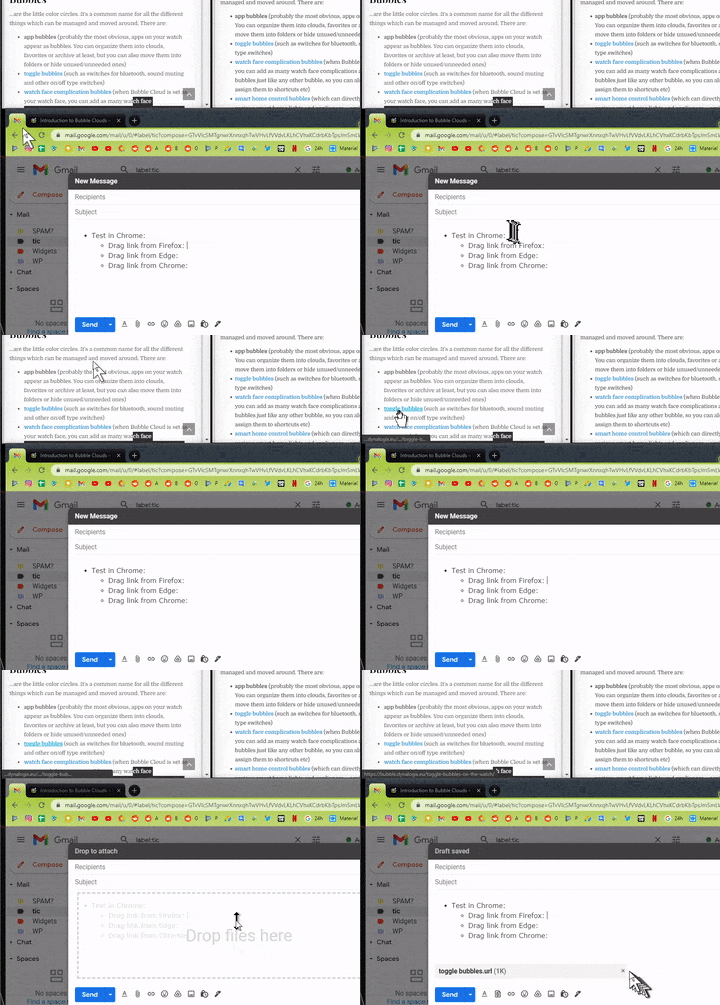
Hyperlink in Chrome is being sent as a URL File. Credit: Gergo Viczian
As of now, there’s still an element of doubt as to whether this is a server-side change (let’s hope not!) or just a bug. On the good side though, there does exist a workaround through which you could fix the issue of drag & drop web addresses in Gmail being treated as a URL file, instead of the hyperlinked text. And in this guide, we will show you how to do just that. So without any further ado, let’s get started.
Drag & Drop Web Address is Treated as URL File in Gmail
At the time of writing, the issue is only with Chromium-based browsers. So if you are using Google Chrome, Microsoft Edge, Opera, or any other such browsers that have adopted the Chromium source code, then you are likely to get bugged with this issue. So the fix is simply to switch over to a non-Chromium browser, of which Firefox could be a perfect choice. No doubt it is definitely a time taking process of switching over to Firefox whenever you wish to send an email that has hyperlinked elements.
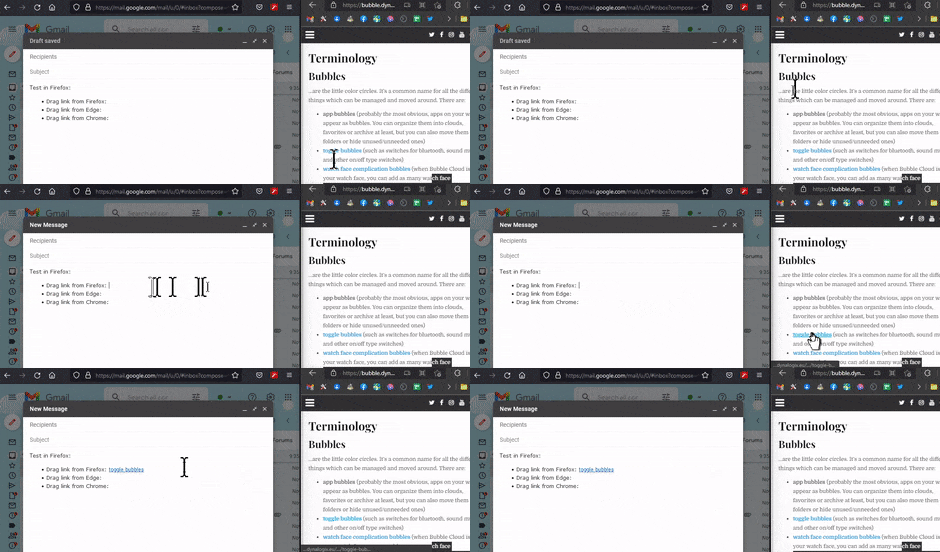
Error Fixed in Firefox. Credit: Gergo Viczian
- How to Turn off Chrome Notifications in Windows 11
- How to Enable Windows 11 Context Menu in Google Chrome
- Uninstall Google Chrome from Android [Without Root]
- How to Open Windows 11 Widgets Articles via Chrome

(Cancel Reply)
Δ
