Enable Android 14 Predictive Back Gesture on Android 13 [Video]
In this guide, we will show you the steps to enable the Android 14’s Predictive Back Gesture on your Android 13 device right away. As is evident by its name, the Predictive Back Gesture gives you a sneak peek of your next destination after you will perform a back gesture from a certain app. This will give you an idea as to whether or not you want to go back to that location or stay at the current destination.
At the time of writing, this feature is aimed at Android 14 but Google has added this functionality to the Android 13 build as well. This is mainly done for development purposes to give the app developers a platform to test their product and make it compatible with this gesture.
Talking about which, as of now, this feature is only supported across a few Google apps, namely Google Calculator, Google Calendar, Google News, Google TV, and Phone by Google. So without any further delay, let’s enable and test out Android 14’s Predictive Back Gesture on your Android 13 device right away.
How to Enable Android 14 Predictive Back Gesture on Android 13 [Video]
- First off, make sure you are using gesture navigation [Settings > System > System navigation > Gesture navigation].
- Then head over to Settings > System > Tap on Build Number 7 Times. This will enable Developer Options.
- Now go to Settings > System > Developer Options and enable Predictive back animations and tap OK in the prompt.
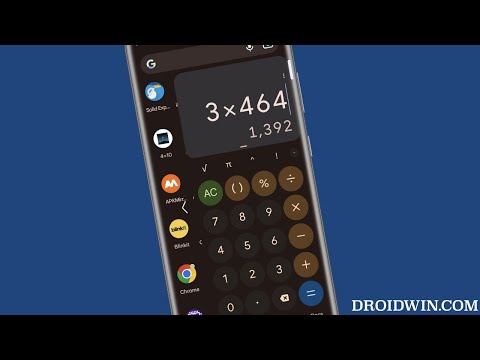
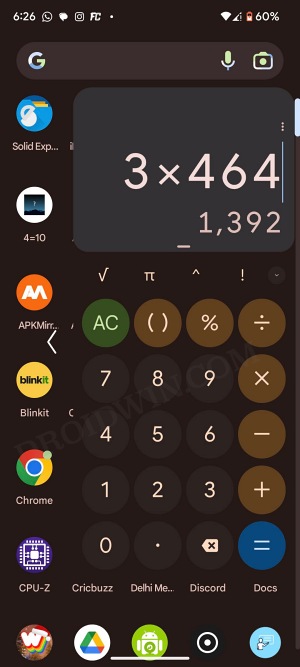
Let’s now test it out. So launch one of the supported apps [let’s take Google Calculator]. Then swipe from the left or right edge of the screen toward the middle and the app will shrink to a smaller form, thereby giving you a sneak peek at the location where you will end up landing if you perform a back gesture from the current app. You may now release the swipe to go to that destination or swipe back to the left or right edge to remain in the current app.
- How to Enable Tablet Mode and get Taskbar on any Android Device
- Hide/Remove the Gesture Pill in Navigation Bar on Android 13
- How to Install Viper4Android on Pixel 6/7/Pro running Android 13
- How to Update LineageOS from 19 to 20: Android 12 to Android 13

(Cancel Reply)
Δ
