External USB Hard Drive constantly spinning up/down in Mac [Fix]
In this guide, we will show you various methods to fix the issue of the external USB Hard Drive constantly spinning up/down on Mac. Numerous users have voiced their concern that their e xternal hard drive seems to be spinning up and down constantly after every few minutes. Not only is it infuriating, but it might also have an adverse impact on the drive over the long course of time.
Moreover, the issue initially started with macOS Big Sur and has carried forward over to Monterey as well. So if you are also getting bugged with this problem, then this guide shall help you. Follow along for the fixes.
- Fix External USB Hard Drive constantly spinning up/down in Mac FIX 1: Delete Power Management plists FIX 2: Disable ‘Put Hard Disks to sleep whenever possible’ FIX 3: Disable disk sleep for all states FIX 4: Use the Amphetamine app
Fix External USB Hard Drive constantly spinning up/down in Mac
It is recommended that you try out each of the below-mentioned workarounds and then see which one spells out success for you. So with that in mind, let’s get started.
FIX 1: DeletePower Management plists
Many users were able to rectify this issue after deleting the plist files related to energy saving and power management. So let’s put this fix to the test and check out the results.
- Launch Finder and go to Library > Preferences folder.
- Now delete the com.apple.PowerManagement.plist and com.apple.AutoWake.plist files.
- Check if it fixes the external USB Hard Drive constantly spinning up/down on Mac.
FIX 2:Disable ‘Put Hard Disks to sleep whenever possible’
Next up, you should also consider disabling the “P ut hard disk to sleep whenever possible” feature to mitigate this issue. Here’s how it could be done:
- To begin with, bring up the System Preferences menu and go to Energy Saver.
- Then uncheck “P ut hard disk to sleep whenever possible”.
- Now check if it fixes the external USB Hard Drive constantly spinning up/down on Mac.
FIX 3: Disable disk sleep for all states
Your next course of action should be to disable disk sleep for all states and then check out the results.
- Open Launchpad, go to the Others folder, and launch Terminal
- Then execute the below command in this Terminal window: sudo pmset -a disksleep 0
- Check if it fixes the external USB Hard Drive constantly spinning up/down on Mac.
FIX 4: Use theAmphetamine app
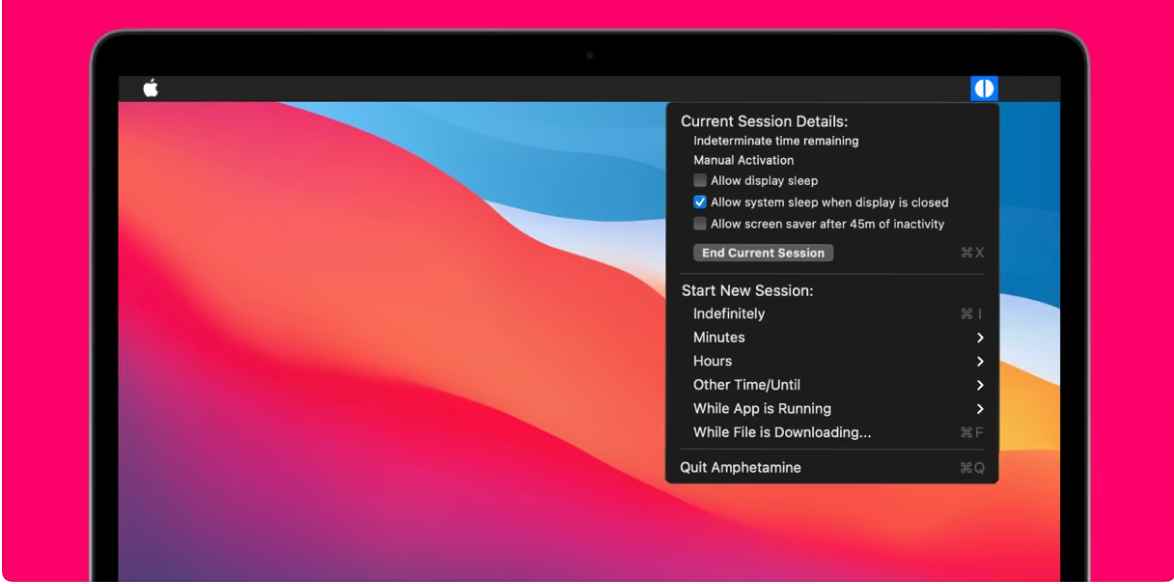
Some users were able to rectify this issue by using the keep-awake utility app Amphetamine . So download and install it from the App Store and then see if it works in your favor or not.
- “Disk Not Ejected Properly” message after waking Mac from Sleep [Fixed]
- SMB Samba Share not working in macOS Monterey: How to Fix
- Cannot Format External SSD using Disk Utility on Mac [Fixed]
- Time Machine: The backup disk image sparsebundle could not be accessed (error 16)

(Cancel Reply)
Δ
