Fix Google Maps running in Android Auto even after exiting the car
In this guide, we will show you the steps to fix the issue of Google Maps running in Android Auto even after exiting the car. By default, as soon as you connect your device to Android Auto, then the latter tends to launch the navigation app from the Silicon Valley giant. This helps you to easily view the navigation system on the infotainment system and get to your preferred location easily. However, as of late, there has been a slightly weird issue bugging this ecosystem.
Numerous users have voiced their concern that Google Maps is still running in Android Auto even after they have exited the car. While the Android Auto session has ended in their car but is still currently up and running on their device until they hit the Exit Navigation button. The issue first came to light after the latest update rolled out to both Android Auto as well as Google Maps. If you are also getting bugged by these issues, then this guide will help you out. Follow along.
Fix Google Maps running in Android Auto even after exiting the car
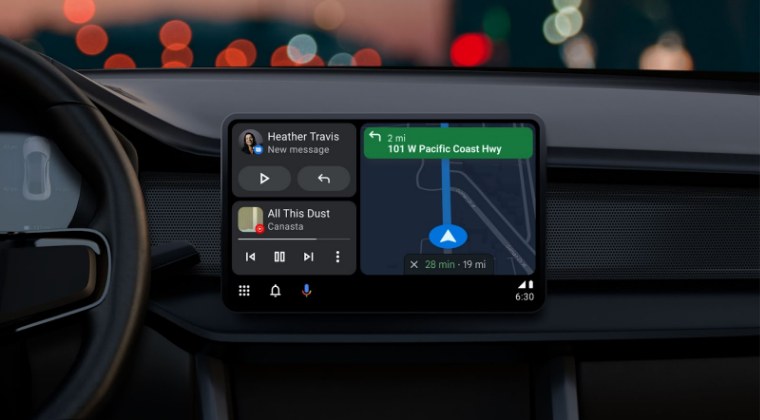
As discussed above, the culprit behind this issue is the latest update to Android Auto and Google Maps. So to rectify this issue, you’ll have to downgrade or rather uninstall the latest updates from both these apps. Here’s how it could be done:
- Head over to Settings > Apps > All Apps > Android Auto.
- Then tap on the overflow icon and select Uninstall Updates > OK.
- Now go to Settings > Apps > All Apps > Google Maps.
- Then tap on the overflow icon and select Uninstall Updates > OK.
- Moto Edge+ and 40 Pro Android Auto not working [Fix]
- Android Auto not working in Vivo X90 Pro Plus: How to Fix
- Android Auto not working on MIUI 14 Android 13: How to Fix
- Android Auto Coolwalk UI: Lower Screen Frozen [Fix]

(Cancel Reply)
Δ
