Fix Music pause when device gets a notification
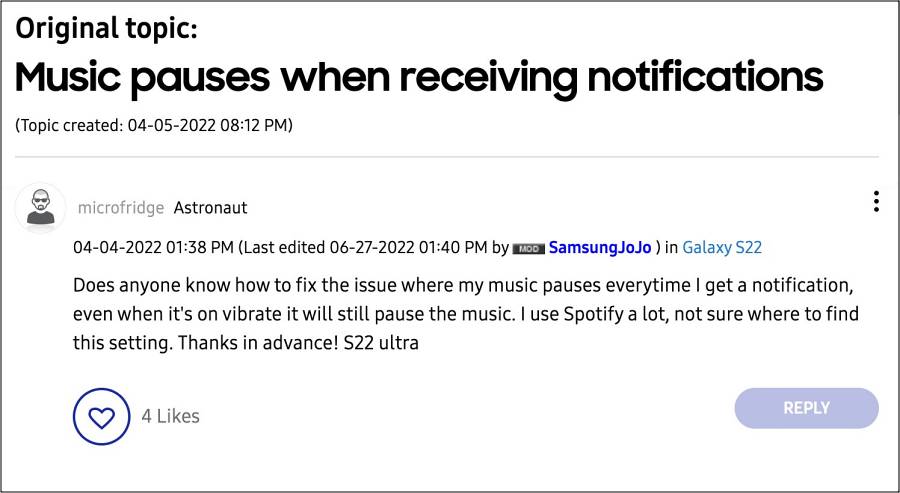
Numerous users have voiced their concern that they are facing a rather weird yet equally infuriating issue wherein the music tends to get paused whenever the device gets a notification. This is mostly reported by Samsung device owners [especially the flagships ones such as the S22 and 23 Ultra variant] and more so, most of these issues had one thing in common- their device was put in vibrate mode.
Furthermore, they have it across numerous music apps, including YouTube Music and Spotify and the issue is being emulated across all those apps. So the culprit is definitely something related to the device’s notification/sound setting instead of the music app. With that in mind, this guide will make you aware of a couple of nifty workarounds to fix this issue. So without further ado, let’s check them out.
- Fix Music pause when the device gets a notification FIX 1: Tweak Vibration Pattern FIX 2: Add App to Never Sleeping State
Fix Music pause when the device gets a notification
It is recommended that you try out each of the below-mentioned workarounds and then see which one spells out success. So with that in mind, let’s get started.
FIX 1: Tweak Vibration Pattern
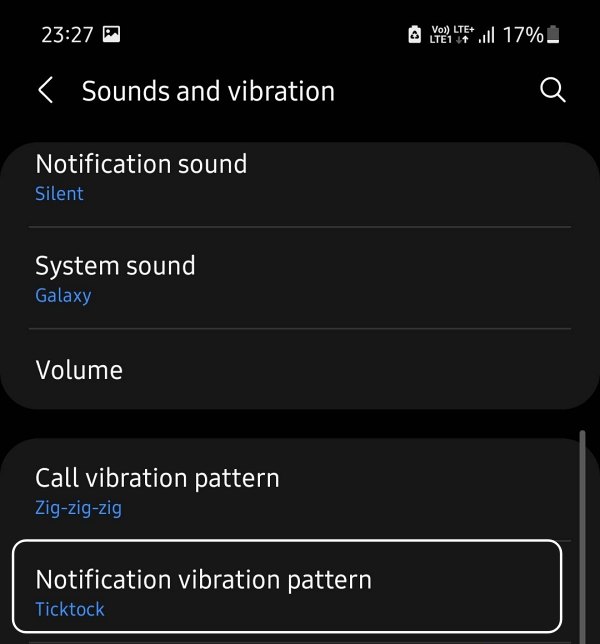
Your first course of action should be to tweak the Vibration Pattern and set it to anything except for Sync with sound. You could get this done from Settings > Sounds and Vibration > Notification Vibration Pattern.
FIX 2: Add App to Never Sleeping State
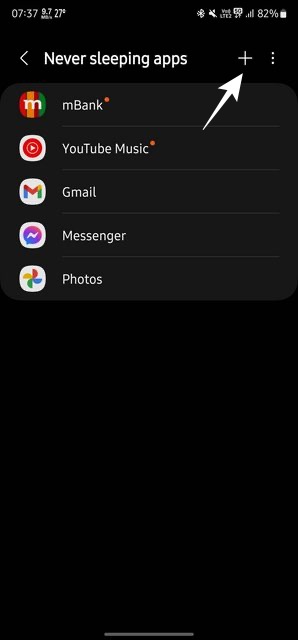
next up, you should give unrestricted battery and system resources to the app so that it is able to function in this non-restrictive state without any issues. So go to Settings > search Never Sleeping Apps > tap on the plus icon at the top right > add the desired music player > check out the result.
- Galaxy S23 Ultra: High bitrate videos in 8K 30fps mode issue
- Make System Partition Read Write R/W on Galaxy S23 Ultra
- Fix Bootloop after Rooting Galaxy S23 Ultra
- How to Change CSC to US Carrier on Galaxy S23 Ultra

(Cancel Reply)
Δ
