Fix Plex: An unexpected playback problem occurred
In this guide, we will show you the steps to fix the “An unexpected playback problem occurred” error in Plex. The streaming media service giant beholds quite a few nifty features up its sleeves. Allowing you to easily stream both the local and online content, it is compatible with near about every device, be it smartphones, smart TVs, streaming boxes, and even web apps.
Talking about its server, the likes of macOS, Linux, Windows, and Nvidia Shield all fall under its radar. However, in spite of the fact that it has so much to offer, it isn’t free from its fair share of issues. At the time of writing, quite a lot of Plex users are being greeted with an error message that spells out: An unexpected playback problem occurred.
This issue is only bugging the smart TVs (including all the Tizen-based Samsung TV sets), rest all the platforms are working well and good. So what is the reason for this issue and more importantly, how could you fix this “An unexpected playback problem occurred” Plex error? Well, there does exist an official method that has been known to rectify this issue. So without further ado, let’s check it out.
How to Fix Plex: An unexpected playback problem occurred
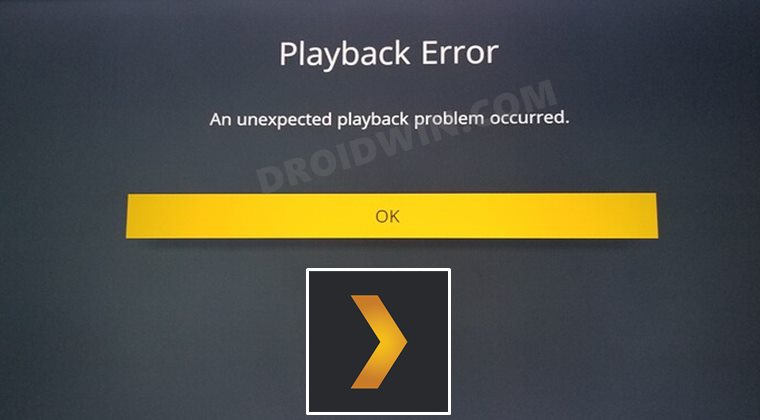
According to Plex, here’s the reason behind this issue:
On September 30, 2021, some older smart TVs (some Samsung, LG, Vizio, Hisense, and other unsupported TV platforms) will no longer be able to use secure connections to communicate with Plex Media Servers. These devices are no longer supported by their manufacturers, and won’t be receiving an update needed to continue making secure connections to a personal server.
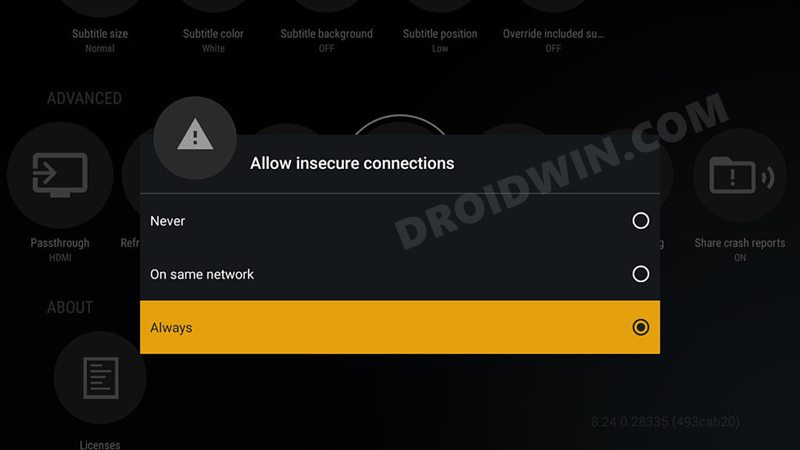
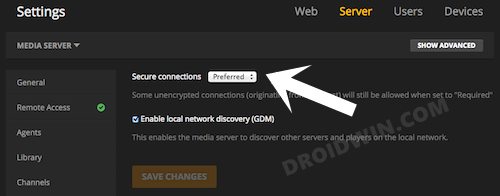
So to fix this error, you will have to make sure that both the app and the server are set to allow insecure connections. To do so, open the TV App and head over to Settings -> Advanced -> Allow Insecure Connections. Make sure it is set to Always (refer to the above image). Then on the servers, go to Settings -> Network -> Secure connections and make sure that it is set to Preferred (see below image).
- Fix An error has occurred DP-4040: Fire TV Live Stream
- Fix Apple TV app not working on Roku: Video not available error
- How to Fix YouTube TV App not working on Roku
- How to Remove Ads on Nvidia Shield and other Android TVs

(Cancel Reply)
Δ
