Fix Widevine DRM cert.bin file missing on Rooted Android
In this guide, we will show you the steps to fix the issue of the Widevine DRM cert.bin file missing on rooted Android. While rooting your device does bring in a plentitude of goodies, however, it isn’t free from its fair share of issues either. One among them is the Widevine Certification being downgraded to L3, which will result in your inability to stream DRM-protected content in HD.
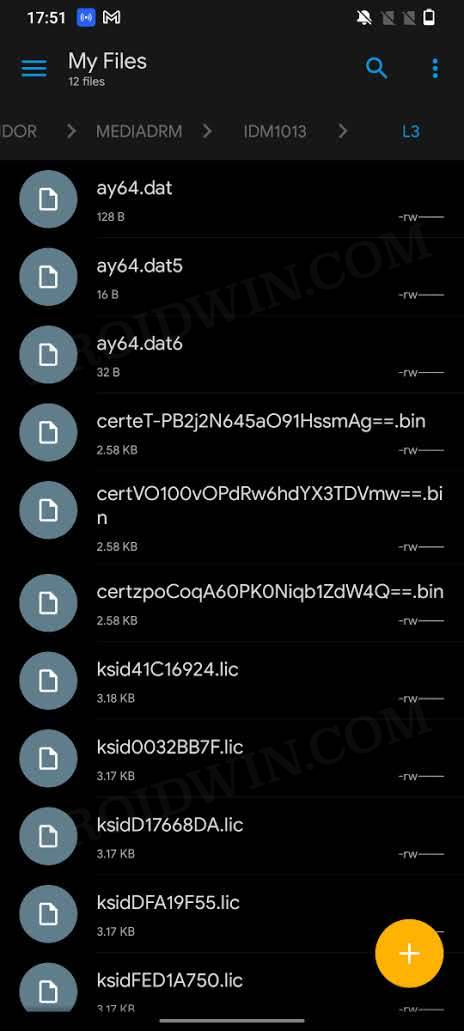
Well, in some instances, you might not be able to install apps that provide DRM content in the first place, such as Netflix. Apart from that, some users have also reported that the Widevine DRM cert.bin file is now missing from their rooted Android devices. For some, this is even happening after they have managed to upgrade the Certification to L1. If you are also in the same boat, then this guide will make you aware of a nifty workaround to rectify this issue. Follow along.
Fix Widevine DRM cert.bin file missing on Rooted Android
- To begin with, download the liboemcrypto.so disabler module from GitHub [ mirror link ]
- Then launch the Magisk app and go to the Modules section.
- After that, tap on Install from Storage, navigate to the liboemcrypto module and select it.
- It will now be flashed onto your device. Once done, hit Reboot.
- Your device will now reboot with the DRM cert.bin file, which could be accessed from /data/vendor/mediadrm/IDM1013/L1/cert.bin
- Fix Video DRM issue on Rooted Android [Netflix, Prime, Hulu]
- Netflix Error -93 on Android: How to Fix
- Netflix: This app isn’t compatible with your device anymore [Fixed]
- How to Fix Netflix Error Code F7121-3078 on Firefox

- Shivraj 3 years ago Reply Widevine L1 broken after miui update any solution? Sadique Hassan 3 years ago Reply Hi Shivraj, while I haven’t yet tested, but some users have confirmed that spoofing their Xiaomi device to that of a Pixel did manage to give them back Widevine L1 Certification. You could try out Method 1 given in this guide: https://droidwin.com/pass-safetynet-and-hide-root-from-apps-on-rooted-pixel-7-pro/ Make sure to add Netflix to Magisk’s Denylist and delete the Netflix data after carrying out the fix.
(Cancel Reply)
Δ
