Galaxy S25 Series: Update from BIT 5 Bootloader to BIT 7
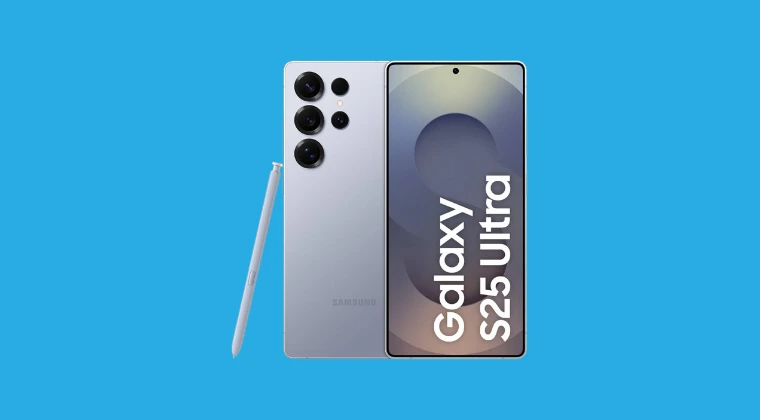
In this guide, we will show you the steps to update from the BIT 5 bootloader to the BIT 7 bootloader on the Galaxy S25 series. However, do note that this is not aimed at unlocking the bootloader on BIT 7 devices. It requires the device’sbootloader to be unlocked beforehand [on the BIT 5 bootloader], though your device’s bootloader will stay unlocked even after the upgrade. Here are a few important points about this firmware:
- Features
- Supported Devices
- Important Points to Keep in Mind
- List Of Files Removed From ROM If You Choose RW USERDATA
- Downloads S938B S937B S936B S931B Magisk Module Addon Standalone Flashable Zips Of Advanced TWRP Settings Odin
- How to Update Galaxy S25 Series from BIT 5 Bootloader to BIT 7
Features
- It’s a stock firmware that can easily be installed via Odin.
- It automatically installs patched Vbmeta Image and TWRP Recovery Image.
- It also gives you the option to remove encryption and makes the ROM RW.
- VBMETA disable image
- Will make System, System_Ext, System_Dlkm and Product partitions Ext4 RW
- Will remove encryption from the vendor and recovery image restore
- It will patch Bluetooth via magisk model
- Will root with magisk 30.6
- All Files Removed Can Be Downloaded As User Apps
Supported Devices
- SM-S93B & SM-S93B/DS.
- It will not work on US devices.
Important Points to Keep in Mind
- You can not go back to UI 7 firmware.
- You cannot relock your bootloaders without going back to full stock firmware first!
- The process will void your warranty, and Knox will be tripped.
List Of Files Removed From ROM If You Choose RW USERDATA
system/app/KidsHome_Installer

system/app/Rampart

system/app/MDMApp

system/app/AmazonMDIP_USA

system/app/VisionIntelligence3.7

system/app/SBrowser

system/app/SamsungCalendar

system/app/BlockchainBasicKit

system/app/SamsungPassAutofill_v1

system/app/Facebook_stub

system/app/FBAppManager_NS

system/app/UniversalMDMClient

system/app/FactoryCameraFB

system/app/PlayAutoInstallConfig

system/app/SamsungTTSVoice_en_GB_f00

system/app/SamsungTTSVoice_es_MX_f00

system/app/SamsungTTSVoice_vi_VN_f00

system/app/SamsungTTSVoice_th_TH_f00

system/app/SamsungTTSVoice_ru_RU_f00

system/app/SamsungTTSVoice_hi_IN_f00

system/app/SamsungTTSVoice_it_IT_f00

system/app/SamsungTTSVoice_pl_PL_f00

system/app/SamsungTTSVoice_pt_BR_f00

system/app/SamsungTTSVoice_de_DE_f00

system/app/SamsungTTSVoice_fr_FR_f00

system/app/SamsungTTSVoice_es_ES_f00

system/app/SamsungTTSVoice_es_US_f00

system/priv-app/AREmoji

system/priv-app/AuthFramework

system/priv-app/UniversalMDMClient

system/priv-app/AREmojiEditor

system/priv-app/AvatarEmojiSticker

system/priv-app/OneDrive_Samsung_v3

system/priv-app/SamsungPass

system/priv-app/Tips

system/priv-app/DigitalKey

system/priv-app/SamsungCarKeyFw

system/priv-app/SamsungMessages

system/priv-app/FBInstaller_NS

system/priv-app/FBServices

system/priv-app/DiagMonAgent91

system/priv-app/FotaAgent

system/priv-app/GameHome

system/priv-app/OMCAgent5

system/priv-app/PaymentFramework

system/priv-app/Upday

system/app/MnoDmClient

system/app/MnoDmViewer

system/priv-app/VzCloud

system/priv-app/BixbyVisionFramework3.5

system/priv-app/Bixby

system/hidden/*

system/preload/*

system/lib64/libbluetooth_jni.so.bak

vendor/etc/recovery-resource.dat

vendor/recovery-from-boot.p

system/bin/ssud

system/etc/init/ssu_*.rc

system/etc/init/ssu.rc

system/etc/permissions/privapp-permissions-com.samsung.ssu.xml

system/etc/sysconfig/samsungsimunlock.xml

system/lib64/android.security.securekeygeneration-ndk.so

system/lib64/libssu_keystore2.so

system/priv-app/SsuService

product/app/Chrome64

product/priv-app/Chrome64

product/app/Chrome

product/priv-app/Chrome

product/app/Gmail2

product/app/Maps

product/app/YouTube

product/priv-app/Messages
Downloads
S938B
- PA3Q_EUR_OPENX.pit — For use in Odin flashing. Extract and load in pit tab in odin
- TWRP Recovery_UI_8 — Odin Flashable
- BL_S938B_BIT_7_UI_7_KEEP_OEM_UNLOCK_UI_8_5.7z — Use in place of UI 8 Bootloader BL file when flashing firmware to keep OEM unlock
- USERDATA_AIO_S938B_UI_8_5_V9.7z — This Userdata_AIO will flash TWRP, and from TWRP, under advanced settings, you can choose to make system RW or RO. You can also choose to install Magisk or KSU kernel
S937B
S936B
- PA2Q_EUR_OPENX.pit — For use in Odin flashing. Extract and load in PIT tab in Odin
- TWRP Recovery_UI_8 — Odin Flashable
- BL_S936B_BIT_7_UI_7_KEEP_OEM_UNLOCK_UI_8_5.7z — Use in place of UI 8 Bootloader BL file when flashing firmware to keep OEM unlock
- USERDATA_AIO_S936B_UI_8_5_V9.7z — This Userdata_AIO will flash TWRP, and from TWRP, under Advanced Settings, you can choose to make system RW or RO. You can also choose to install Magisk or KSU kernel
S931B
- PA1Q_EUR_OPENX.pit — For use in Odin flashing. Extract and load in pit tab in Odin
- TWRP Recovery_UI_8 — Odin Flashable
- BL_S931B_BIT_7_UI_7_KEEP_OEM_UNLOCK_UI_8_5.7z — Use in place of UI 8 Bootloader BL file when flashing firmware to keep OEM unlock
- USERDATA_AIO_S931B_UI_8_5_V9.7z — This Userdata_AIO will flash TWRP, and from TWRP, under Advanced Settings, you can choose to make system RW or RO. You can also choose to install Magisk or KSU kernel.
Magisk Module Addon
Userdata_AIO_Apps_Add_On_UI_8_5_All_Devices.zip — For A16 One UI 8.0 UI 8.5 Firmware running Magisk root
Standalone Flashable Zips Of Advanced TWRP Settings
Odin
DOWNLOAD LINK
How to Update Galaxy S25 Series from BIT 5 Bootloader to BIT 7
Before starting, please take a complete device backup. Droidwin and its members wouldn’t be held responsible in case of a thermonuclear war, your alarm doesn’t wake you up, or if anything happens to your device and data by performing the below steps.
Credits: This guide wouldn't have been possible without XDA Recognized Contributor jrkruse, so all thanks go to him. Likewise, thansk to him for all the firmware files shared in the Downloads section.
- First off, download the firmware for your device.
- Now extract it and delete the BL file preset there.
- Replace it with the BL file that you got from the Downloads section.
- Likewise, also get the Userdata file from the Downloads section.
- Now enable USB Debugging on your device and connect it to the PC.
- Next, download and extract Android SDK Platform Tools on the PC.
- Open Command Prompt inside it and type the following command: adb reboot download
- This will reboot the device to the Download Mode.
- Now load the new BL, along with the AP, CP, and normal CSC [not Home].
- Likewise, load USERDATA_AIO_*_FORCE_WIPE in the Userdata slot.
- Once done, hit Flash. Once done, reboot your device to the TWRP Recovery.
- From there, go to Wipe > Format Data. After that, go to Reboot > Recovery.
- Now, go to the Advanced section of TWRP. You’ll see the required features.
- Convert System RW (Ext4 RW): This will make the system ext4 read write with encryption removed. This will delete some system files to make room for the conversion. Phone will reboot to TWRP when done.
- Disable Force Encryption (Erofs RO_ROM Only): This will make the system RO and remove encryption. This will not delete any system files. Phone will reboot to TWRP when done.
- Install Magisk: After device reboot to TWRP, you can use this option to install Magisk and obtain. Then make sure to format data after this and reboot to recovery.
- Mount partitions as RW (RW_Roms_Only): This is used to mount the logical partitions of the super image RW(Read/Write).
- Choose the desired option. Once done, you may choose Reboot > System to boot to the OS.
- If you get a Configuration message “Service provider update: Couldn’t set up service provider feature”, then flash this module to fix it.
- How to Enable Hidden Codes on Galaxy S25 Ultra US Variant
- Install TWRP and OrangeFox Recovery on S25/Plus/Edge/Ultra
- How to Fix Lags on Custom Launcher on Galaxy S25 Ultra
- Fix Repartition Failed: Flash Firmware via Odin on Galaxy S25 Ultra
- How to Disable Thermal Throttling on Galaxy S25 Ultra

(Cancel Reply)
Δ
