Get your Unrevoked Keybox XML File Here | Pass Strong Integrity
UPDATE 3: Last sent files to all the users on 06th February 12:58 AM IST UPDATE 2: Can’t wait for the module to reach your email inbox? Skip the waiting time and flash our Keybox Module via Magisk/KernelSU and get an unrevoked keybox file to your device right away! UPDATE 1: If the keybox file gets revoked or banned, then you can pass the Strong Integrity using a loophole: How to Pass Strong Integrity using a revoked/banned keybox.
From this guide, you can get your hands on an unrevoked keybox XML file and pass the Strong Integrity Test. Back in the day, rooting was a relatively easier task and while that is still the case, however, the drawbacks involved in this process have persuaded even tech enthusiasts to think twice before gaining administrative rights.
While the problem of Widevine L1 Certification falling to L3 resulting in the inability to watch DRM contents in Full HD is itself quite an infuriating bug, the fact that your device would fail the SafetyNet test which would result in your inability to use banking and payment apps only made the matter worse. Fortunately, we managed to find a way using which you can pass this test but as fate would have it, Google ditched this API and instructed all app developers to switch over to the Play Integrity Test.
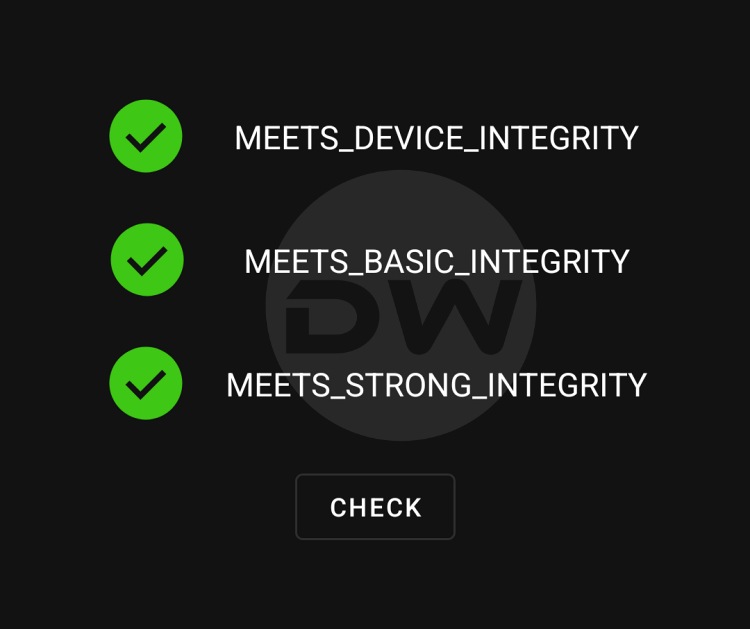
In this regard, your device needs to pass three tests- Basic, Device, and Strong. The first two tests can still be passed by flashing a couple of modules and most of the apps only require you to pass those tests only. However, in recent times, there has been an increasing trend wherein apps are checking for the Strong test as well.
Unfortunately, you cannot simply pass the test by just flashing a module- you will need an unrevoked keybox XML, which is perhaps the most challenging part of this entire fiasco. The reason for the same is that these files are limited in number and are constantly being revoked by Google. But you don’t have to worry much in this regard as we will be providing you with the latest unrevoked keybox XML file as soon as they are live. Here’s everything you need to know in that regard.
- Important Points Worth Mentioning
- How to Use Keybox XML File
- UPDATE 1: Here’s Your First Keybox XML File
- UPDATE 2: Keybox XML [2] File is Live!
- UPDATE 3: Here’s Another Keybox [3] For You!
- UPDATE 4: Here’s the 4th Keybox XML File
- UPDATE 5: New Keybox XML is now live!
- UPDATE 6: New Keybox XML File is Now Live
- Another Keybox XML File is Now Live [7th]
- Here’s the New Keybox XML File [8th]
- The Latest Unrevoked Keybox XML File is Here [9th]
- Get Your 10th Keybox XML File Here!
- 11th Keybox XML File is Now Available!
- Here’s Your 12th Keybox XML File
- The 13th Keybox XML File to Pass New Android 13+ Checks is Now Live!
- 14th Keybox XML File is Now Available
- 15th Keybox is Now Live for Passing Android 13+ Checks
- 16th Keybox File is Now Live
- 17th Keybox File is Now Available [12.54KB]
- 18th Keybox File is Live as well! [16.58KB]
- 19th Keybox XML File is Here [8.59KB]
- 20th Keybox is Now Live [3 Files!]
- 21st Keybox XML File is Now Available to Pass Strong Integrity
- 22nd Keybox File is Now Live
- 23rd Keybox XML File is Here
- 24th Keybox File is Here
- We Now Have The 25th Keybox File
- 26th Keybox is Here!
- 27th Keybox File is Here
- We Now Have the 28th Keybox XML File
- 29th Keybox File is Here
- 30th Keybox is Now Available!
- 31st Keybox is Now Live
Important Points Worth Mentioning
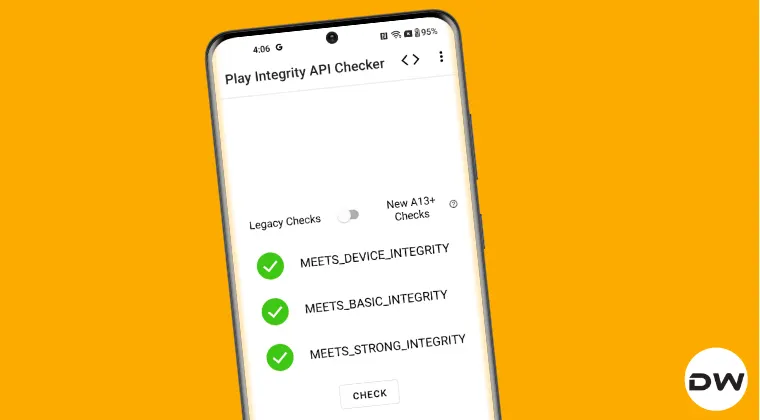
Before starting, there are a few crucial points worth keeping in mind, namely:
- It is highly recommended that you do not share this file with anyone else as the more you share it, the faster it will be in the eyes of the Silicon Valley giant and subsequently the higher the chance it will be revoked at the earliest.
- The general time frame for these files before getting revoked is around a week. So, as soon as it gets revoked, you’ll have to wait until a new file is live, which will then be added to this post and shared with you. This then brings us to our next point…
- How can you get these files? Well, you just need to drop in your comment with a valid email lID and I’ll personally email you the file.
- But can’t I simply upload it to a file-hosting site? Well doing so will definitely make my work easier as well. However, it will then be in the eyes of the public [and search engine crawlers] and will hence have a higher chance of being revoked.
- Last but not least, this is a one-man job, and mailing these files might end up taking hours to days [because I also have to look after my site and YouTube, apart from handling this XML file]. So, please be patient during that time frame.
- Oh, and one more thing. I do have another article on the same subject but since it has been flooded with over 1500+ requests [all of which have been addressed], I decided to make this new post and start off from scratch.
How to Use Keybox XML File
To pass the Strong Integrity Test using this keybox XML file, you’ll have to flash Shamiko, LSPosed Framework, Play Integrity, Zygisk Assistant, and Tricky Store modules. After that, place the keybox.xml file in the data/adb/tricky_store directory and restart your device. You should now pass all the three tests. You can get all the files/modules, their download links, and the detailed in-depth instructions from the below-mentioned guide.
How to Pass Strong Integrity on Unlocked Bootloader & Root!
UPDATE 1: Here’s Your First Keybox XML File
UPDATE: This file has now been revoked. Check out UPDATE 2 for the new file.
UPDATE 2: Keybox XML [2] File is Live!
UPDATE: This file has now been revoked. Check out UPDATE 3 for the new file.

UPDATE 3: Here’s Another Keybox [3] For You!

UPDATE 4: Here’s the 4th Keybox XML File

UPDATE 5: New Keybox XML is now live!

Days after the fourth keybox XM file got revoked, we now have a new one for you, enjoy! This has been revoked as well, the sixth keybox XML file [and subsequent ones] can now be accessed from this post .
UPDATE 6: New Keybox XML File is Now Live

We now have the latest unrevoked keybox XML file [the sixth one since I started keeping track of it]. Grab it before it’s too late! UPDATE : The file has been revoked. Use the new one shared below.
Another Keybox XML File is Now Live [7th]

The sixth keybox file has now been revoked but fret not! We have got our hands on another one that will help you pass the Strong Test. Just drop in your request in the comment section of this guide [using a valid email ID] and you will get the file in within a day or two. This file has now been revoked, get hold of the new unrevoked file from below.
Here’s the New Keybox XML File [8th]

The Latest Unrevoked Keybox XML File is Here [9th]

Get Your 10th Keybox XML File Here!

11th Keybox XML File is Now Available!

Here’s Your 12th Keybox XML File

The 13th Keybox XML File to Pass New Android 13+ Checks is Now Live!

From now onwards, all the keybox files which we will be sharing will help you pass the Android 13+ Play Integrity Tests [all three- Device, Basic, and Strong]. So, please refer to the attached video for the updated instructions.
14th Keybox XML File is Now Available

15th Keybox is Now Live for Passing Android 13+ Checks

We now have the new keybox XML file that will help you pass the new Android 13+ checks [Strong included]. The keybox file size is 16.57 KB.
16th Keybox File is Now Live

17th Keybox File is Now Available [12.54KB]

18th Keybox File is Live as well! [16.58KB]

UPDATE: It has now been revoked!
For the first time, there have been some contradictions with the keybox file status. For a few, the 17th keybox has been revoked, whereas for others [myself included], it’a still working well and good. So if you’re part of the first group, then only use this enwkbox file, or else, please stay on the older one only.
19th Keybox XML File is Here [8.59KB]

The 19th keybox file of size 8.59 KB is now available, all thanks to Manjit Phukan, our Telegram Channel @droidwingroup user.

20th Keybox is Now Live [3 Files!]

This time around, we have got 3 keyboxes at once- all of which are passing Strong Integrity! However, I will share the first keybox and when it gets revoked, will move on to the second one, and so on.
21st Keybox XML File is Now Available to Pass Strong Integrity

22nd Keybox File is Now Live

23rd Keybox XML File is Here

24th Keybox File is Here

We Now Have The 25th Keybox File

26th Keybox is Here!

27th Keybox File is Here

We Now Have the 28th Keybox XML File

29th Keybox File is Here
30th Keybox is Now Available!

You might also have to downgrade the Google Play Store to an older version to pass Strong Integrity using this keybox file.
31st Keybox is Now Live

- How to Pass Play Integrity Test on any Custom ROM [Video]
- List of custom fingerprints/JSON/build Prop that pass Play Integrity
- Use Custom Fingerprint/Build.Prop to Pass Play Integrity Test
- How to pass Meets Device and Basic Integrity via Play Integrity Fix

- PushKiller 2 days ago Reply Can I please have the new keybox via e-mail?
- vikas 2 days ago Reply pls send xlm file vikas0661@gmail.com on this email
- vikas 2 days ago Reply pls send keybox file on my email address thnx
- navneeth 2 days ago Reply send a keybox pls
- Chase 3 days ago Reply Good day, I was hoping you could please email me a working, unrevoked keybox.xml file that I can use for my Pixel 10 Pro XL. I really appreciate the work you do, and I’m grateful for any help you’re able to provide. If you have a Venmo or PayPal link, Id be more than happy to send a donation as a thank-you and to support your work. You can reach me at: ChasesDroidDevelopment@gmail.com Many thanks in advance, and I appreciate your time! Cheers, Chase
- Alaen joshva 3 days ago Reply I need the latest keybox file Kindly send that to this email address alaenjoshvastthomas@gmail.com
- John Ark 3 days ago Reply Hi, can you share the keybox file, please? Thanks for your help
- adrien monk 3 days ago Reply hello there, could you please send me the keybox file ? here is my email : muhamadafawaz1472mille7@gmail.com
- mayur 3 days ago Reply give me keybox pls
- mayur 3 days ago Reply plz send the keybox pls
- Divyanshu 3 days ago Reply Please send me the latest working keybox file i am using android 16 evo x rom on rosemary device
- Mike 4 days ago Reply Send me the latest key box please, thank you!
- jack 4 days ago Reply please send the files!
- dhiaa96 6 days ago Reply I’m kindly asking if you could please send the latest keybox.xml to the following email address: Darksidedm990@gmail.com By the way, you’re a legend! Thank you!
- 2lostin 6 days ago Reply Send me a news keybox plis
- 2lostin@gmail.com 6 days ago Reply Send me a news keybox plis
- jack 7 days ago Reply Could you send me the latest keybox please!
- San Hassan 7 days ago Reply Thank you for all the work you’ve done. I’m also interested in the latest Keybox. Have you tried to use some automation to send out these emails on your behalf? As an automation engineer, I’m happy to help out!
- Light 7 days ago Reply Hi, can you send to my email jl26301530@duck.com thx so much
- Valerii 1 week ago Reply Please send me unrevoked keybox.xml email: mr.dr043r@gmail.com David Wayne 7 days ago Reply Send me the live key for my Pixel 4a 4G sir. Send also a wallet for donation regarding your work. I’m a student and look forward to bypassing the safety net check. davidosthus0@gmail.com
- jack 1 week ago Reply please send the files.!
- Vansh 1 week ago Reply Unrevoked key please
- Pracheta Sarkar 1 week ago Reply Please send me 31st keybox , 🥹🥹🥹 please sir. Thankyou sir..
- Alexander 1 week ago Reply Would it be possible to add me, thanks!
- Vikas yadav 1 week ago Reply Pls send the 31st keybox file Aman chahar 1 week ago Reply Please give latest keybox.xml file
- Ejaz 1 week ago Reply Need keybox file.plzzzz
- Bill 1 week ago Reply Please send the latest valid keybox file. Thank you
- Henry 1 week ago Reply Please send me the 31st unrevoked keybox.xml file. Thank you ^^
- omgsans 1 week ago Reply here is my email: maybenobodytakethisone@gmail.com please send a valid keybox i can use
- Saahir 1 week ago Reply Can i have the latest keybox (31st) file please?
- Muk 1 week ago Reply Send me please… The new one .. the latest one.. keybox xml file
- Chandan Mahato 1 week ago Reply Please send the 31st keybox file
- Victor langat 1 week ago Reply please send latest keybox.xml please!, thank you.
- ggg 1 week ago Reply Please send me the latest keybox file, thank you sir!
- Ots 1 week ago Reply please send latest keybox.xml please!. Thank You !!!
- Ots 1 week ago Reply please send latest keybox.xml please!, thank you!
- N 1 week ago Reply Can you please share the unrevoked keybox file
- N 1 week ago Reply Can you please share the latest 30th unrevoked keybox file
- Archana Sahoo 1 week ago Reply Sir can you please send me the latest keybox.xml file
- ZQS 1 week ago Reply Please send me the latest unrevoked keybox.xml Thank you very much.
- Dominik 1 week ago Reply could you please send me the 30th keybox?
- Ryan 1 week ago Reply Share the Keybox
- John 1 week ago Reply 30th Keybox please give me
- Akash Kaushal 1 week ago Reply great work! can you share a vaild keybox!
- Kakka 1 week ago Reply Please send
- Rimss 1 week ago Reply Keybox file please. Thx
- CJ 1 week ago Reply Can you send me the new keybox file plz
- CJ 1 week ago Reply Hi!, can you please send me the file. Thank you
- Paul 1 week ago Reply Please send the 30th (or latest) unrevoked keybox.xml.
- Mayank sharma 1 week ago Reply Gave me 30th keybox file please
(Cancel Reply)
Δ
List of custom fingerprints/JSON/build prop that pass Play Integrity
From this guide, you can get hold of the build prop JSON file having custom fingerprints that pass the Play Integrity tests. Ever since Google laid out an ultimatum for the apps to make a switch from SafetyNet to Play Integrity , things have gotten quite challenging for tech enthusiasts. Gone are the days when you could simply flash a module, pass the test, and run the banking and payment apps with ease.
While the module to pass the Play Integrity still exists, however, it’s the interference from Google that has made things all the worse. Since the module is open source and available on GitHub, Google is able to easily access it and then ends up patching the fingerprint present in that module. The developer then rolls out a new version of the module with a different fingerprint but Google once again does the same- patching it and hence once again nullifying the module.
- Using a Rare Fingerprint/Build Prop
- List of custom fingerprints/JSON/build prop that passes Play Integrity BLU G8 Samsung SM-G950U Pixel 9 Pro
- How to use custom fingerprints/build.prop to Play Integrity
Using a Rare Fingerprint/Build Prop

Well, we can’t just keep on playing this cat-and-mouse game with Google. But what else could be done? As things stand, your best course of action is to manually create a fingerprint from a device that is quite rare and unknown to the masses. If you choose a fingerprint from the likes of Galaxy S23, Pixel 7, or Redmi Note 12, then for sure they would not work as Google would have already patched them.
Likewise, don’t use those fingerprints that come with a high chance of being used by the masses because they will also be patched by the Silicon Valley giant sooner rather than later. All in all, use a build.prop file that comes from a rare device and not many should be aware of the same [you could check out our detailed guide about which type of fingerprints are best suited under this scenario].
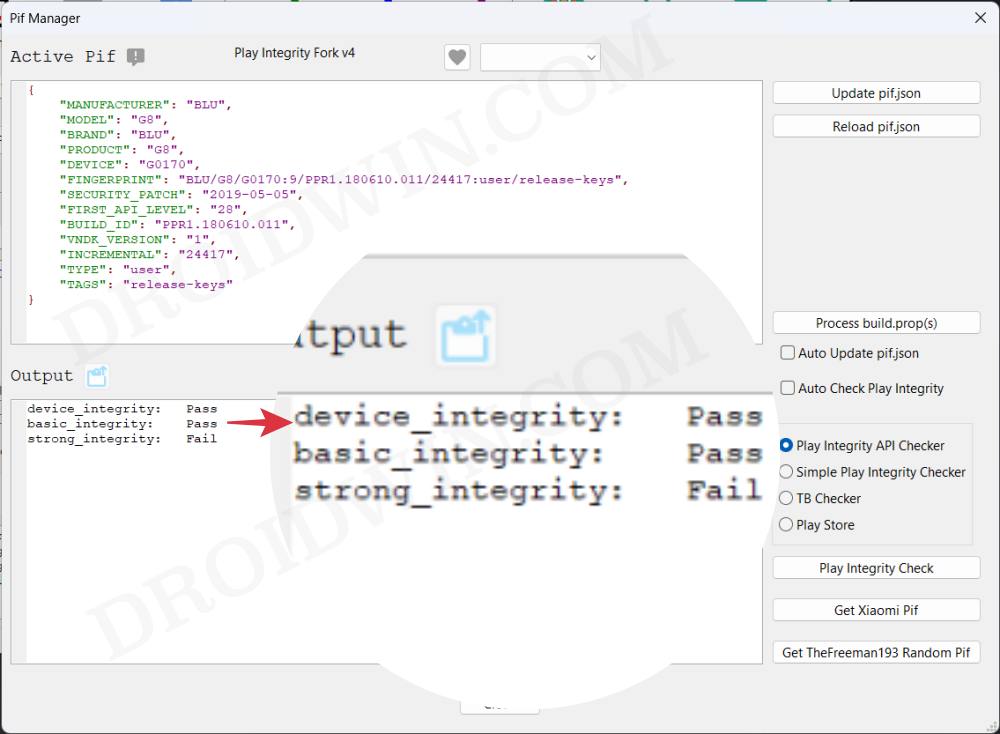
So it’s just a hit-and-trial method of getting hold of that perfect build prop JSON file having custom fingerprints that pass the Play Integrity test. Moreover, even if you get hold of the same, it is highly recommended that you don’t share it with others as its usage will skyrocket over time, come under the radar of Google, and you know what will happen next. However, to help you out, we are making an exception to this rule!
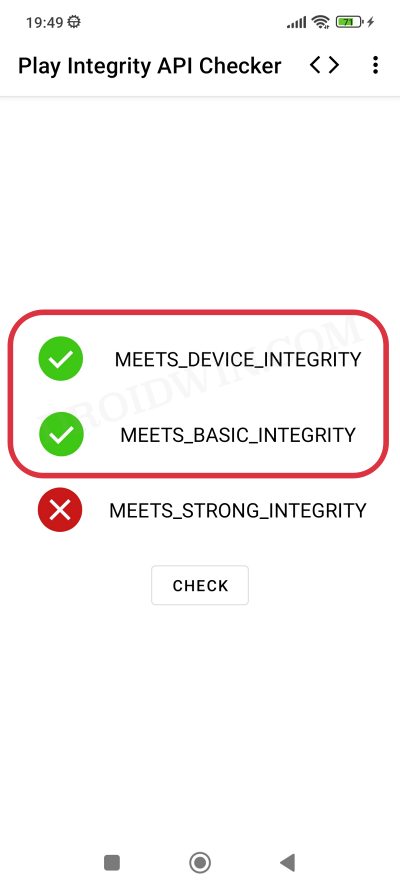
We will be listing out all those build prop JSON file having custom fingerprints that pass the Play Integrity test. It’s just on a first-come-first-serve basis, if you are among the earliest visitors to this site, then your device will end up passing both the MEETS_DEVICE_INTEGRITY and MEETS_BASIC_INTEGRITY tests. On the other hand, if you are late to the party, then the fingerprint would already have been used by the masses and it might not work for your device [still, you may give it a shot!].
List of custom fingerprints/JSON/build prop that passes Play Integrity
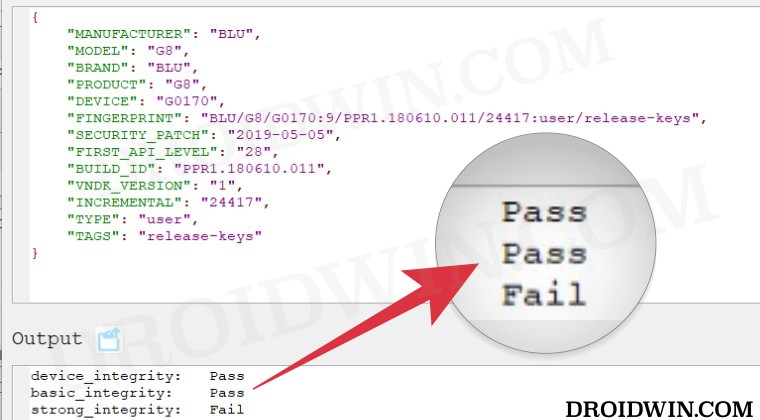
BLU G8
Raw dump of the firmware: G8-user-9-PPR1.180610.011-24417-release-keys [g0170/vendor/build.prop]
{

"MANUFACTURER": "BLU",

"MODEL": "G8",

"BRAND": "BLU",

"PRODUCT": "G8",

"DEVICE": "G0170",

"FINGERPRINT": "BLU/G8/G0170:9/PPR1.180610.011/24417:user/release-keys",

"SECURITY_PATCH": "2019-05-05",

"FIRST_API_LEVEL": "28",

"BUILD_ID": "PPR1.180610.011",

"VNDK_VERSION": "1",

"INCREMENTAL": "24417",

"TYPE": "user",

"TAGS": "release-keys"

}
Samsung SM-G950U
{

"MANUFACTURER": "samsung",

"MODEL": "SM-G950U",

"BRAND": "samsung",

"PRODUCT": "dreamqltesq",

"DEVICE": "dreamqltesq",

"FINGERPRINT": "samsung/dreamqltesq/dreamqltesq:7.0/NRD90M/G950USQU1AQDE:user/release-keys",

"SECURITY_PATCH": "2017-04-01",

"FIRST_API_LEVEL": "24",

"BUILD_ID": "NRD90M",

"VNDK_VERSION": "",

"INCREMENTAL": "G950USQU1AQDE",

"TYPE": "user",

"TAGS": "release-keys"

}
Pixel 9 Pro
{

"ID": "AD1A.240530.047.U1",

"BRAND": "google",

"DEVICE": "caiman",

"FINGERPRINT": "google/caiman/caiman:14/AD1A.240530.047.U1/12150698:user/release-keys",

"MANUFACTURER": "Google",

"MODEL": "Pixel 9 Pro",

"PRODUCT": "caiman",

"SECURITY_PATCH": "2024-08-05"

}
How to use custom fingerprints/build.prop to Play Integrity
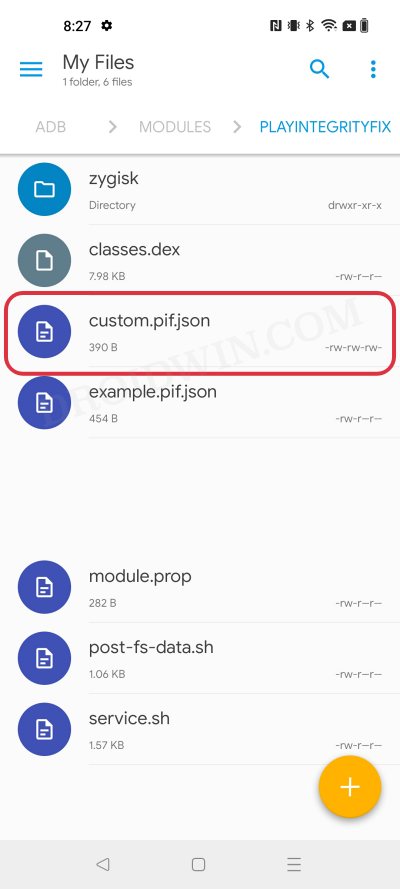
Now that we have got hold of the most important data, you just need to create a JSON file using this data and send this JSON file to your device. You could either do so manually via a File Explorer or via the Pixel Flasher Tool . After that, restart your device and check out the results via an app such as Play Integrity API Checker.
That’s it. This was all from this guide regarding the build prop JSON file having custom fingerprints that pass the Play Integrity tests. We will be continuously updating this section with more fingerprints as and when we get hold of the same. Stay tuned!
- Use Custom Fingerprint/Build.Prop to Pass Play Integrity Test
- Play Integrity Error Getting Token from Google: How to Fix
- Google Pay not working in Xiaomi EU ROM: Play Integrity Fix
- How to pass “Meets Device and Basic Integrity” via Play Integrity Fix
- J 5 months ago Reply Please, send me the keybox
- David 7 months ago Reply Please send me the valid keybox file for OnePlus 13
- sam 9 months ago Reply please send XML.file latest version Nelprime 7 months ago Reply Please send me the keybox file.
(Cancel Reply)
Δ
Use Custom Fingerprint/Build.Prop to Pass Play Integrity Test
In this guide, we will show you two different methods to create custom fingerprints/build.prop to pass the Play Integrity Test on your rooted device or if you are running a custom ROM. Well, it seems we might finally reach the end of the road, as far as gaining administrative privileges is concerned. For the unaware, if you root your device, then it will trip the SafetyNet Test, thereby making it difficult to use banking and payment apps.
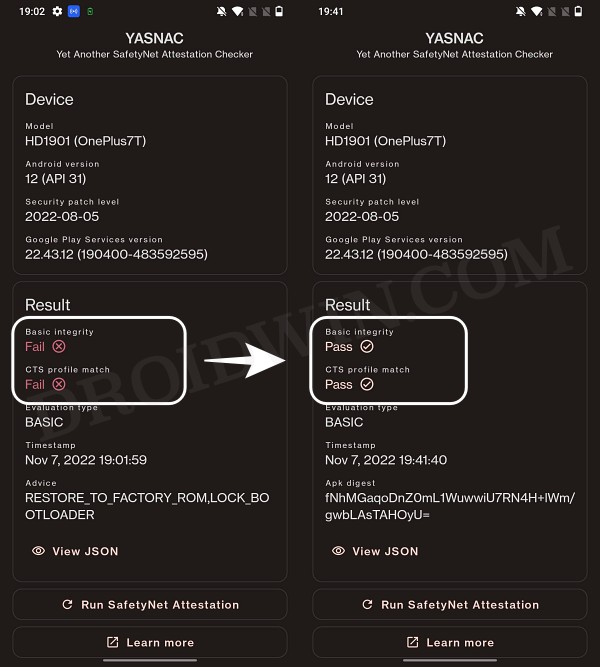
However, we managed to find a workaround that helped us pass this test with ease . Fast forward to this year, Google introduced the Play Integrity Test and has instructed every app to incorporate its API by January 2025. At the time of writing, many banking and payment apps have already shifted over to this test.
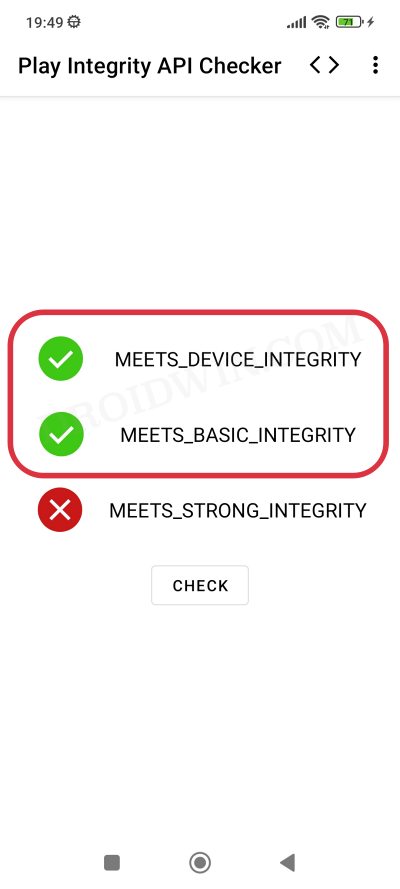
As before, if your device is rooted, then you will fail this test, thereby resulting in your inability to use banking apps. Fortunately, we once again managed to get hold of a method to bypass this test . Google then took a step further and patched our tweak only for us to bypass it once more! Until now. The Silicon Valley giant has finally taken the most extreme step to date which might finally spell the end of root for the tech enthusiasts.
- Google ‘Banning’ Fingerprints for Play Integrity: Is Hiding Root Impossible?
- How to Create and Use a Custom Fingerprint/Build.Prop to Pass Play Integrity One Click Method [Easiest] Create a New Fingerprint JSON File Manually Some Additional Tips on Creating Custom JSON Files Pixel Flasher Tool [Recommended]
- What if the Test Fails? Repeat and Repeat!
- Rooting and Custom ROMs: A Difficult Yet Achievable Journey Ahead!
- UPDATE: List of Fingerprints Build Prop Passing Play Integrity
Google ‘Banning’ Fingerprints for Play Integrity: Is Hiding Root Impossible?
Up until now, we were able to use the XDA Senior Member Chiteroman’s module to easily pass the MEETS_DEVICE_INTEGRITY and MEETS_BASIC_INTEGRITY, which are two prerequisites of the Play Integrity test. In hindsight, the module uses a fingerprint from one of the unpatched devices and the developer then uploads his mod over to GitHub. Since this mod is open source, anyone can easily decode it, including Google! And that is exactly what is happening.
While it might sound hard to digest why would Google end up utilizing a part of its resources towards this project which affects only about 3% of Android users, but trust us, that’s exactly what’s currently going on. The developer has tried out numerous combinations of fingerprints in its modules, including different OEMs, different Android versions, and even different custom ROMs [such as Evolution X].
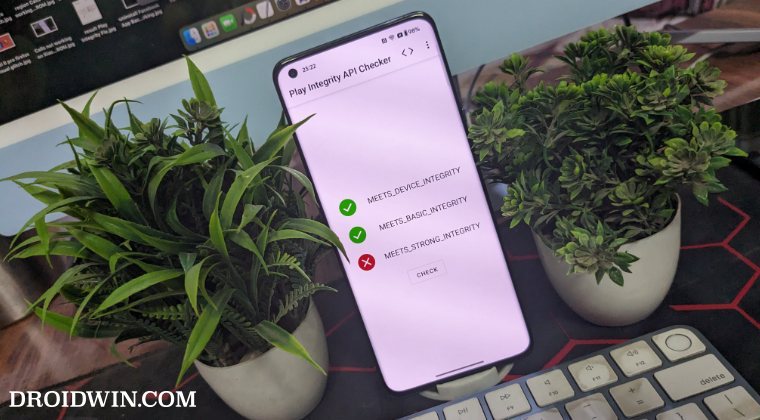
However, every time a new module is released, Google tends to patch it straightaway, thereby leaving the developer with three options- either keep on playing this trial-and-error method, make the module closed source, or list out the instructions on how a user could create a custom fingerprint file and use it to pass this test.
The first approach was neither the most feasible nor the most viable for him [because he wasn’t earning anything from it and more importantly he has a life out of this modding community too!]. Likewise, making it a closed source might have raised a few eyebrows from some of the users [though judging by his reputation, that shouldn’t happen in the first place]. Henceforth, the third option is our best bet.
How to Create and Use a Custom Fingerprint/Build.Prop to Pass Play Integrity
There exist a couple of methods of getting this job done- the automatic and the manual way. In the automatic method, you would still need to carry out the first step from the manual method, but it will then take care of the rest of the steps. Moreover, please take a backup beforehand, just to be on the safer side. Droidwin and its members wouldn’t be held responsible in case of a thermonuclear war, your alarm doesn’t wake you up, or if anything happens to your device and data by performing the below steps.
One Click Method [Easiest]
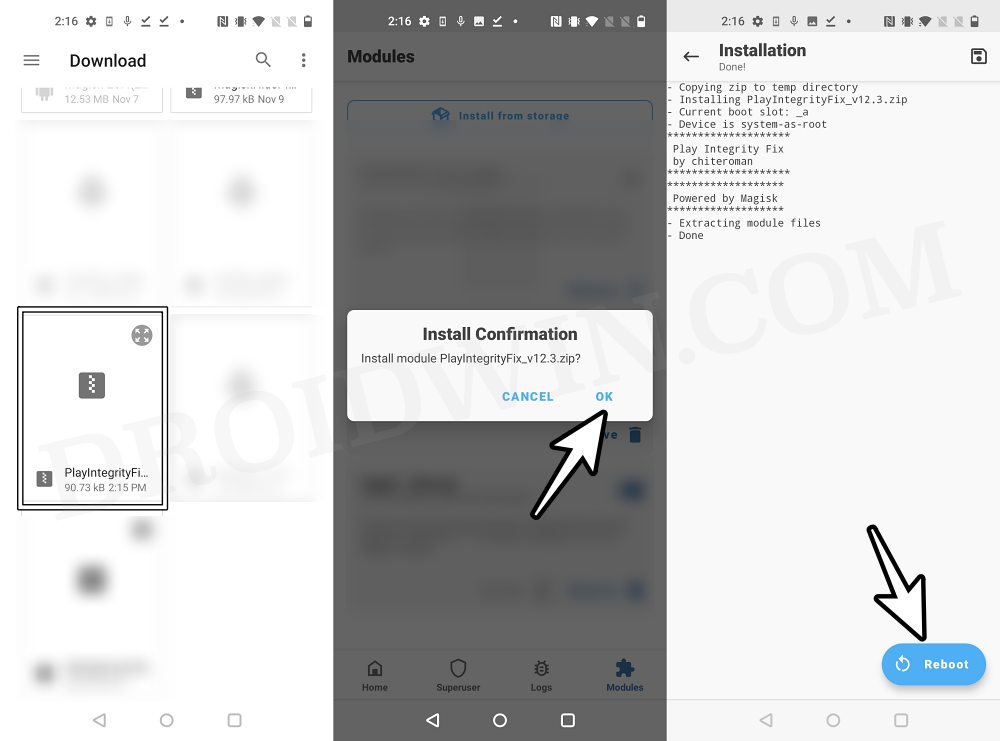
Well, we can’t thank chiteroman enough for this! He has just released a plug-and-play version of this module which would be the easiest and best method to opt for the generic users. All you need to do is get hold of this module v14.2 from GitHub , enable Zygisk, flash it via Magisk, and delete the data of Google Services Framework, Play Store, Play Service, and Play Protect Service [if present]. Here’s a detailed guide on the same , it’s highly recommended you check it out.
Create a New Fingerprint JSON File Manually
XDA Senior Recognized Developer Osmosis took this responsibility on his shoulders and has done quite an excellent job in listing out the steps on how you could create and use a custom.pif.json. Here are the instructions steps for the same:
[Check out UPDATE section at the end of this guide!] First and foremost, download the stock ROM for a random device [see below], extract it, and get the system build.prop and/or product build.prop and vendor build.prop files from it. [In some cases, you could simply get hold of the firmware DUMP file directly on websites like Gitlab. So it’s better if you can find the dump because then you wouldn’t have the download the ROM and neither would you have to extract these files].
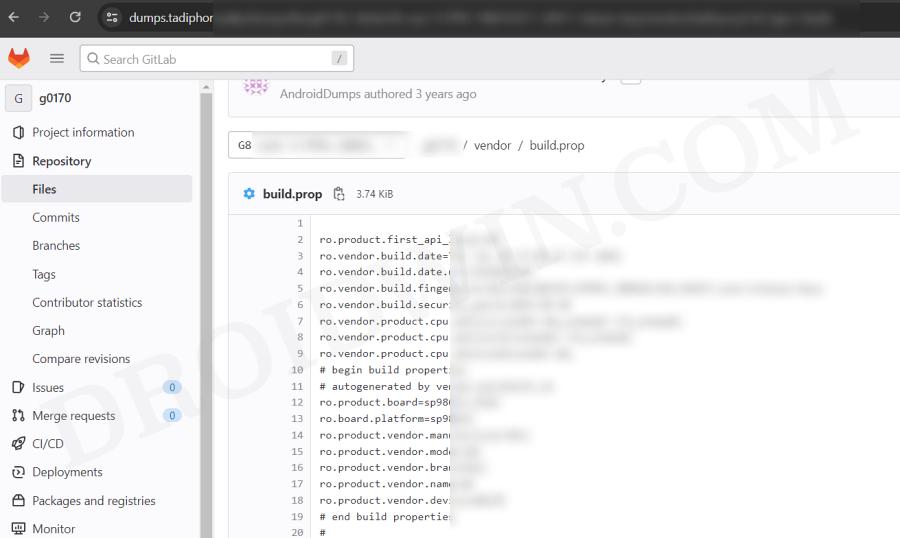
We cannot share these files/details publicly because Google will get hold of them and mass ban all of them at once [it has just happened with an Asus device. We managed to get an unpatched fingerprint from one of the Asus devices and used it to pass the Play Integrity Test. This worked for a few days before being ultimately patched by Google!]. Regarding “a random device” that we mentioned above, make sure to keep the following points in mind before you download its ROM:
- All older Nexus devices (Nexus 6/shamu and older) appear to be banned.
- Final release ROM builds of all no-longer-supported remaining Nexus and Pixel devices are banned.
- The device must have at least been upgraded to Oreo (Android 8) and should have come with at least an Android 6 or higher version out of the box.
- Devices launching with Pie (Android 9) or later might not work.
- In a nutshell, try to pick a combination of a device and its ROM which you don’t think many people will choose. This is because “The less obvious statistical data Google receives indicating a particular fingerprint is being abused, the fewer fingerprints will get banned”.
- Don’t go for the likes of Pixel, Samsung, Xiaomi, and other popular OEMs as most of their fingerprints have already been used or patched by Google. Instead, go for less-known brands such as Asus, Vivo, Oppo, or other Chinese brands that not many know about. Remember, the less popular a device is, the better your chance of passing the Play Integrity test!
Let’s now talk about the location of build.prop, product, and vendor.prop. In case of build.prop, it could be found at /system/system/build.prop or /system/build.prop. The product can be /product/build.prop and/or /product/etc/build.prop. The vendor is located in /vendor/build.prop or/system/vendor/build.prop.
In general, they’ll be ro.build.fingerprint + ro.product.* (older system build.prop), or, ro.system.build.fingerprint + ro.product.system.* (newer system build.prop) [or, ro.product.build.fingerprint + ro.product.product.* (product build.prop, only needed on devices where system build.prop contains “generic” values)].
From there, you’ll have to copy the following six values: PRODUCT (ro..name), DEVICE (ro..device), MANUFACTURER (ro..manufacturer), BRAND (ro..brand), MODEL (ro..model), and FINGERPRINT (ro..fingerprint). Optionally, also copy SECURITY_PATCH (ro.build.version.security_patch from system build.prop)
Any build prior to March 16, 2018 does not require a matching SECURITY_PATCH field, though adding it wouldn’t be of any harm. Moreover, do note that the date should be from the ro.build.date present in the system build.prop, instead of the AOSP base date in the fingerprint.
Now paste the copied values between the quotes of the corresponding fields in the template custom.pif.json sample shown below [it’s just a sample one that has already been banned by Google. So make sure to replace the values accordingly].
{

  "PRODUCT": "taimen",

  "DEVICE": "taimen",

  "MANUFACTURER": "Google",

  "BRAND": "google",

  "MODEL": "Pixel 2 XL",

  "FINGERPRINT": "google/taimen/taimen:8.1.0/OPM4.171019.021.R1/4833808:user/release-keys",

  "SECURITY_PATCH": "2018-07-05",

  "FIRST_API_LEVEL": "26"

}
Here’s another JSON file with slightly more information:
{

  "MANUFACTURER": "Google",

  "MODEL": "Pixel 2 XL",

  "FINGERPRINT": "google/taimen/taimen:8.1.0/OPM4.171019.021.R1/4833808:user/release-keys",

  "BRAND": "google",

  "PRODUCT": "taimen",

  "DEVICE": "taimen",

  "RELEASE": "8.1.0",

  "ID": "OPM4.171019.021.R1",

  "INCREMENTAL": "4833808",

  "TYPE": "user",

  "TAGS": "release-keys",

  "SECURITY_PATCH": "2018-07-05",

  "DEVICE_INITIAL_SDK_INT": "26"

}
Once you have got the required information, save it in a text file and rename it to custom.pif.json if you are using the fork of the original module [by Osmosis, which we are using] or pif.json [if you are using the original module by Chiteroman]. After that, you’ll now have to transfer the file to your device.
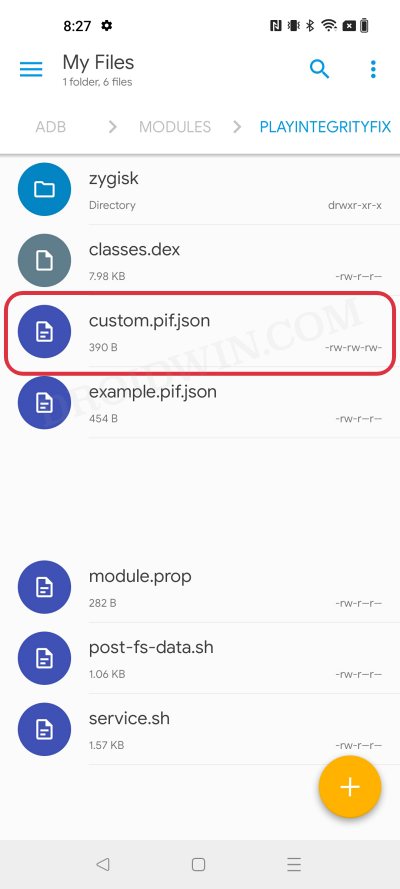
For that, you could either do so via the Pixel Flasher Tool as explained in the next section, or by copying your .json file to /data/adb/modules/playintegrityfix/custom.pif.json [for Osmosis, in our case] or /data/adb/pif.json [for Chiteroman]. Once done, restart your device and then check if it passes the Play Integrity Test using this custom fingerprint/build.prop! If it doesn’t, then you’ll have to pick a different fingerprint and retry this process.
Some Additional Tips on Creating Custom JSON Files
- Let’s say that a device was released with Android 8, and then it received subsequent updates to Android 9 and 10. This way you’ll be able to create three different fingerprint JSON files to test. However, most of the details will be the same in all those files, such as MODEL, BRAND, MANUFACTURER, and even the FIRST API LEVEL because the device was initially launched with Android 8, that fact isn’t going to change irrespective of the current OS.
- Moreover, there needs to be a comma after the end of every line in the JSON file, except the last line [as is evident from our above example.
- If you still have any doubts with regard to your JSON file, then you could use this JSON Validator and it will point out all the errors in your file, if any.
Pixel Flasher Tool [Recommended]
The tool supports two methods- it could either generate a random fingerprint JSON file for you or you could create and upload your own custom fingerprint. If you ask the tool to generate a JSON file for you, then it has a high chance of getting patched by Google as opposed to the one that you have created manually. However, as opposed to the manual creation, it will take a lot [and yes, we really mean a lot] of time and effort. So decide on this trade-off accordingly.
- To begin with, get hold of the build.prop file from the desired firmware version as explained above.
- Then download and extract Android SDK Platform Tools on your PC.
- After that, enable Zygisk via the Magisk’s settings menu and restart your device.
- Now download Pixel Flasher from GitHub and launch it [credits: XDA Recognized Developer badabing2003].
- Then click on Browse > navigate to the platform-tools folder and select it.
- Now click on Scan and select your device from the list.
- Then click Magisk > Install PIF module and select the desired one [we have chosen Osmosis].
- The latest version of the mod will now be installed. Once done, hit OK and click Reboot System.
- Once your device boots up, click on PIF Manager [it will be empty as of now].
- Now, if you want to opt for the Manual Method , then click on Process build.prop(s) , navigate, and select your build.prop files. The order of precedence is as follows: build.prop system-build.prop system.prop product-build.prop product.prop vendor-build.prop vendor.prop Any other prop file
- The tool will now read these files and bring up the output something as shown in the below screenshot.
- On the other hand, for Automatic Method , click on the Get TheFreeman193 Random Pif button. It will populate the output window with the data from a random device.
- Once done, click on the Paste button next to Output and the data will be populated under the Active PIF section.
- At this stage, you should see the red warning next to Active PIF. This just indicates that the contents of the Active PIF window are not the same as the contents on the device.
- So click on Create PIF.json and the file will be transferred to your device. Likewise, the red warning should now turn gey, meaning the content of PIF widow is the same as that on your device.
- Finally, download and install a SafetyNet Checker app out of the four listed there. As of now, we are going ahead with Play Integrity API Checker.
- So click on Play Integrity check. It will launch the Play Integrity API Checker app, perform the test, and display the result in the output window.
- If it passes the device integrity and basic integrity tests, then congrats, you have found the needle in the haystack! But what if the test fails? Let’s find out.
What if the Test Fails? Repeat and Repeat!
- If you have chosen the Manual Method and failed the test, then you’ll have to get hold of a new JSON file from different firmware and repeat the above steps. Do so until you get the right JSON file that passes both these tests.
- If you have chosen the Automatic Method , then in that case, click on the Get TheFreeman193 Random Pif button > click on Paste next to Output. Then click on Update PIF.json > Play Integrity Check. It will perform the check and display the result. Keep on carrying out these processes until you achieve success.
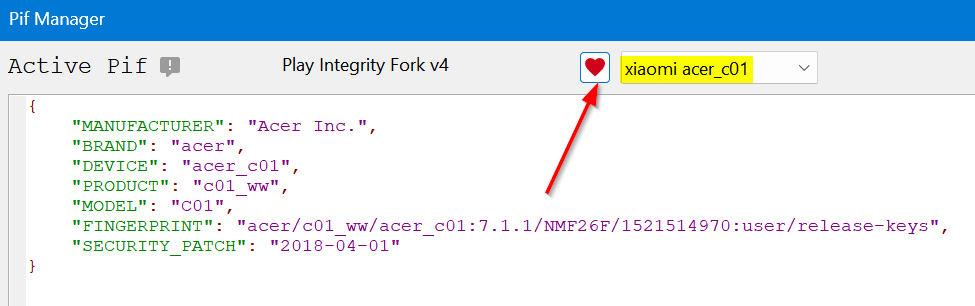
Moreover, as soon as you find the right fingerprint JSON file, make sure to hit the heart icon and save that file. And please don’t share it with others as upon doing so, the chances of it getting into the hands of Google and subsequently nullifying it by the Silicon Valley giant increases tremendously. [So sharing is not caring in this case!].
Rooting and Custom ROMs: A Difficult Yet Achievable Journey Ahead!
So this was all from this guide on how to use a custom fingerprint/build.prop and pass the Play Integrity Test. While we always believed in the “sharing is caring” motto, however, for once, let’s not adopt it in this case scenario. If you get hold of a working fingerprint and then end up sharing that with the rest of the users, then it will ultimately be patched by Google. So keep that unique build.prop with yourself and prevent it from getting caught by Google!
NOTE: Some or the other changes are being constantly implemented by Google at an alarming rate. Thankfully, the developers are always one step ahead and are testing out new ways of bypassing the patches enforced by the Silicon Valley giant. But this also means that you will witness changes to the modules at frequent intervals as well, so we will update this guide as and when that happens. Make sure to keep a tab on this post regularly. [Screenshots Credits, unless specified otherwise: XDA Recognized Contributor badabing2003].
UPDATE: List of Fingerprints Build Prop Passing Play Integrity
Well, we decided to do all the dirty work on your behalf by compiling a list of all the custom fingerprints/JSON/build props from the devices that pass the Play Integrity tests. However, make sure you’re the earliest adopter of these builds, or else, it won’t be long before others get their hands on them. With that said, even if these get patched by Google, we will generate a new one at the earliest. So make sure to keep a tab on the below linked guide frequently.
List of custom fingerprints/JSON/build prop that pass Play Integrity
- sonn 2 months ago Reply Send me XML file to pass device integrity
- Shadman 4 months ago Reply Hellloo pleaseee send keybox.xml Email : shadmanahmadixo@gmail.com
- Ameer 11 months ago Reply Send me XML file to pass strong integrity Skye 9 months ago Reply Please give me keybox.xml Thank you
- Milan Čížek 2 years ago Reply Hi, I have extracted all three build.prop (system,product,vendor) from original stock image – extracted all *.img via payload-dumper-go.exe from payload.bin + ext2explore.exe. But I am not able to load the prop to PIF Manager, it always ends with the error. File “pif_manager.py”, line 1051, in process_props AttributeError: ‘PifManager’ object has no attribute ‘first_api’ https://pasteboard.co/UioQok8ehMt9.png What is wrong? ro.product.first_api_level=30 is in vendor-build.prop ro.board.first_api_level=30 too
- Tjw 2 years ago Reply Thanks for this guide. I can finally get a working custom file. I appreciate this simplified explanation and it’s straight forward enough for me to get this working. Well done author!! Thanks
- Jonathan 2 years ago Reply get the system build.prop and/or product build.prop and vendor build.prop files from it. How? Milan Čížek 2 years ago Reply You have to download stock image for your phone and then extract them from system/product/vendor.img files. Swastik Singh 8 months ago Reply Pls XML file or file links to solve the issue of safety internet pass problem . in poco f5 matrixx os
- kryspus 2 years ago Reply hello, I have downloaded 4 differents rom, could you explain how to extract the system to get in to it? Thx
- kryspus 2 years ago Reply Hello i have hiting facing the wall while i wanted to unpack stock rom to see the right files. It’s looks like a quite a challenge, can i expect any advice here? It’s unbelievable how much GB’s i have to download from internet and a bunch of tools to get a few lines of code.
- Jimmy 2 years ago Reply Thank you for this guide. I have just discovered today that many of my apps are refusing to work because of this problem. Cheers
(Cancel Reply)
Δ

