Google Patches Pixel IMS App | Here’s a New Method to Enable VoLTE
In this guide, we will show you a new method to enable VoLTE and VoWi-Fi now that the Pixel IMS App has been patched. As opposed to the likes of Samsung and even iPhones for that matter, Pixel devices aren’t sold in numerous regions. As a result of this, users usually have to import it and use it in their regions, which is an unsupported one. So you are bound to face a few consequences of it, one of which is the non-functional VoWiFi and VoLTE.
It’s not a restriction from the hardware side; it’s just that the software limitations kick in as soon as you power on your device in an unsupported country. However, there exists an app by the name of Pixel IMS that exploited a loophole that allowed it to override carrier settings. It just required an elevated permission set, which it got from Shizuku- there was no need to root your device. It worked by exploiting a loophole that allowed it to override carrier settings.
How to Enable VoLTE and VoWiFi on Pixel 8 Pro
As a result of this, it quickly rose to the popularity charts and was now the go-to choice for all the Pixel users who resided in these regions. Unfortunately, Google has now patched this loophole and designated it as a high-severity vulnerability (CVE-2025-48617). This first came to light when users installed the October update and found out that the app was constantly crashing. Upon going through the crash logs, we stumbled upon this statement- “ overrideConfig cannot be invoked by shell .” And this made everything clear.
While there’s always an option to root the phone and enable these features, but not everyone is willing to do so, due to issues like Play Integrity, the failure of which will result in the inability to run banking and payment apps. Likewise, since we are dealing with Pixels, rooting would also break most of the Gemini-powered AI features. So what else can be done? Well, we have stumbled upon another workaround that will help you enable VoLTE and VoWiFi on your Pixel device without rooting your device. So without any further ado, let’s check it out.
Google Patches Pixel IMS App | Here’s a New Method to Enable VoLTE and VoWiFi
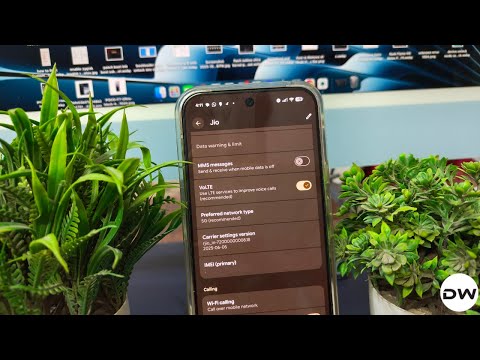
- Download and install the IMS app from GitHub [Credit: Developer vvb2060].
- Then download, install, and set up Shizuku on your device.
- Now open Shizuku, find io.github.vvb2060.ims under “Authorized apps,” and grant authorization.
- Go back to the main page of Shizuku, tap on the overflow icon at the top right, and stop Shizuku.
- Now restart Shizuku. Then go to the SIM card settings page and enable VoLTE and VoWiFi.
Here’s what the app is actually doing:

- Every time the Shizuku service starts, the patch applies the following configurations to each SIM card:
- Enable VoLTE, enable supplementary services under UT, enable video calling;
- Enable standby calling (or alternate calling);
- Enable VoWiFi, enable VoWiFi roaming, enable VoWiFi only Wi-Fi support, display VoWiFi icon;
- Enable enhanced 4G (LTE+);
- Enable 5G (including NSA and SA), enable Vo5G.
Since Shizuku already supports automatically starting the Shizuku service upon boot, the patch will run every time you start the device. Therefore, it is a patch that you can ‘install and forget’ because it is persistently effective.
- Pixel IMS Status Unregistered/Not Registered: How to Fix
- How to Enable VoLTE and VoWiFi on Pixel 8 Pro
- Enable VoLTE/VoWiFi on Pixel 7/Pro without root [Video]
- How to Enable VoLTE in Google Pixel 6/Pro
- SIM Settings greyed out on Pixel: How to Fix

- Ricky 3 months ago Reply Try here, version 1.0 first, then shizuku give ims.apk authority, then update to 2.2 https://github.com/kyujin-cho/pixel-volte-patch/issues/398#issuecomment-3413958868
- Ricky 3 months ago Reply Try here, version 1.0 first, then shizuku give ims.apk authority, then update to 2.2
- Mach 4 months ago Reply First and foremost, thx for this workaround, excellent work 👍 I have a Pixel 7 Pro and was able to do these steps and have got back the VoLTE and VoWiFi options in my SIM card settings 😃 Similar as before with the Pixel IMS app, only different is the lack of the graphical interface and the possibility to choose which settings to enable (eg I didn’t enable VoLTE, VoWiFi, Vo5G and video calling for my second SIM in the Pixel IMS app, as it’s a data sim only, so it wasn’t even shown in SIM card settings) But I’m very happy with the end results of this patch as it’s the same in essence, doesn’t make much of a difference if I do my settings in Pixel IMS or in SIM card settings Only issue I have: after reboot, the options disappear in the SIM card settings and I need to run Shizuku again. This is in line with the Shizuku description which says automatic start is only available on rooted devices but contrary to this description („ Since Shizuku already supports automatically starting the Shizuku service upon boot, the patch will run every time you start the device. Therefore, it is a patch that you can ‘install and forget’ …“) Or did I get something wrong? Other side note: VoWiFi is enabled but nonetheless is unreliable or more precisely is available only under certain conditions: – having enabled VoWiFi when at home – active flight mode at home (Gernany) – go abroad – establish WiFi connection Result: VoWiFi available All,other cases, e.g. going abroad, establish cellular connection kills VoWiFi in most cases for the rest of my stay This issue is most likely a SIM / provider thing as my carrier (1&1, MCC MNC 262-23) doesn’t have roaming contracts with carriers abroad, but uses a multi IMSI switching to another carrier (Orange France) carrier (MCC MNC 208-01) to use their roaming partners Therefore, once the IMSI is switched to Orange FR, the VoWiFi is lost as (supposedly) this is either not part of the contract between 1&1 and Orange Fr or maybe somehow technically not possible I would need to bring my SIM card back to its 262-23 IMSI which is not possible, because it’s searching for networks under both IMSIs until a supported network has been found (which won’t be the case with the 262-23 IMSI when abroad). Restart doesn’t change this (and would brake the vvb patch as stated above) IMHO I would need to be able to switch my IMSI somehow manually? Anyone with an idea? Thx 😃
(Cancel Reply)
Δ
