Google Pay ‘This phone can’t be set up to tap to pay’ [Fix]
In this guide, we will show you various methods to fix the ‘This phone can’t be set up to tap to pay’ error with Google Pay. Out of all the payment methods, the Tap to Pay via NFC is usually the most preferred option for the masses, mostly due to its impressive speed and ease of doing the transaction. There are just two prerequisites that you need to checkmark- your device should support NFC and your card should support contactless payments.
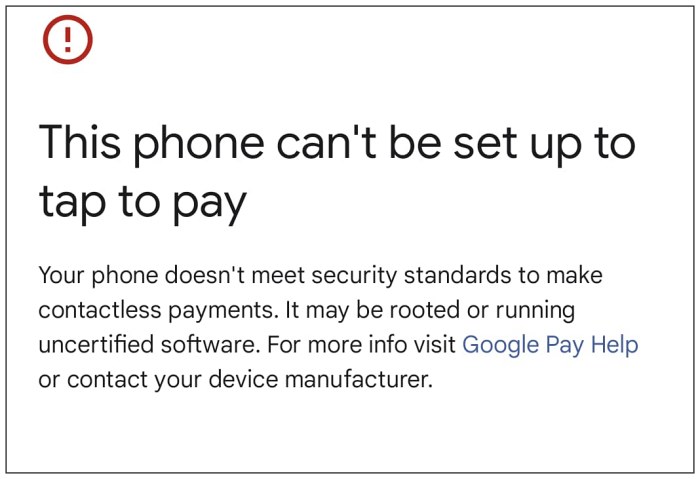
However, even after qualifying the above requirements, many have said that they are still unable to carry out the transaction via this method as their device doesn’t meet the necessary security standards for contactless payments. When it comes to Google Pay, it straightaway displays the ‘This phone can’t be set up to tap to pay’ error message. If you are also getting bugged by this issue, then this guide will make you aware of a few nifty workarounds to rectify this bug.
Fix Google Pay ‘This phone can’t be set up to tap to pay’ on Rooted Device

If your phone is rooted, then the fix is relatively simpler- all that you need to do is pass the SafetyNet Test and hide the root from Google Pay. To do so, please refer to our detailed guide on How to Hide Root from Apps via Magisk DenyList .
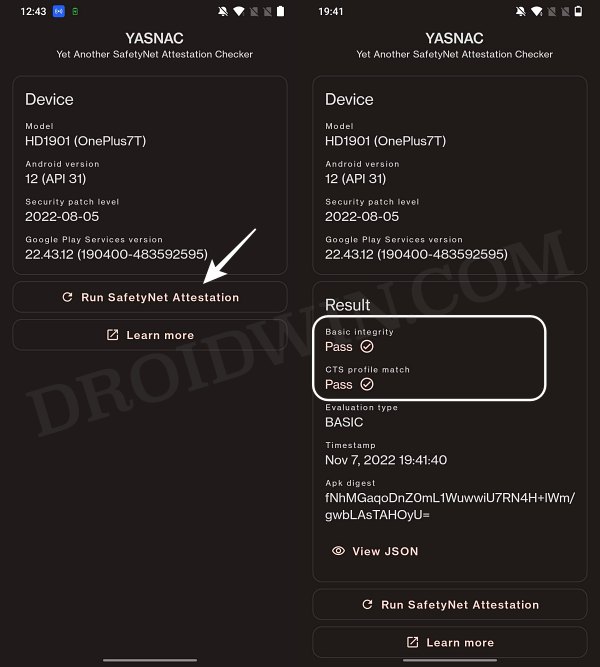
Fix Google Pay ‘This phone can’t be set up to tap to pay’ on Non-Rooted Device
If your device is non-rooted and you’re still getting the ‘This phone can’t be set up to tap to pay’ error in Google Pay, then here are a few rectification measures that you could take:
First off, try out these ten NFC fixes for your Android device and then check out the result.
Next up, it is recommended that you remove your card from Google Pay and then re-add it.
Likewise, double-check that your device as well as the payment card supports NFC.
Finally, try uninstalling and then reinstalling the latest version of Gooogle Pay from Play Store.
How to Pass SafetyNet on Rooted Galaxy S23/Plus/Ultra
How to Pass SafetyNet on any Rooted Custom ROM
Pass Safetynet on Rooted LineageOS ROM [Video]
Pass SafetyNet & Hide Root from Apps on Rooted Pixel 7/Pro

- Kami 2 years ago Reply This does not work. I am passing SafetyNet Test, I have hidden: Google Wallet Google Play Services Google Services Framework And I cleaned data and cache of all, restarted, apply hide again and try to add card i Wallet, but I still get this message ‘This phone can’t be set up to tap to pay’.
(Cancel Reply)
Δ
