How to Add Google Photos in Samsung Camera App
In this guide, we will show you the steps to add Google Photos in the Samsung Camera app. Recently, I disabled the stock Gallery app on my Samsung device . I did so because I always used the Google Photos app and hardly ever interacted with the one from Samsung. So there was no need for it to keep on running in the background and draining the battery in the process as well.
However, when I launched the Camera app, I found out that I was not able to view the recently taken photo/video, which was along the expected lines. This is because that section is linked with the stock gallery app, and since this is no longer there, the app has nothing to show.
One obvious way to circumvent this issue was to manually launch the Photos app and then view the photos from there, but that required an additional step or two. So what else can be done? Well, I found a nifty workaround using which you can easily address this issue. So without any further ado, let’s check it out.
How to Add Google Photos in the Samsung Camera App
- To begin with, launch Play Store and disable Play Protect.
- Then download and install Tasker [ Free for 7 days | Paid ].
- Next up, launch it and give it all the required permissions.
- Now go to this Tasker mod [Credits: XDA Senior Member Kir3].
- Then, tap on Import > choose Tasker > tap YES in Import.
- Next, give it the required missing permissions that it asks.
- Once done, tap on YES in the Import prompt that appears.
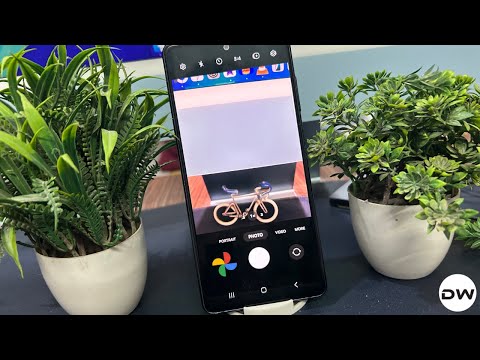
Now launch the Camera app and the Google Photos app will be embedded at the bottom left. Tap on it and you will be taken to the Google Photos app. Are there any drawbacks? Well, not caveats as such, but a couple of minuscule issues: the UI of the embedded Google Photos doesn’t look quite nice, and the module will take you to the Google Photos app instead of the photo/video that we have just taken.

- How to Disable Gallery App in Samsung via ADB [Without Root]
- Unlock Samsung device with 4 digit PIN without pressing OK
- How to Disable Thermal Limit on Samsung [Fix Brightness Issue]
- How to Flash IMG Files in Samsung

(Cancel Reply)
Δ
