How to Change Recent Apps Screen on Android
In this guide, we will show you a nifty method to change the Recent Apps screen on your Android device. From the usability point of view, the Recent Apps screen is ever-growing in features, especially in Pixel devices. For instance, you could directly copy text or call a number from the Recent app’s window, take a screenshot, or even copy an image from that screen.
These features have now also been adopted by other OEMs, which already had a pretty impressive UI in the first place. So they seem to have checkmarked both the prerequisites. However, the same cannot be said for Pixel devices as their Recent Apps screen feels quite dull and outdated of sorts, with the grey background only making the matter worse.
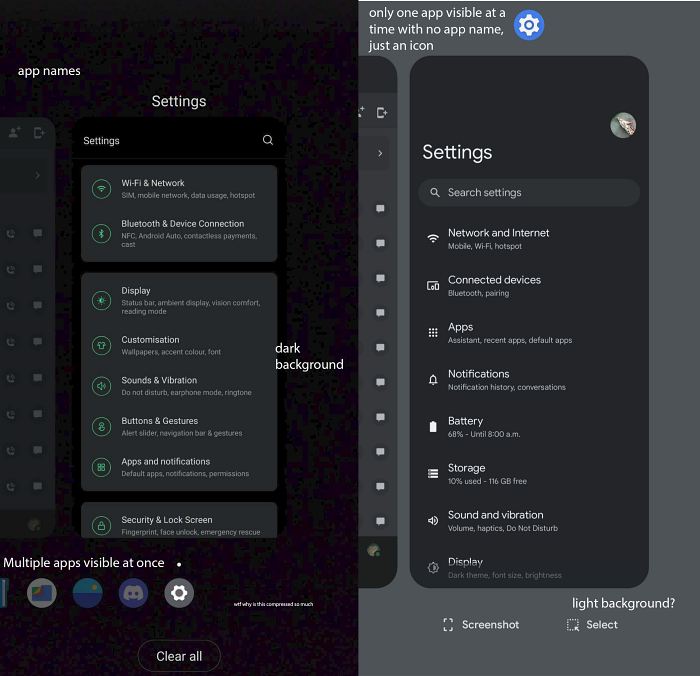
CREDITS: XDA MEMBER ranidspace
Add to that, the illogical placement of the Clear All button seems to be the final nail in the coffin. Fortunately, we do have a nifty method that could help you change the Recent Apps screen on your Android device. So without further ado, let’s have a look at how this could be carried out.
How to Change the Recent Apps Screen on Android
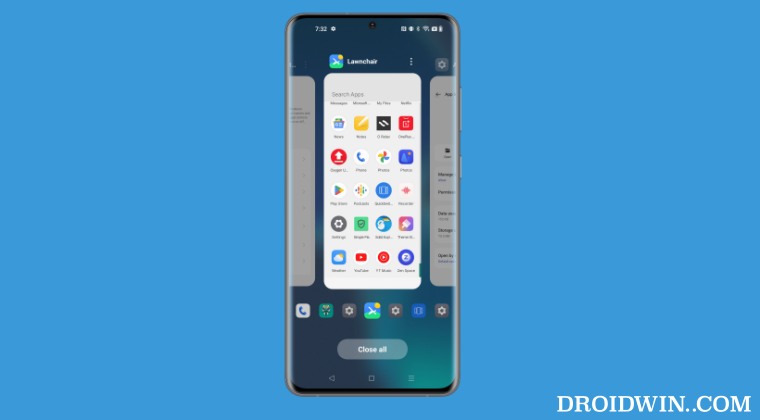
To get this job done, we will be using QuickSwitch. This module in itself wouldn’t allow you to customize the Recents screen, instead, it would allow you to import the Recent Apps screen from a third-party launcher. The major caveat is the fact that the specific third-party launcher should support QuickSwitch out of the box. At the time of writing, the Lawnchair Launcher is one such third-party launcher that checkmarks this requirement, so you may give it a try.
- To begin with, root your device via Magisk.
- Then install the Lawnchair Launcher [or any other supported ones of your choice].
- Now download and install the Quickswitch app.
- Then launch it and grant it the SuperUser request.
- Now select the launcher [that you had installed earlier] from the Available Provider.
- Then restart your device and verify your new recent provider is correct.
- If that’s well and good, then just set this new recent provider as the default launcher.
- App isn’t available- App Preview bug in Recent Apps on Pixel [Fix]
- OnePlus Android 13: Fix Home & Recent apps gesture not working
- Add Clear All button in Pixel Recent Apps at the bottom
- Recent Apps Button not working in Pixel after Android 12 [Fixed]

(Cancel Reply)
Δ
