How to change volume of individual app on a per app basis
In this guide, we will show you the steps to change the volume of an individual app on a per-app basis on your Android device. There might have been a few instances when you want to have granular control over the audio of multiple apps running on your device. For example, if you would like to keep a song playing in the background but at the same time want to mute the volume of the game that you are currently playing.
Up until now, this was quite a challenging task and difficult to achieve. But now, using a nifty method, you could easily change the volume of an individual app on a per-app basis on your Android device. And in this guide, we will show you how to do just that. So without further ado, let’s get started.
How to change volume of individual apps on a per-app basis
- To begin with, root your device via Magisk . Then download the audiohq module from GitHub.
- Now launch Magisk, go to the Modules section, and tap on Install from Storage.
- Then select the audiohq mod and tap OK in the prompt. It will now be flashed.
- Once done, hit Reboot. Now launch AudioHQ and grant it the Magisk request.
- Now go to the playing section and it will list out all the apps that are currently playing audio.
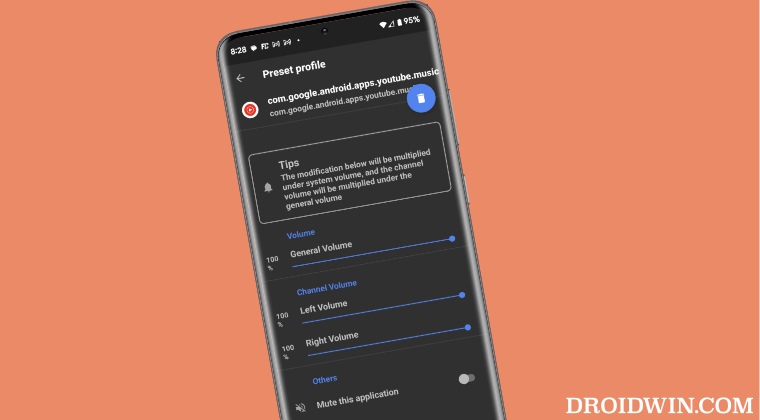
- Now select the app of your choice. You may then control its General sound as well as the Left/Right speaker volume.
- You could even completely mute the application by enabling the said toggle at the bottom.
- How to Enable Hidden Color Modes in Galaxy S23 Ultra
- How to Enable Engineer Mode on any OnePlus device
- How to Stop DND Mode from Syncing across Apple Devices
- Install Additional Mods/Add Extra Features on Xiaomi EU ROM

(Cancel Reply)
Δ
