How to Convert OnePlus 11R from ColorOS to OxygenOS
In this guide, we will show you the steps to convert your OnePlus 11R from ColorOS to OxygenOS. The newest addition to the OnePlus family has grabbed the attention of the masses, thanks in large part to the OEM’s decision of going back to its USP of providing feature-rich devices at an aggressive price. But while there’s plenty to rejoice for the general users, things are at a standstill for tech enthusiasts.
Ever since Oppo added the authorization to the MSM Download Tool, there has been a considerable decline in the custom development for this device. And that is completely unstable. With that said, there still does exist a few handy workarounds that could easily be carried out from the Fastboot Mode without the need to interact with the EDL Mode and MSM Tool.
One such tweak is the ability to convert your OnePlus 11R from ColorOS to OxygenOS. So if you currently own/imported a Chinese variant of this device and are looking to welcome abode the Global Firmware, then this guide will help you out. Follow along for the instructions.
- How to Convert OnePlus 11R from ColorOS to OxygenOS STEP 1: Install Android SDK STEP 2: Download OnePlus 11R Fastboot ROM STEP 3: Extract OnePlus 11R Payload.bin STEP 4: Boot OnePlus 11R to Fastboot Mode STEP 5: Format Device via Fastboot STEP 6: Flash OnePlus 11R OxygenOS in Fastboot Mode STEP 7: Flash OnePlus 11R OxygenOS in FastbootD Mode
How to Convert OnePlus 11R from ColorOS to OxygenOS
The below process will wipe off all the data from your device. So take a complete device backup beforehand by any means possible. Droidwin and its members wouldn’t be held responsible in case of a thermonuclear war, your alarm doesn’t wake you up, or if anything happens to your device and data by performing the below steps.
STEP 1: Install Android SDK
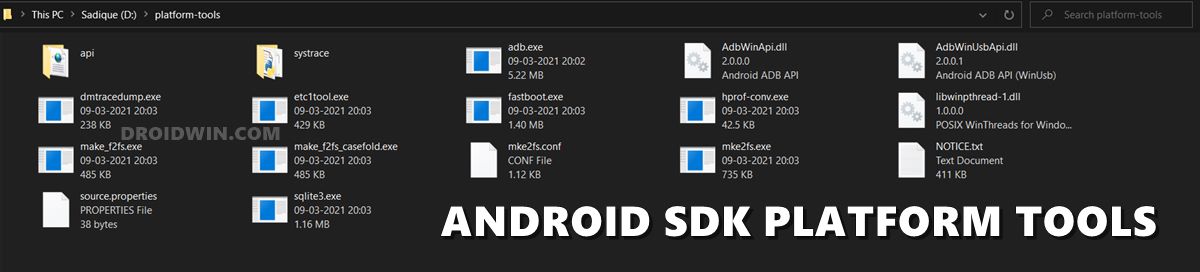
First and foremost, you will have to install the Android SDK Platform Tools on your PC. This is the official ADB and Fastboot binary provided by Google and is the only recommended one. So download it and then extract it to any convenient location on your PC. Doing so will give you the platform-tools folder, which will be used throughout this guide to unbrick your OnePlus 10 Pro via Fastboot commands.
STEP 2: Download OnePlus 11R Fastboot ROM
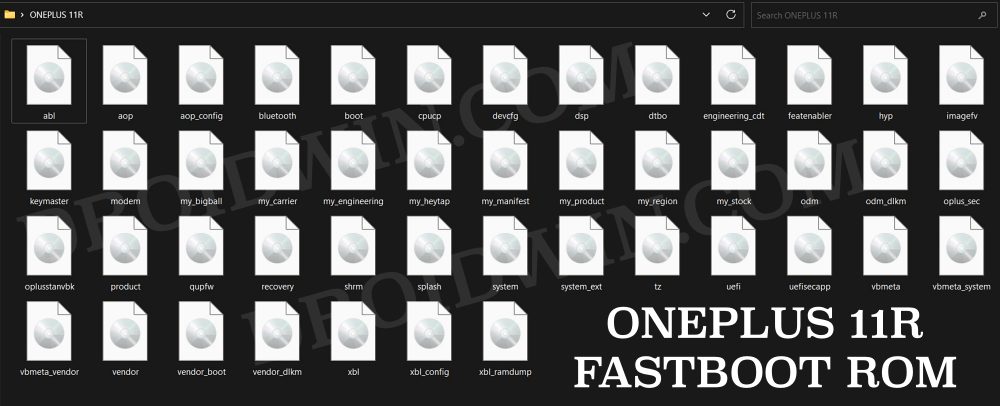
Next up, download the Fastboot ROM for your device from the below link. OnePlus provides its firmware in payload.bin, which you need to extract in order to get hold of the partition files. I have already done that for a few firmware versions. So if your device has the same firmware/build installed, then you could directly download the Fastboot ROM [extracted payload] instead of the payload.bin. Or else move over to the next step to manually do this task.
ONEPLUS 11R FASTBOOT ROM
STEP 3: Extract OnePlus 11R Payload.bin
If you have downloaded the Fastboot ROM, then you could skip this step. On the other hand, if you have a payload.bin firmware, then you will have to extract it first and get the resultant IMG files. To do so, you may refer to our guide on How to Extract OnePlus Payload.bin file. Once extracted, make sure to transfer all the files to the platform-tools folder.
STEP 4: Boot OnePlus 11R to Fastboot Mode
- Connect your device to the PC via a USB cable. Make sure USB Debugging is enabled.
- Then head over to the platform-tools folder, type in CMD in the address bar, and hit Enter. This will launch the Command Prompt.
- Type in the following command in the CMD window to boot your device to Fastboot Mode adb reboot bootloader
- To verify the Fastboot connection, type in the below command and you should get back the device ID. fastboot devices
- if you are not getting a serial ID, then please install Fastboot Drivers on your PC.
STEP 5: Format Device via Fastboot
- Head over to the platform-tools folder where the extracted ROM is present.
- Then go to its address bar, type in CMD in its address and hit Enter. This will launch the CMD window.
- Now execute the below command to perform a factory reset (optional but recommended) fastboot -w
STEP 6: Flash OnePlus 11R OxygenOS in Fastboot Mode
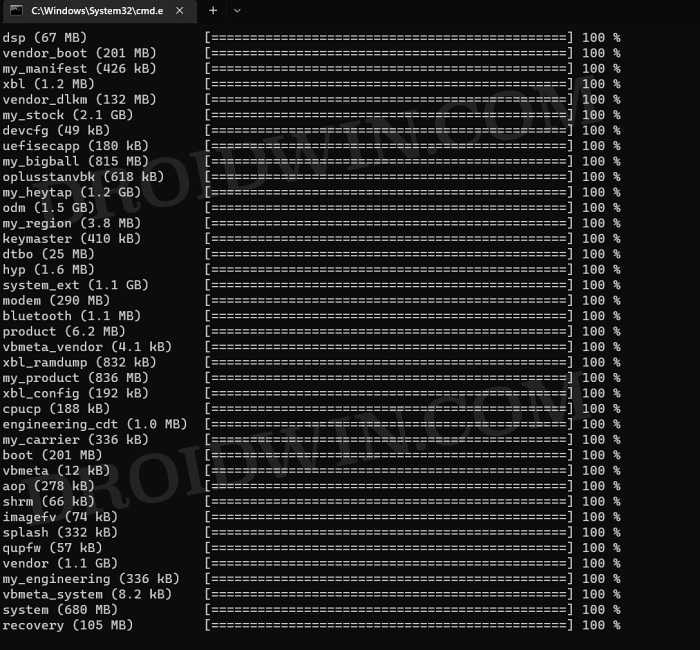
Execute the below commands in the CMD window [that is opened in the platform-tools folder] to flash the partition file. Make sure to execute one command at a time. Furthermore, if you get an error, then don’t leave the process mid-way, rather move over to the next flashing command.
fastboot --set-active=a


fastboot flash --slot=all boot boot.img

fastboot flash --slot=all modem modem.img

fastboot flash vendor_boot vendor_boot.img

fastboot flash vbmeta vbmeta.img

fastboot flash vbmeta_system vbmeta_system.img

fastboot flash vbmeta_vendor vbmeta_vendor.img
STEP 7: Flash OnePlus 11R OxygenOS in FastbootD Mode
You will now have to flash the remaining firmware files in the FastbootD Mode. So type in the below command to boot your device to this mode
fastboot reboot fastboot
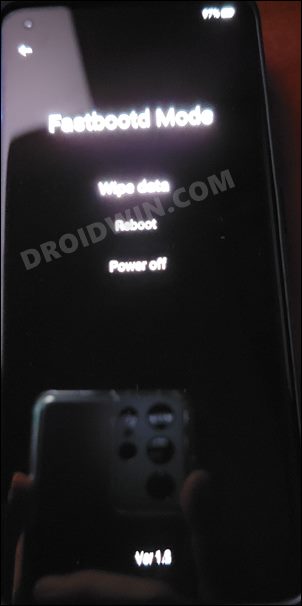
Now execute the below commands in the CMD window [one at a time] to flash the remaining files:
fastboot flash --slot=all abl abl.img

fastboot flash --slot=all aop aop.img

fastboot flash --slot=all aop_config aop_config.img

fastboot flash --slot=all bluetooth bluetooth.img

fastboot flash --slot=all cpucp cpucp.img

fastboot flash --slot=all devcfg devcfg.img

fastboot flash --slot=all dsp dsp.img

fastboot flash --slot=all dtbo dtbo.img

fastboot flash --slot=all engineering_cdt engineering_cdt.img

fastboot flash --slot=all featenabler featenabler.img

fastboot flash --slot=all hyp hyp.img

fastboot flash --slot=all imagefv imagefv.img

fastboot flash --slot=all keymaster keymaster.img

fastboot flash --slot=all oplus_sec oplus_sec.img

fastboot flash --slot=all oplusstanvbk oplusstanvbk.img

fastboot flash --slot=all qupfw qupfw.img

fastboot flash --slot=all recovery recovery.img

fastboot flash --slot=all shrm shrm.img

fastboot flash --slot=all splash splash.img

fastboot flash --slot=all tz tz.img

fastboot flash --slot=all uefi uefi.img

fastboot flash --slot=all uefisecapp uefisecapp.img

fastboot flash --slot=all xbl xbl.img

fastboot flash --slot=all xbl_config xbl_config.img

fastboot flash --slot=all xbl_ramdump.img xbl_ramdump.img


fastboot flash system system.img

fastboot flash system_ext system_ext.img

fastboot flash vendor vendor.img

fastboot flash product product.img

fastboot flash my_product my_product.img

fastboot flash odm odm.img

fastboot flash my_engineering my_engineering.img

fastboot flash vendor_dlkm vendor_dlkm.img

fastboot flash my_stock my_stock.img

fastboot flash my_heytap my_heytap.img

fastboot flash my_carrier my_carrier.img

fastboot flash my_region my_region.img

fastboot flash my_bigball my_bigball.img

fastboot flash my_manifest my_manifest.img
Finally, execute the below command to boot your device to the OS
fastboot reboot
- How to Unlock Bootloader on OnePlus 11 [Video]
- How to Root OnePlus 11 via Magisk Patched Boot
- Download OnePlus 11 Fastboot ROM for Root & Unbrick Purpose
- Download OnePlus 11 Stock ROM Firmware: OxygenOS/ColorOS

- Sajid 2 years ago Reply I have an indian oneplus 8t. Which i have installed colors os 13, i want to go back to oxygen os, can perform a local update, via the zip from oxygen updater application
- Isa 3 years ago Reply Writing ‘xbl_ramdump.img’ FAILED (remote: ‘No such file or directory’) fastboot: error: Command failed Why?
- Henry 3 years ago Reply My phone is a Chinese version, and I converted it from ColorOS to OxygenOS. However, I am experiencing some issues with the brightness settings. I came across a post on XDA Developers forum that addresses this issue specifically for OnePlus 11 (not 11R): https://forum.xda-developers.com/t/maybe-a-proper-way-to-fix-issues-after-converting-color-to-oxygen.4583321/ Have you also experienced this problem? If so, do you know how to fix it? Thank you.
(Cancel Reply)
Δ
