How to create your own version of MSM Download Tool
In this guide, we will show you the steps to create your own version of the MSM Download Tool. When it comes to custom development, then OnePlus is among the most popular players in the town [well, at least till the 9th series]. One major reason for the same is the availability of the MSM Tool which could bring your hard-bricked device back to life by flashing the OPS firmware in EDL Mode.
However, the latest version of MSM Tool that you could get would be based on Android 11 [we are talking about the one which is freely available to the users]. While that’s not a major issue irrespective of the OS, your device will at least boot to the OS and then you could install OTA updates to update the device to the latest build, but that calls for unnecessary additional efforts. So what else could be done?
Well, you could create your own version of MSM Download Tool for the latest available Android version [such as OxygenOS 13 a the time of writing]. Once you do so, your device will then directly boot to the latest OS build as soon as it gets unbricked. So on that note, let’s make you aware of the instruction steps.
- How to create your own version of the MSM Download Tool STEP 1: Download MSM Download Tool STEP 2: Extract OnePlus OPS Firmware STEP 3: Extract Latest OnePlus Firmware [payload.bin] STEP 4: Create New Version of MSM Download Tool
How to create your own version of the MSM Download Tool
The below instructions are listed under separate sections for ease of understanding. Make sure to follow the same sequence as mentioned. Droidwin and its members wouldn’t be held responsible in case of a thermonuclear war, your alarm doesn’t wake you up, or if anything happens to your device and data by performing the below steps.
STEP 1: Download MSM Download Tool
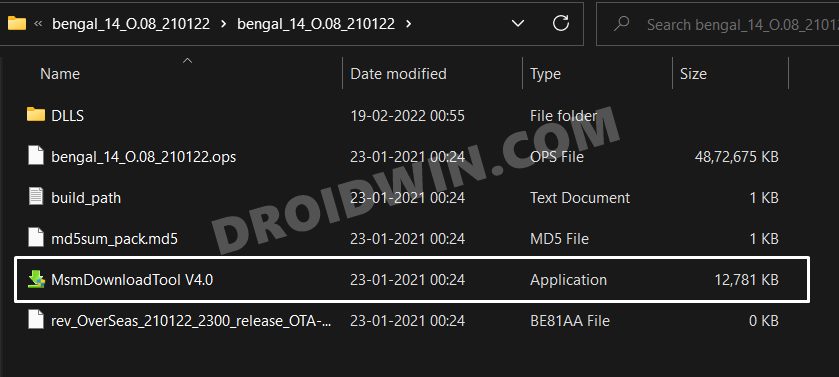
First of all, get hold of the existing MSM Download Tool for your device corresponding to any Android version of your choice from here: Download MSM Download Tool .
STEP 2: Extract OnePlus OPS Firmware
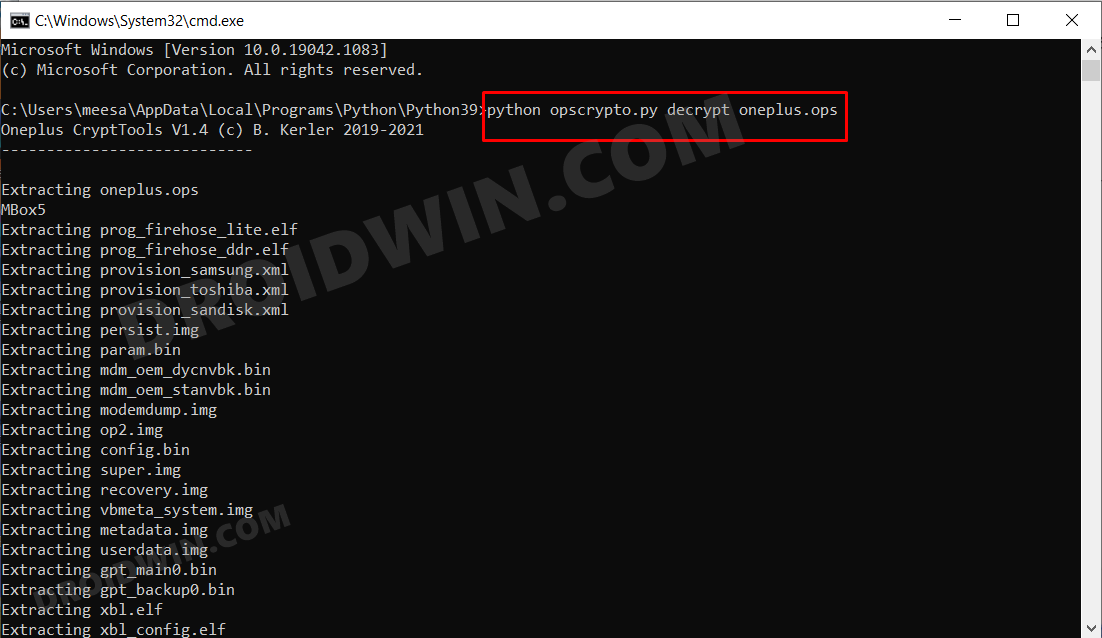
Now extract the OPS firmware that comes with the MSM Download Tool to any convenient location on your PC using the guide: How to Extract/Decrypt OnePlus OPS Firmware .
STEP 3: Extract Latest OnePlus Firmware [payload.bin]
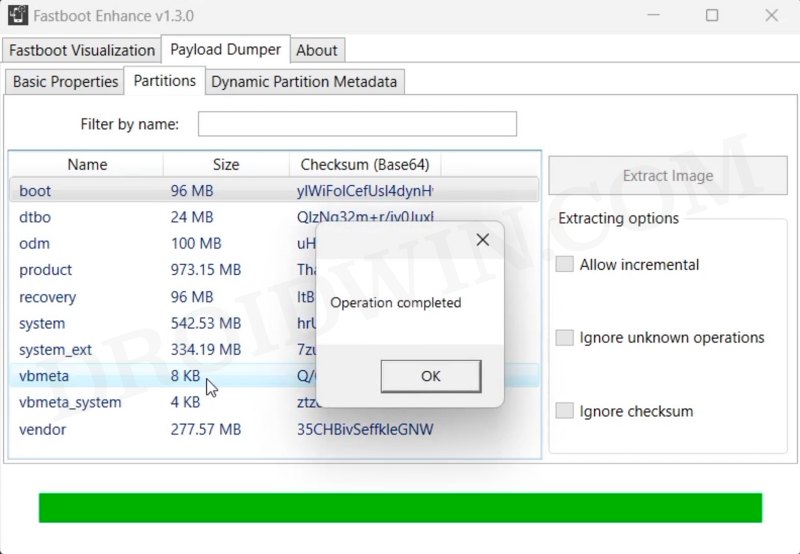
Now download the latest version of the OxygenOS firmware and extract its payload.bin file using the Fastboot Enhance Tool: How to Flash ROM & Unbrick OnePlus via Fastboot Enhance Tool .
STEP 4: Create New Version of MSM Download Tool
- First off, replace all the files from existing OPS firmware with the newly extracted payload.bin files.
- Then use the below command to repack all these files inside the OPS firmware: python3 opscrypto.py encrypt [path to extracted firmware]
- Once that is done, transfer this OPS firmware inside the MSM Download Tool.
- Now boot your device to EDL Mode and flash the newly created firmware via MSM Download Tool.
- MSM Download Tool Read Back Mode: Create OnePlus Backup!
- Bypass Login MSM Download Tool OnePlus 10 Pro
- Device not match image error in MSM Download Tool [Fixed]
- No valid trg ID Error in MSM Download Tool: How to Fix

- DA 2 years ago Reply I think I did every step properly except for STEP 4 as I don’t understand what to do. I have all the extracted files ready. I don’t know if I should be putting all the files from the latest firmware into the MSM Tool firmware, or specific files instead. I’ve tried everything I could think of and it still won’t work. The OnePlus 8 Series is now in its EOL. Perhaps you could just provide a customized MSM tool that will boot the phone into the latest firmware IN2013_13.1.0.587(EX01) or better yet, clear up STEP 4.
- Ts 3 years ago Reply I have tried this, followed instructions to a tee, everything worked perfect, but once in msm it does not work it, gets stuck at super user or vmeta, 8-9 seconds in
(Cancel Reply)
Δ
