How to Disable Soundboard in Discord
In this guide, we will show you the steps to disable the Soundboard feature in Discord. When it comes to VoIP and instant messaging services, then there’s no denying the fact that Discord is without a shadow of a doubt one of the best players in this domain. One major reason for the same is the addition of a slew of intriguing features. The latest one to make its way is Soundboard .
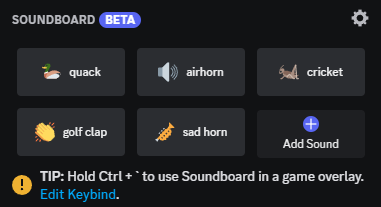
For the unaware, this feature gives you the perfect platform to react in a Discord voice channel with brief audio clips. However, this feature hasn’t been in sync with everyone’s requirements. If you also echo the same thought process, then this guide will make you aware of the instructions to disable the Soundboard feature in Discord. So without further ado, let’s get started.
How to Disable Soundboard in Discord

While there is no single toggle to disable this feature, you could implement the below tweaks that should help you restrict its usage up to the bare minimum. So go through all the below-listed points and then implement all of them.
- First off, head over to User Settings > Voice & Video > Soundboard > Soundboard Volume and lower the volume to 0%.
- Next up, you could remove the unwanted sounds by going to Server Settings > Soundboard and clicking on the cross icon next to that song.
- Likewise, you could also restrict users from uploading sounds by going to Server Settings > Roles and disabling the toggle next to Manage Expressions.
- Discord Stream Not Working/Lagging: How to Fix
- How to Enable Dark Mode in Discord on iPhone
- Discord Downloaded Videos are Unsupported: How to Fix
- Discord App not optimized for Galaxy Fold Outer Screen [Fixed]

(Cancel Reply)
Δ
