How to Disable/Remove Google Discover Feed from Home Screen
In this guide, we will show you a couple of methods to disable or remove the Google Discover Feed from your home screen. Many OEMs pack in the Google Feed on their home screen which could easily be accessed by performing a right swipe from your home screen. This feed consists of curated news from various sources which are usually based on your browsing history. However, not everyone wants one of their home screens to get cluttered with a slew of news articles.
- How to Disable/Remove Google Discover Feed from Home Screen Method 1: Via Google App Method 2: Via ADB Commands
How to Disable/Remove Google Discover Feed from Home Screen
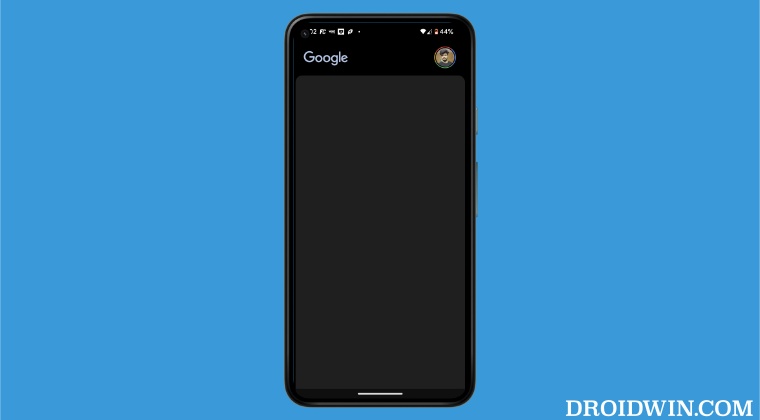
We have listed two different methods that will help you get this job done- via the in-app settings menu and using ADB commands. In the first method, while the news content will be removed but the space will still be occupied by the Google Feed, with just a black screen and a notification that Discover has been turned off. On the other hand, if you opt for the ADB Commands, then it will completely remove the Feed from your home screen. So try out the method that is in sync with your requirement.
Method 1: Via Google App
In this method, we will be simply turning off the Discover feature from the app’s built-in menu. As already discussed before, the app will still occupy the left-most position on your screen, it’s just that there will be no news on that screen. So if that’s well and good, then let’s get started with the steps.
- Launch the Google App, tap on the profile, and select Settings.
- Then go to General and disable the toggle next to Discover.
- It will remove the Google Discover Feed from your home screen.
Method 2: Via ADB Commands
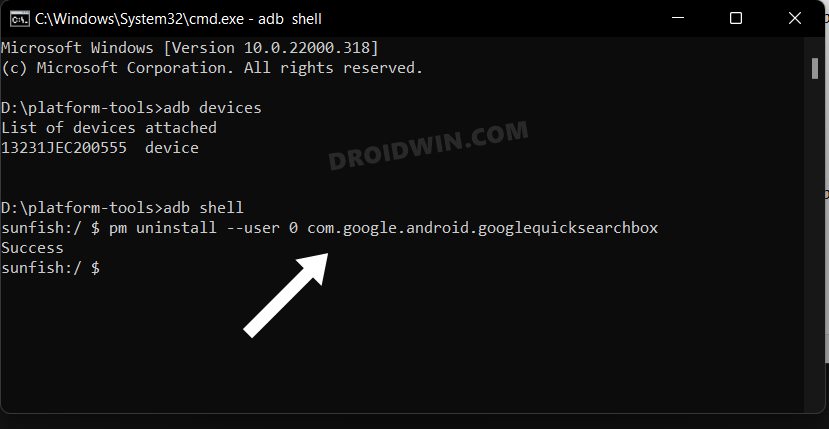
In this method, we will be completely removing the Google App from your device. This will remove the entire news section from your home screen. Since Google App is a system app, we will be using the ADB Commands to remove this app from your device. So please refer to our comprehensive guide on How to Uninstall Google App on Android via ADB Command .
- Google Apps not working on Mobile Data [Fixed]
- How to Downgrade the Google App on Android [2 Methods]
- Update the Google app to use your Assistant Error [Fix]
- How to Install Google App in Galaxy Watch 4

(Cancel Reply)
Δ
