How to Fake/Spoof GPS Location on Android [Video]
So in such instances, your best bet is to spoof or fake your current GPS location on your Android device to any random place of your choice, anywhere across the world. And in this guide, we will show you how to do just that. Follow along.
How to Fake/Spoof GPS Location on Android
Make sure that you only carry out this task for education and legal purposes. Droidwin and its members wouldn’t be held responsible in case of a thermonuclear war, your alarm doesn’t wake you up, or if anything happens to your device and data by performing the below steps.
- To begin with, root your device via Magisk.
- Then install the LSPosed app on your device.
- Now install the GPS Setter app from GitHub.
- Then launch LSPosed, go to Modules, and enable the toggle next to GPS Setter.
- Now check the desired Maps apps from which you need to spoof the location and then restart your device.
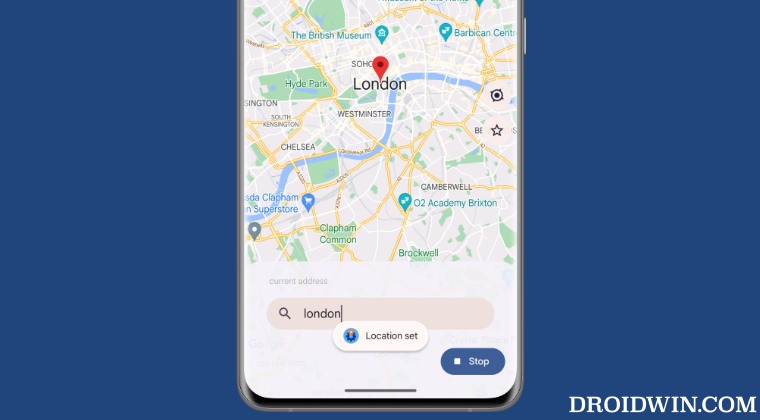
- Once done, launch GPS Setter, type in the desired fake location, and hit Set Location.
- Your current location is now set to that fake location. You could verify the same from the Maps app as well.
Video Guide

- How to spoof/fake any and every value of your Android device!
- How to Spoof/Fake the Android Version on your device
- Spoof your Android Device to Pixel [or any other of your choice]
- How to Fix Phone Number Unknown on Android

- Xnuxer 3 years ago Reply GPS Setter cant spoof Google Maps, you need use remake services Mockup in framework, such as Smali Patcher.
(Cancel Reply)
Δ
