Moreover, if you already have a Prime membership for its shopping app, then you could carry forward all those benefits over to its streaming app as well. With such a plethora of benefits attached, its rise to fame seems to be a well-documented path. However, in spite of these goodies, it isn’t free from its fair share of issues.
- How to Fix Amazon Prime Video Error 7235 on Chromebook Fix 1: Update Widevine Content Decryption Module Fix 2: Update Chrome Browser Fix 3: Try the Amazon Suggested Tweaks
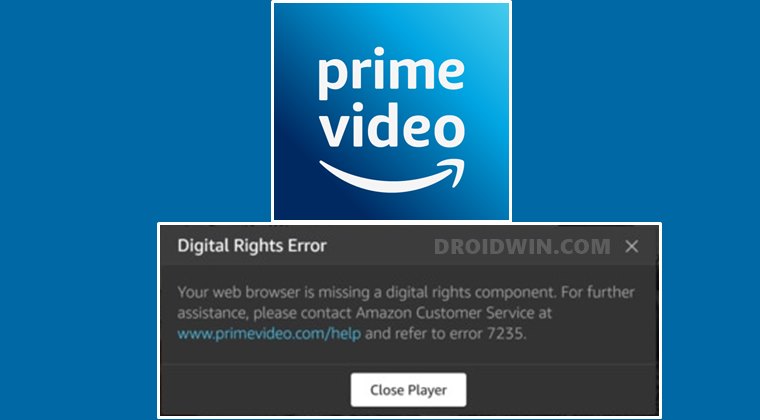
Do note that there’s no universal fix as such. You will have to try out each of the below-mentioned workarounds until one of them spells out success for you. So keeping that in mind, let’s get started.
Fix 1: Update Widevine Content Decryption Module
All the legal online content that you stream is protected by Digital Rights Management (DRM). And the Widevine Content Decryption Module The Widevine Content Decryption Module allows you to play these DRM-protected HTML5 audios and videos in your web browser.
If there’s an issue with this module, then there are bound to be issues in playing those DRM-protected contents in your browser. In this regard, Chrome and Chromium-based browsers seem to be the most common parties that get bugged with this problem. The solution for the same is pretty simple- you just need to update the Widevine Content Decryption Module. Here’s how it could be done:
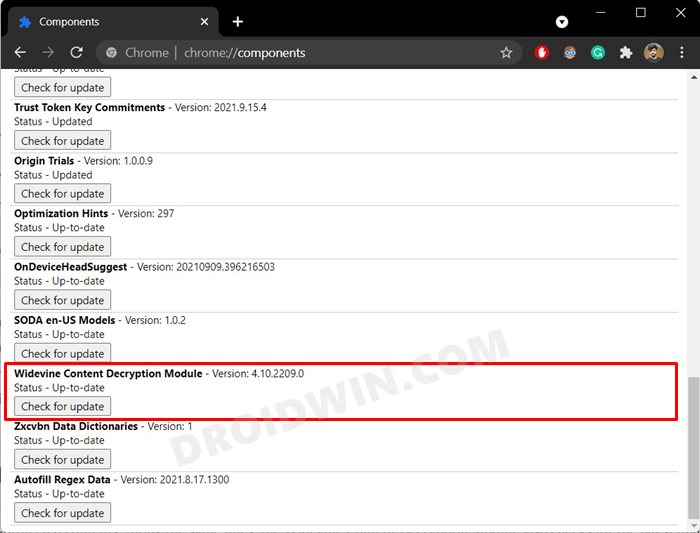
- To begin with, launch the Chrome browser on your PC.
- Then copy-paste the below location in the address bar and hit Enter: chrome://components
- Scroll to the Widevine Content Decryption Module and click on the Check for Update button next to it.
- The browser will now search online for the latest available version of this module.
- If found it will download and install that update right away.
- Once that is done, restart your browser and check if the Amazon Prime Video Error 7235 on your Chromebook has been fixed or not.
Fix 2: Update Chrome Browser
You should also verify that you are running the latest build of the browser. If that is not the case, then it might lead to a few issues when playing the DRM-protected contents. Along the same lines, the Widevine Content Decryption Module also checks for the latest update corresponding to your browser version. So in rare cases, it might be the case that your old browser is holding it back from getting hold of its latest version.
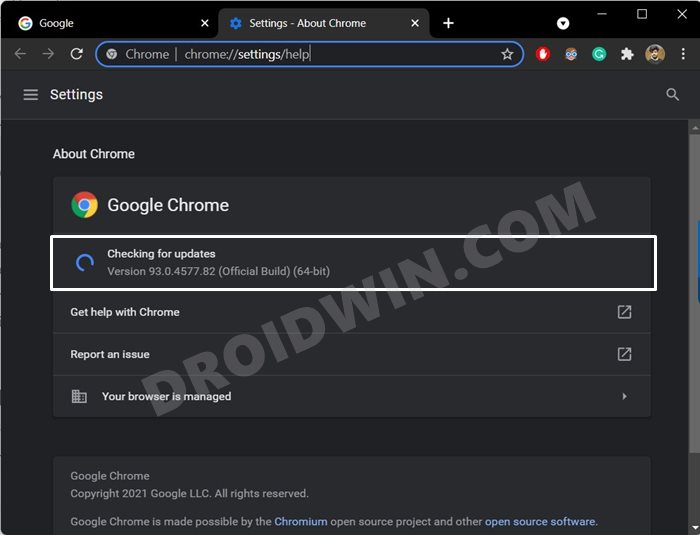
- So launch Chrome and then copy-paste the below location in the address bar: chrome://settings/help
- The browser will now check for the latest version, and if found, will download and install it right away.
- Once that is done, restart the browser and then verify whether it fixes the Amazon Prime Video Error 7235 on your Chromebook.
Close and reopen Prime Video.
Restart your Chromebook.
Ensure that your Chromebook and web browser have the latest updates.
Ensure that you’re not using the same account on multiple devices – you can only stream the same title to two devices at a time.
Ensure that any external device is connected to your display using an HDMI cable that is compatible with HDCP 1.4 (for HD content) or HDCP 2.2 (for UHD and/or HDR content).
Pause other Internet activity – especially if other devices are using the network at the same time.
Check your Internet connection. You may need to restart your connected device and/or router.
If you’re able to connect to the Internet on other devices, update your connected device’s DNS settings. Please check with your device’s manufacturer for further details.
Deactivate any VPN or proxy servers.
How to Remove Lock Screen Ads From Amazon Fire Tablets
How to Remove Bloatware from Amazon Fire 7/8/10 Tablets
Fix: Google Meets Crashing on Amazon Fire HD 8 Tablets
How to Remove Ads in Windows 11

- Chuck 4 years ago Reply Widevine is not present in my generation of Chromebook. Can it be added? And how? Its not offered for download at Widevine site. The app is only avail through OEMs.
(Cancel Reply)
Δ
