How to Fix Blank Wallpaper in Android 14 QPR2 Beta 2
In this guide, we will show you the steps to fix the blank wallpaper issue on Android 14 QPR2 Beta 2. The Silicon Valley giant has recently rolled out the second testing build of the Quaterly Platform Release. And with this, there are quite a few noteworthy features to look forward to. Some of the noteworthy ones include the likes of adding two rows of text in the app drawer, an easier approach to share WiFi passwords, and the first hints of the new Private Space feature.
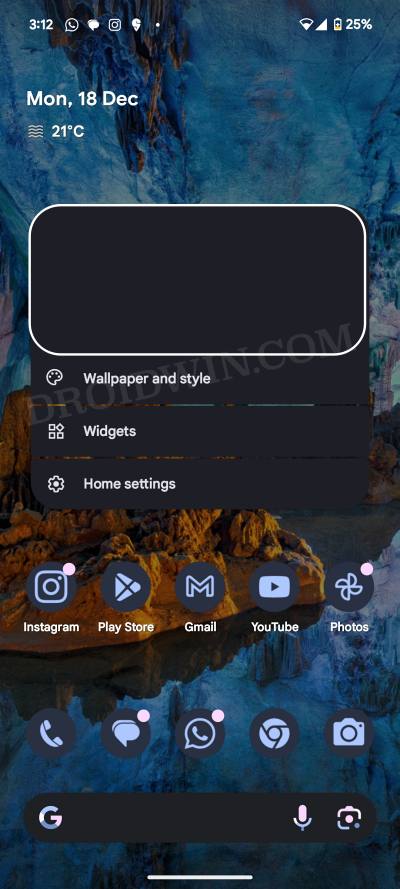
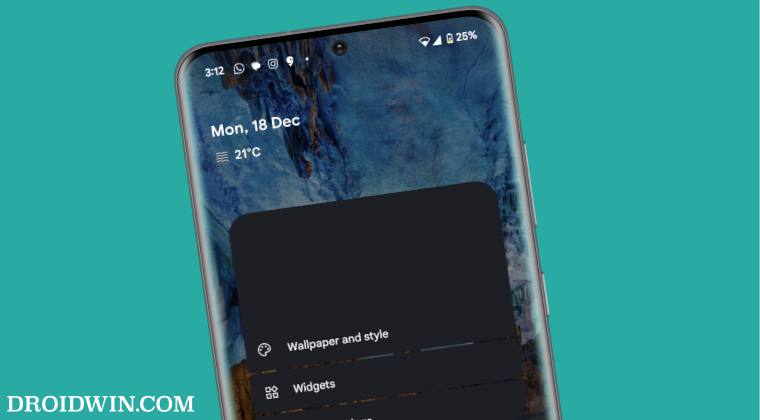
However, the update is in the beta stage, so a few bugs and issues are along the obvious lines. In this regard, numerous users have voiced their concerns regarding the blank wallpaper bug on Android 14 QPR2 Beta 2. When you long press in an empty region on the home screen, then instead of the current wallpaper, you’ll see just a black screen.
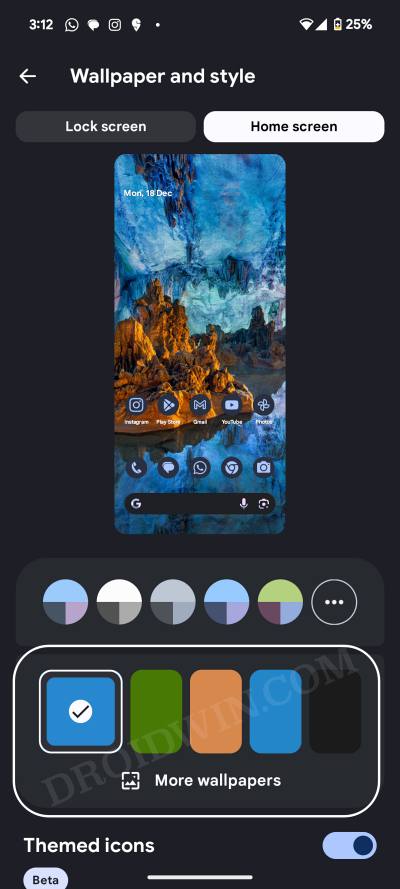
Likewise, even if you go to the Wallpaper and Style section, the wallpaper history section is all blank. As a result of this, users are unable to choose the desired wallpaper from the history and hence have to play the hit-and-trial game. Well, not anymore as this guide will show you the steps to rectify this bug once and for all. So without further ado. let’s get started.
How to Fix Blank Wallpaper in Android 14 QPR2 Beta 2
To rectify this issue, you’ll have to select 5 new wallpapers, one after the other. This will replace the five existing blank wallpaper section that is currently bugged and will give you five new slots with the actual wallpaper being displayed here. Once that happens, you could choose the desired wallpaper from there as the bug will not re-appear. So let’s give it a try using the below-listed steps and check out the results:
- Head over to Settings > Wallpaper and Style and tap on More Wallpapers.
- Then choose the desired wallpaper from the list. Do so four more times.
- The wallpaper history will now be populated with these 5 new wallpapers.
That’s it. These were the steps to fix the blank wallpaper issue on Android 14 QPR2 Beta 2. As far as the official stance on this matter is concerned, the developers are aware of this issue, but they haven’t given out any ETA for the rollout of a fix. As and when that happens, we will update this guide accordingly. In the meantime, the aforementioned workarounds are your best bet.
- Fix Fingerprint Sensor not working on Pixel Android 14 QPR Beta 2
- The new Volume Slider in Android 14 QPR 2 Beta is confusing!
- How to Hide Apps on Android via Private Space
- Cannot Opt Out/Leave Android 14 Beta: How to Fix

(Cancel Reply)
Δ
Fix Fingerprint Sensor not working on Pixel Android 14 QPR Beta 2
In this guide, we will show you the steps to fix the fingerprint sensor not working issue on Pixel after installing the latest Android 14 QPR Beta 2. Apart from the usual security patch updates releases, the Silicon Valley giant also releases Feature Drops as well as Quarterly Platform Releases. If you are part of the beta testing group of the latter, then you are among the first in line to get blessed with new updates, much quicker than your stable counterparts.
However, this is just one side of the coin. Being a beta update, it goes along the expected lines that they will have a few bugs and issues. And that has indeed been the case this time around as well. Numerous users have voiced their concern that the fingerprint sensor is not working issue on their Pixel after installing the latest Android 14 QPR Beta 2 update.
This issue is mostly prominent on the Pixel 7 Pro and users are constantly getting a prompt/toast message to contact Google customer support to rectify this issue. If you are also in the same boat, then this guide will make you aware of the steps to rectify this issue once and for all. Follow along.
Fix Fingerprint Sensor not working on Pixel Android 14 QPR Beta 2
In order to resolve this bug, you just need to recalibrate the sensors from the official Pixel Repair website. Here’s how it could be done:
- To begin with, power off your device.
- Then press and hold the Power and Volume Down buttons
- Release the keys once the device boots to the Fastboot Mode.
- Now connect your device to the PC via a USB cable.
- Then go to the Pixel Software Repair page and click Connect Device.
- Now proceed with the on-screen instructions to re-calibrate the sensors.
- Google Pixel fingerprint scanner disabled by Family Link [Fixed]
- Google Pixel 7A Fingerprint Not Working: How to Fix
- Pixel 7/Pro Fingerprint not working: How to Fix
- Pixel 6/Pro Device was locked manually: Enter PIN instead of Fingerprint
(Cancel Reply)
Δ
