How to Fix Gmail ^f_bisa label automatically appearing
In this guide, we will discuss a workaround that should help you fix the Gmail ^f_bisa label automatically appearing issue. You might be receiving a truckload of emails every day. And truth be told, it is no easy task to efficiently managing them all day around. It becomes all the more challenging when the Spam or Promotional emails manage to sneak into your Inbox.
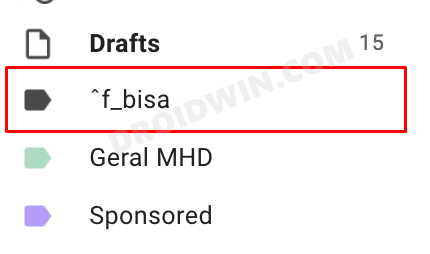
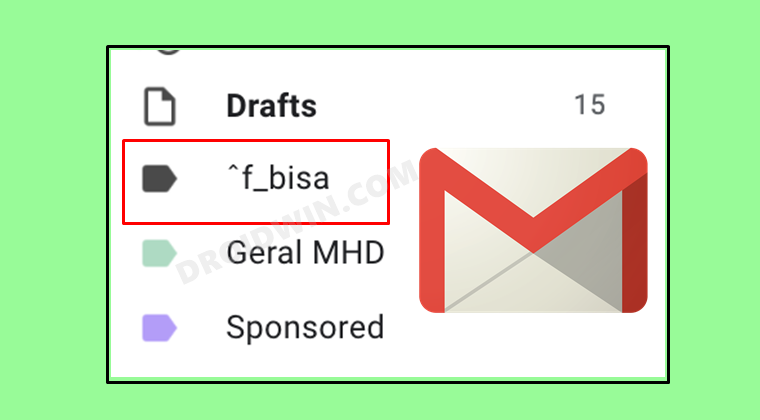
Many concerned users have taken over to Google Support Forum regarding the fact that a label by the name ^f_bisa has been automatically created in their Gmail account. These users haven’t created any new labels or filters on their behalf and the said label has appeared on its own.
Even if they try to delete that label, it re-appears after a certain interval. There’s no e-mail or contact associated with that name and that label itself has no emails within it. So what is the plausible reason behind this rather strange issue and more importantly how to fix this Gmail ^f_bisa label automatically appearing issue? Let’s check it out.
How to Fix Gmail ^f_bisa label automatically appearing
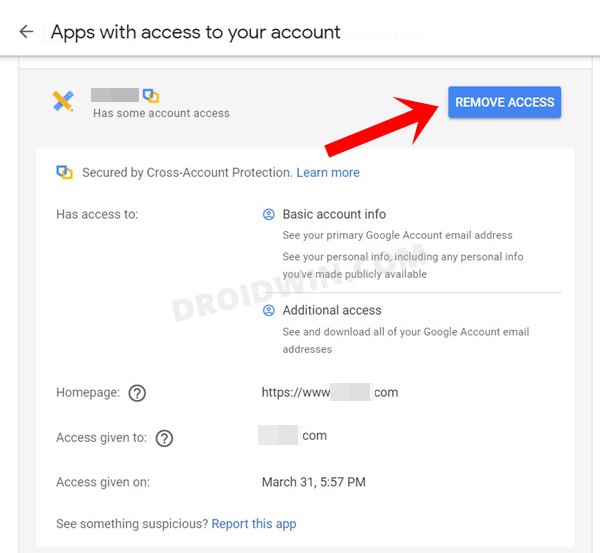
As per Google’s Diamond Product Expert, the issue seems to stem out from a third-party app, add-on, or extension. In this regard, some users were able to achieve success after they removed the add-on related to ‘sidekickopen45.com’ from their Gmail account. So if you have this or any other related Gmail extension installed, then it’s better to remove them from your account (at least for now).
- For that, head over to the My Google Account Permission page
- Then click on the desired app section to expand it.
- Finally, click on the Remove access button and your task stands complete.
- Fix Gmail Automatically Downloading OGG files on Android
- How to Fix Gmail Delayed or No Email Notifications
- Fix Gmail Promotions and Social No Connection error in iPhone
- Bypass New Google Restriction: Get Free Unlimited Photos Storage

(Cancel Reply)
Δ
