How to Flash OxygenOS 15 Android 15 on OnePlus 9 Pro
In this guide, we will show you the steps to flash the latest OxygenOS 15 based on Android 15 onto your OnePlus 9 Pro. The fifteenth iteration of the OS build brings a slew of intriguing goodies to the fore, with the likes of a revamped time widget, dynamic island, customizable lock screen, notification panel and quick setting separation, 2-tone finish, notes app, and a slew of AI features being the talk of the town.
UPDATE: OxygenOS 16 Android 16 is Now Live for OnePlus 9 Pro
As far as the eligible device list goes, the 9th series has just missed the bus by a whisker. But fret not as there’s always the option to welcome abode a custom ROM. However, this would then mean that you’ll have to ditch the stock OxygenOS in favor of a clean stock AOSP experience. This might not be in sync with some users’ requirements, especially those who wish to remain within the walled gardens of OnePlus. So what else can be done?
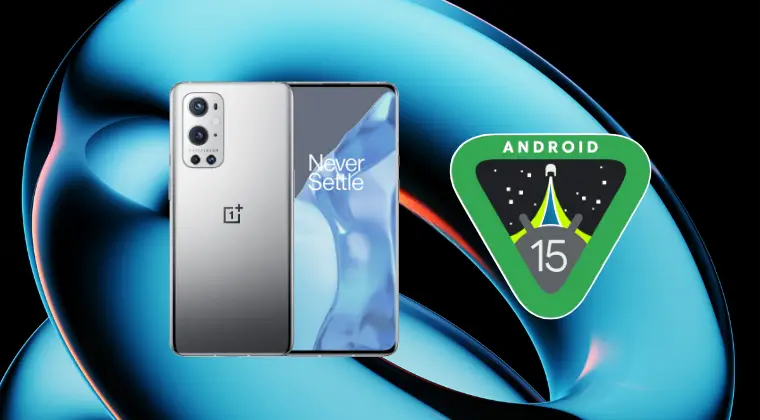
Well, thanks to some nifty work done by the developer community, you can now install the OxygenOS 15 Android 15 port on your OnePlus 9 Pro. This ROM has been ported from the OnePlus 10 Pro with a few touches from the OPPO Find X5 as well, both running the latest Android 15. So, without any further ado, let’s show you how the steps to install this port onto your device right away.
Don’t forget to check out ColorOS 15 Port based on Android 15 for your OnePlus 9 Pro !
- How to Flash OxygenOS 15 Android 15 on OnePlus 9 Pro PORT 1 [NEW] BUGS DOWNLOAD LINK INSTALLATION STEPS PORT 2 [Discontinued] BUGS DOWNLOAD ROM INSTALLATION STEPS
How to Flash OxygenOS 15 Android 15 on OnePlus 9 Pro

The below process will wipe off all the data from your device, so take a complete device backup. Droidwin and its members wouldn’t be held responsible in case of a thermonuclear war, your alarm doesn’t wake you up, or if anything happens to your device and data by performing the below steps.
PORT 1 [NEW]
BUGS
-VOOC Charging animation is dead.

-Power off charging is not working.

-Partial wired earphones cannot be connected.

-Verizon SIM card is not detected.

-When switching to the background or unlocking the screen, the display color mode temporarily changes from Vivid to Natural. Changing the wallpaper once can fix this issue.

-Charging limit not working.
DOWNLOAD LINK
You may get hold of the ROM ZIP file from the below link:
ROM | super_empty.img
INSTALLATION STEPS
- First off, wipe the super partition via the below command: fastboot wipe-super super_empty.img
- Once that’s done, install TWRP Recovery on your device.
- Then go to Wipe > Format Data > Type in YES > hit check.
- Once that’s done, transfer the ROM ZIP file to your device.
- Now go to Install > select the ROM ZIP file > swipe to flash.
- Then go to Wipe > Format Data > Type in YES > hit check.
- Finally, go to Reboot > System to boot to the OxygenOS 15.
PORT 2 [Discontinued]
UPDATE : This ROM has been discontinued by the developer. So if you are looking for Android 15 port for your OnePlus 9 Pro, try out the above one.
BUGS
- Face Unlock

- Camera Filters (also known as LUTs if you're fancy)
DOWNLOAD ROM
You can download OxygenOS 15 Port for OnePlus 9 Pro from the below link:
DOWNLOAD ROM
INSTALLATION STEPS
- To begin with, download and extract Android SDK Platform Tools on your PC.
- Once that is done, enable USB Debugging and OEM Unlocking on your device.
- Now unlock the bootloader on your device and connect it to your PC via a USB.
- Then, extract the OxygenOS 15 ROM Port ZIP file onto your PC.
- Next up, open the Command Prompt inside the platform-tools folder and type: adb reboot bootloader
- This will boot your device to the Fastboot Mode. Then launch the install.bat file.
- The flashing will start and could take a while. Once done, it will boot to the OS.
- How to download OnePlus downgrade firmware when removed from servers
- Get Free OTPs for OPlus Flash Tool and Unbrick OnePlus
- How to Enable Other Music Players in Live Alert Capsule on OnePlus 13
- Volume Steps module not working on OnePlus OxygenOS 15 [Fix]

- G.t 11 months ago Reply The rom don’t work i tried to install coloros 15 on my pneplus 9 pro but don’t work?? I did everything in your guide Can you help? Sadique Hassan 9 months ago Reply I’ll make a video on installing ColorOS 15 on the OnePlus 9 Pro on my YouTube channel Droidwin, you can have a look at the installation steps there. xtz 9 months ago Reply It doesn’t work because oxygenos doesn’t support 9 series. Simply, boot has to have drivers, device info, etc to boot normaly. OOS 15 just don’t have any of this for 9’s. So you can look for custom ports, there’re lot of them
(Cancel Reply)
Δ
