How to Force Disable Camera Sound on Pixel
In this guide, we will show you the steps to disable the camera sound on your Pixel device. For long, the ability to disable the camera shutter sound has been one of the most requested features. One on hand, you could defend its non-inclusion due to the privacy risks involved, but that shouldn’t be the most justifiable reason as every coin has two sides and it ultimately depends on the user how they end up using a feature.

There might be numerous incidents where you want to take a photo but are unable to do so due to the annoying prompt that it makes. For example, if you are in a meeting or class and want to capture a valuable piece of information that has been written on the board, then notifying everyone that a photo has been clicked might not be the best thing to do. So to avoid all these inconveniences, this guide will show you the steps to disable the camera sound on your Pixel device.
How to Force Disable Camera Sound on Pixel
In order to carry out this task, your device needs to be rooted. If you haven’t done so, then please check out our guide on How to Root Android Devices via Magisk . Once that is done, you may then start off with the below steps [Before starting, make sure that it is legal to disable the camera sound in your region or country].
NOTE: In most cases, you might not see the Camera Sound option under the Camera Settings menu even after flashing the module, that’s not an issue. You could remain content with the fact that the sound has been disabled in the backend
- To begin with, download the Camera Sound Module from GitHub.
- Then launch Magisk, go to the Modules section, and tap on Install from Storage.
- Select the Camera Sound Module and it will be flashed. Once done, hit Reboot.
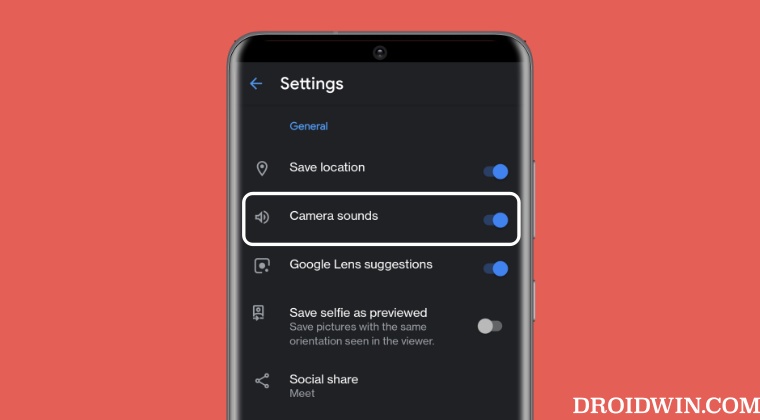
- Now launch Camera and go to its Settings, you should see the option to turn off its sound.
- If it is not there, then the sound would already have been disabled in the backend. Give it a try!
However, if the above module didn’t work out for you, then launch Magisk, go to the Modules section, select that module, and hit Remove. Then restart your device and try one of the modules given below:
disable_camera_and_screenshot_sound-zip
disable_screenshot_and_camera_sounds-v1.5.zip
magisk-module-disable-screenshot-camera-sounds
camerashh_v3-zip [also disables screenshot sound] [tested on Pixel 7 Pro]
Pixel 7/Pro Camera Something went wrong error [13 Fixes]
Pixel 6A Camera Crashing Restarting Device [Fixed]
Pixel 7 Pro Camera Zoom not working: How to Fix
Pixel 7 Pro Camera app crashing: “Camera keeps Stopping” [Fixed]

- Alicia 2 years ago Reply I’m hoping to try this on my Google Pixel 5. I’m not familiar with any of this. Will this wipe my phone? Will I have to restore from backup afterwards?
(Cancel Reply)
Δ
