How to Go Back to Old Colors in Google Maps [Workarounds]
They randomly pick up a bunch of users and implement the tests on their devices, irrespective of the fact whether users have opted for the same or not. To make matters worse, they can’t even opt out of this testing. Whether they like it or not, whether the beta is unstable or not, or even whether it is hampering their daily usage activities, it all takes a back seat next to Google’s regressive A/B testing. In this regard, the latest suffers are its Maps users.
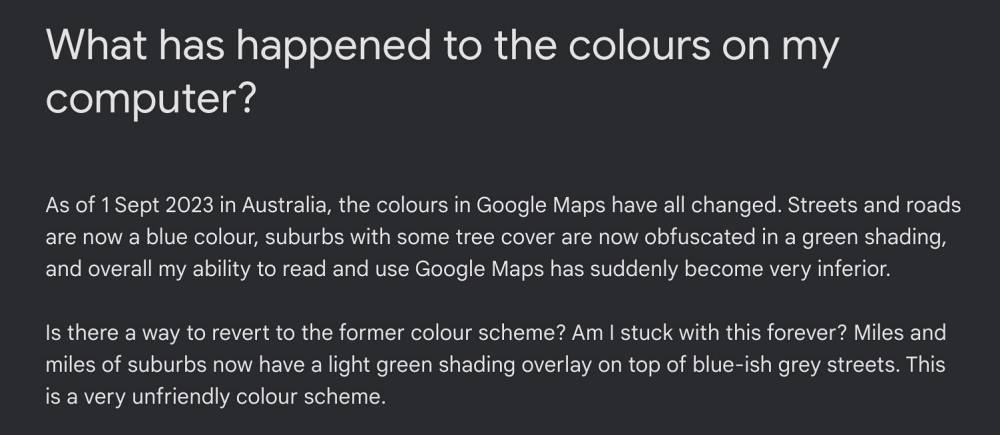
Google has recently changed the color scheme in its Maps app which has made it extremely difficult for users to navigate to a location. Moreover, some users are even unable to distinguish between trees, roads, and sidewalks. This is just as disaster waiting to happen. So what could be done? Well, there exist a few workarounds that might help you go back to the old color scheme in Google Maps. So without further ado, let’s check them out.
- How to Go Back to Old Colors in Google Maps METHOD 1: Use Different Account METHOD 2: Use Incognito Mode METHOD 3: Use Web Portal
How to Go Back to Old Colors in Google Maps
It is recommended that you try out each of the below-mentioned workarounds and then see which one spells out success. So with that in mind, let’s get started.
METHOD 1: Use Different Account
Since this color change is in the beta stage, therefore only a handful of accounts are impacted. So you could try using Google Maps using a different account and then check if it works out for you.
METHOD 2: Use Incognito Mode
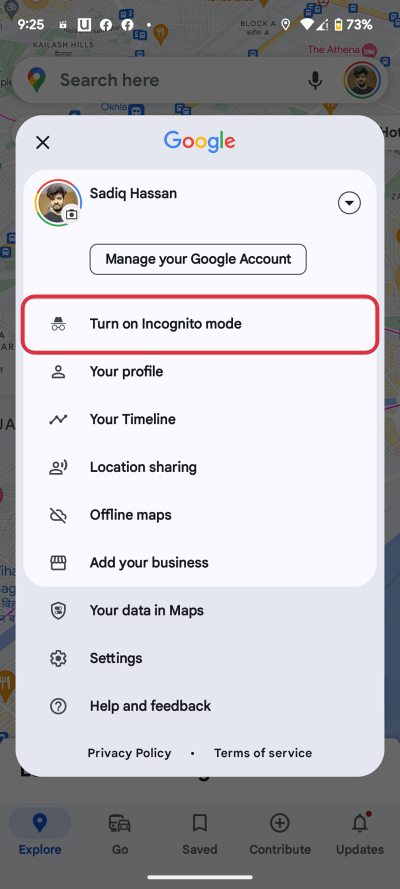
You will not notice the new color while using the Maps in Private Mode. To try it out, tap on your profile at the top right and select Turn on Incognito Mode. Now try using Maps in this mode and check out the results.
METHOD 3: Use Web Portal
The changer is only implemented in the application, you could still use Maps in its old glory via its website maps.google.com in any browser of your choice.
- Fix Google Maps running in Android Auto even after exiting the car
- Why is Google Maps Send directions to a phone via SMS missing?
- Are You Here missing on Google Maps: How to Fix
- Turn off Do Not Disturb DND when using Google Maps while driving

- Ren 2 years ago Reply There is no Incognito Mode when I click on my account/profile
(Cancel Reply)
Δ
