How to Hide Root from Apps via Hide My Applist
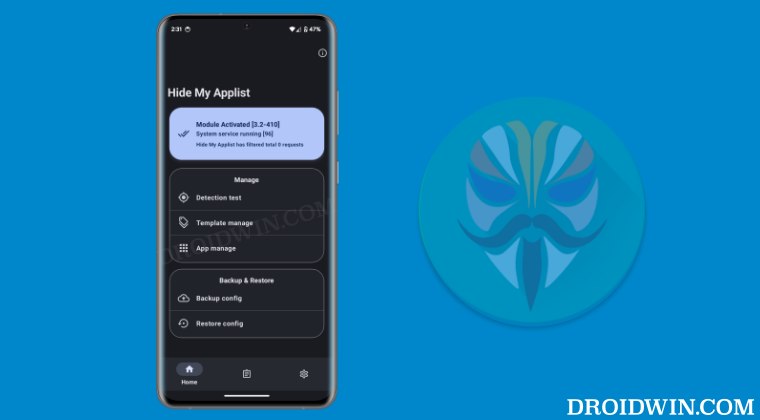
In this guide, we will show you the steps to hide root from apps using Hide My Applist. While gaining administrative privileges does give us a slew of nifty benefits, but on the flip side, it also brings in a few uninvited risks and caveats. If we talk about the latter one, then the tripping of the SafetyNet is the most concerning issue of them all as it would prevent banking and payment apps from functioning along the expected lines.
Fortunately, you could easily bypass this limitation via the Play Integrity Fix module. Or so we thought. Over the past few weeks, we have seen reports from users wherein their banks seem to have found a workaround to bypass this tweak. Even though the device is passing both the CTS Profile as well as Basic Integrity checks and it ‘meets’ both the Device Integrity as well as Basic Integrity, those banking apps are still not working on these devices!
Moreover, all the other apps that cause conflict with the root are still working, so it seems that the issue is currently limited to those handfuls of banking apps, which include the likes of Santander UK, Lloyds Bank, and iMobile. But in this ever-evolving cat-and-mouse game, we are again a step ahead! To circumvent this problem, you just need to hide the root via Hide My Applist and then use the banking apps without any issues.
- How to Hide Root from Apps via Hide My Applist STEP 1: Hide Magisk App STEP 2: Configure Denylist STEP 3: Pass Play Integrity STEP 4: Install LSPosed Framework STEP 5: Install Hide My Applist STEP 6: Setup Hide My Applist Blacklist STEP 7: Fake Device ID STEP 8: Spoof Bootloader Unlock Status
How to Hide Root from Apps via Hide My Applist
Before starting, please take a backup of all the data on your device, just to be on the safe side. Droidwin and its members wouldn’t be held responsible in case of a thermonuclear war, your alarm doesn’t wake you up, or if anything happens to your device and data by performing the below steps.
NOTE: STEPS 1 to 3 given below as well as STEPS 7 and 8 given at the end are not compuslory for Hide My Applist but it is highly recommended that you do so as it will give you a much better root protection environment along with HMA [which is given in STEPS 4, 5, and 6].
STEP 1: Hide Magisk App
While we will be hiding the Magisk app in the later stage of this guide via Hide My Applist [HMA], let’s still be on the safer side and manually hide it as well. Here’s how it could be done:
- Launch Magisk, tap on the Settings icon, and select Hide the Magisk App.
- Then enable the toggle next to Allow from this source.
- Now rename the Magisk app and hit OK to save.
STEP 2: Configure Denylist
While HMA will be hiding apps, but let’s also get this job done via Magisk, just to be double sure. Here’s how it can be done:
- Launch Magisk, go to Settings, and enable Configure Denylist
- Then check the following apps: Google Play Store, Google Play Service, Services Framework, and the banking/payment app of your choice.
STEP 3: Pass Play Integrity
While it’s not compulsory, yet it is highly recommended that you pass the Play Integrity Test as well. To do so, you may check out our below guide:
How to Pass Play Integrity in New Android 13+ Checks
STEP 4: Install LSPosed Framework
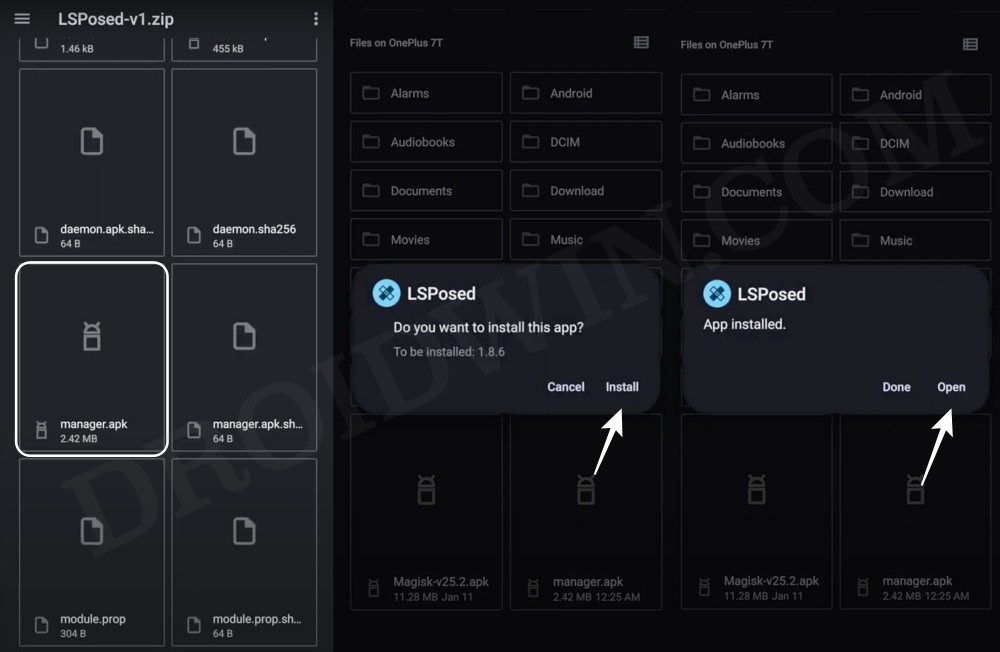
Next up, you’ll have to install the LSPosed Framework on your device. For that, you may check out our detailed guide/video [make sure to use the Zygisk version].
STEP 5: Install Hide My Applist
- To begin with, download and install the Hide My Applist from GitHub.
- Once installed, you’ll get a notification that the module is not yet activated, tap on it.
- You’ll be taken to the Hide My Applist module. Turn on the toggle next to Enable Module.
- Then tap on the Settings icon at the bottom right. You’ll be taken to the Hide My Applist.
STEP 6: Setup Hide My Applist Blacklist
HMA comes with Blacklist and Whitelist, out of which you have to choose either one. In Blacklist, you’ll have to add the apps that need to be hidden, such as Magisk, Xposed Modules, etc. On the other hand, if you opt for Whitelist, then you’ll have to add all the apps that you don’t want to hide [such as non-root apps], in other words, the non-selected apps will be hidden. In this regard, we would suggest you go ahead with Blacklist as it is shorter, easier, and less complicated than its counterpart. Here’s how it could be done:
- Go to Template Manage and tap on Create a Blacklist Template.
- Then name it Rooted Apps. Now tap on Edit List next to 0 Apps invisible.
- Now choose all the root-related apps, such as Magisk, LSPosed, HMA, etc.
- Once done, come back to the home screen and tap on App Manage.
- Now select the app from which you want to hide the root [such as banking apps].
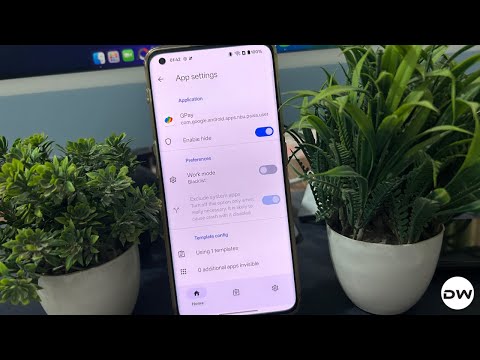
- Then turn on the toggle next to Enable Hide. After that, tap on Using 0 templates.
- Now choose the Rooted Apps template that we created earlier and hit OK.
- Similarly, add all the other apps from which you want to hide root.
- Once done, delete the data of all the apps from which you have hidden root [such as the banking apps]. Then reboot your device.
- Once it boots up, launch Hide My Applist and make sure it’s activated and running.
- Finally, launch the app from which you have hidden root and it should now work without any issues.
STEP 7: Fake Device ID
- Next up, download and install Android Faker from LSPosed.
- Next up, open LSPosed, go to Modules, select Android Faker.
- Now checkmark System Framework, and restart your device.
- Launch Android Faker, randomize the Device ID, and restart your device.
STEP 8: Spoof Bootloader Unlock Status

It’s also recommended to spoof/fake your Bootloader Unlock status to Locked .
- How to Fix Hide My Applist not working
- How to Pass SafetyNet on any Rooted Custom ROM
- Poco F5 CTS Profile Match Fail on Locked Bootloader [Fix]
- Fix: SafetyNet Device Integrity Failing, Wallet not working
- How to Pass SafetyNet on Rooted Xiaomi EU ROM [Video]

- Peter 2 months ago Reply Kindly send me the keybox file
- Ether 3 months ago Reply dude plz send me the keybox archive, the roon infinity X android 16 in my s20 fe 5g no pass integrity play
- Dibyajyoti Deka 3 months ago Reply Send me the keybox.xml file
- Ehsaan Iqbal 6 months ago Reply Sir keybox file please .
- Tanish_Singla 7 months ago Reply Dear Sir, Kindly provide a working [valid] keybox as per 15 July 2025. Thanks 🙏
- Imtiaz 7 months ago Reply Send me keybox file please
- Roy 7 months ago Reply Keybox please
- Imtiaz 7 months ago Reply i am your regular viewer . please Send me the keybox file in my mail.
- Hanter 7 months ago Reply Send me the keybox file rabbit 2 months ago Reply my friend, be kind. people selling keybox file for 15-20$ Samuel 2 months ago Reply Please send me the keybox file.
(Cancel Reply)
Δ
