How to Install Xiaomi EU ROM Without TWRP Recovery
In this guide, we will show you the steps to install the Xiaomi EU ROM without TWRP Recovery on various Redmi/Mi/Poco devices. Not many users are a fan of the stock MIUI experience. While some oppose the unnecessary customizations that it beholds, others are against the tons of bloatware apps that come pre-installed. As a result, users generally step into the custom development domain.
But more often than not, flashing this ROM requires a custom recovery like TWRP. Due to the lack of support or complexities involved in its installation process, not many users prefers to flash a custom recovery. Keeping this in mind, this guide will show you the steps to install the Xiaomi EU ROM on various Redmi/Mi/Poco devices without using TWRP Recovery.
- How to Install Xiaomi EU ROM Without TWRP Recovery STEP 1: Install Android SDK STEP 2: Enable USB Debugging and OEM Unlocking STEP 3: Unlock Bootloader on Xiaomi Device STEP 4: Download Xiaomi.EU Fastboot ROM STEP 5: Boot to Fastboot Mode STEP 6: Flash Xiaomi EU ROM via Fastboot Commands
- FAQ 1: How to Flash Xiaomi EU ROM via Fastboot Commands Install Xiaomi EU ROM on Poco F3 via Fastboot Commands Install Xiaomi EU ROM on Mi 11i via Fastboot Commands
How to Install Xiaomi EU ROM Without TWRP Recovery
The below instructions are listed under separate sections for ease of understanding. Make sure to follow in the exact same sequence as mentioned. Droidwin and its members wouldn’t be held responsible in case of a thermonuclear war, your alarm doesn’t wake you up, or if anything happens to your device and data by performing the below steps.
STEP 1: Install Android SDK
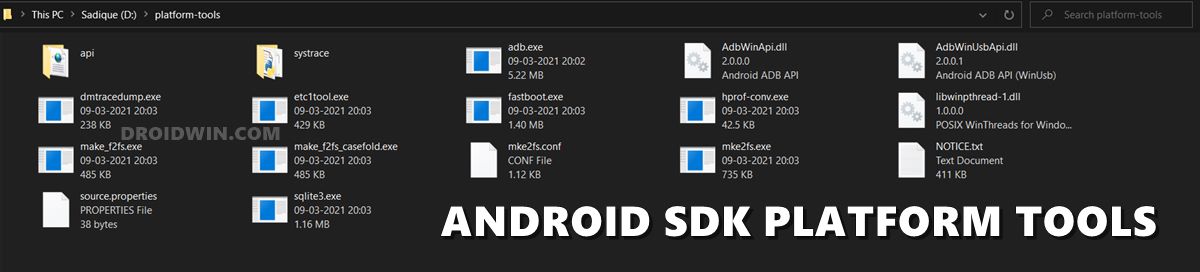
First and foremost, you will have to install the Android SDK Platform Tools on your PC. This is the official ADB and Fastboot binary provided by Google and is the only recommended one. So download it and then extract it to any convenient location on your PC. Doing so will give you the platform-tools folder, which will be used throughout this guide to flash the Xiaomi EU ROM onto your device.
STEP 2: Enable USB Debugging and OEM Unlocking
Next up, you will also have to enable USB Debugging and OEM Unlocking on your device. The former will make your device recognizable by the PC in ADB mode. This will then allow you to boot your device to Fastboot Mode. On the other hand, OEM Unlocking is required to carry out the bootloader unlocking process.
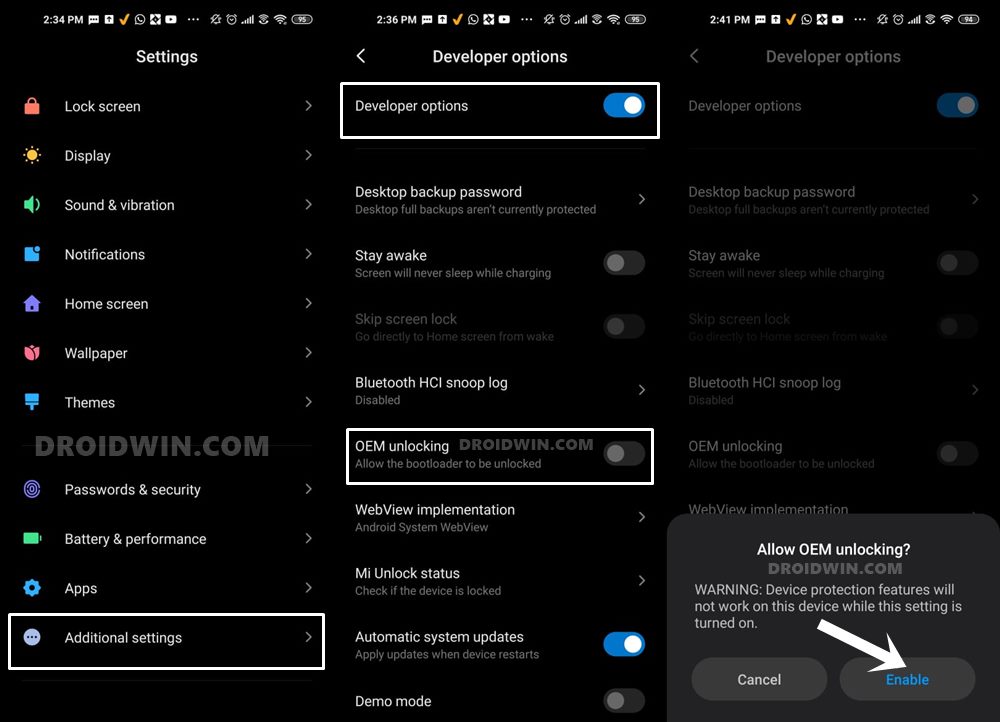
So head over to Settings > About Phone > Tap on Build Number 7 times > Go back to Settings > System > Advanced > Developer Options > Enable USB Debugging and OEM Unlocking.
STEP 3: Unlock Bootloader on Xiaomi Device
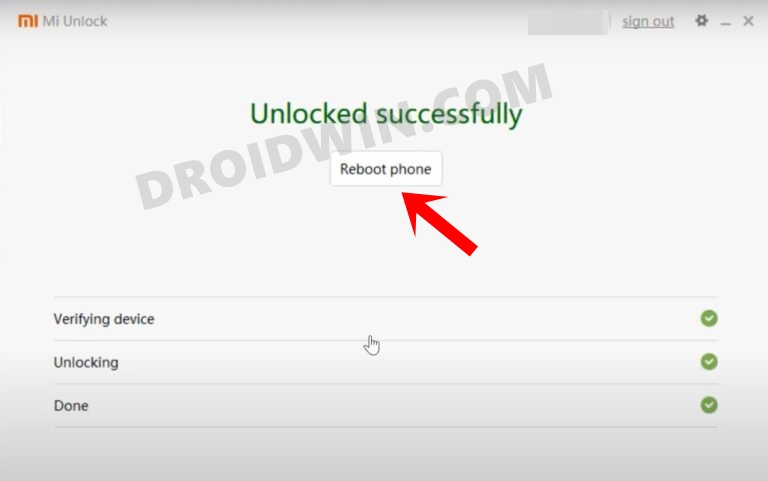
Since this is an unofficial ROM (a custom ROM to be precise), you will need to unlock the device’s bootloader. However, doing so will wipe off all the data and could nullify the device’s warranty as well. So if that’s all well and good, then please refer to our guide on How to Unlock the Bootloader on any Xiaomi Device. Once that is done, you may move over to the next step to install the Xiaomi EU ROM onto your device.
STEP 4: Download Xiaomi.EU Fastboot ROM
You may now grab hold of the EU ROM corresponding to your Xiaomi device from the below link. As of now, the Poco F3 and Mi 11i are the two devices whose Fastboot ROMs are available. Do keep in mind that the community only keeps the Fastboot ROMs until there is a working custom recovery available.
- Download: Poco F3 Xiaomi.EU Fastboot ROM
- Download: Mi 11i/Redmi K40 Pro Xiaomi EU Fastboot ROM
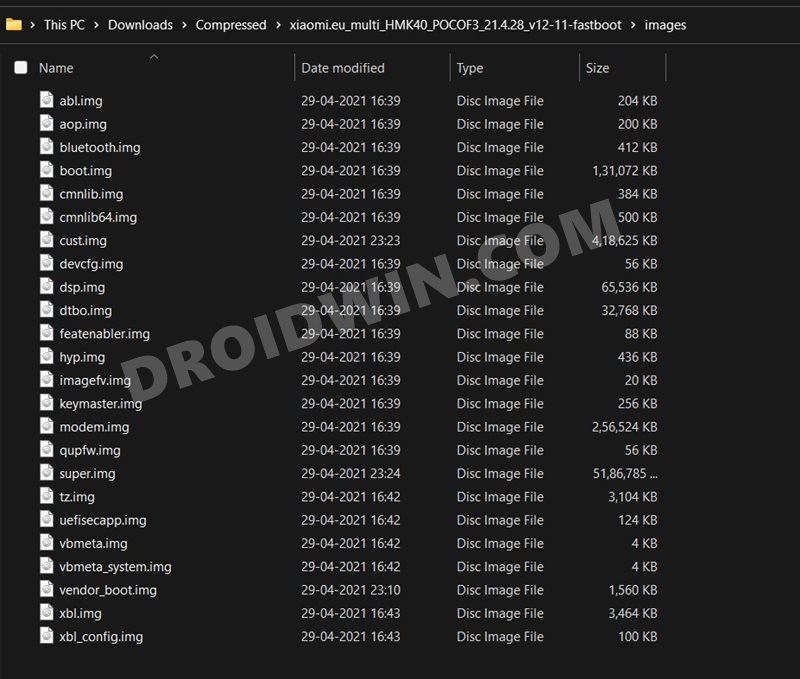
Moreover, once you have downloaded the ROM, extract it to the platform-tools folder on your PC.
STEP 5: Boot to Fastboot Mode
- Connect your device to the PC via USB cable. Make sure USB Debugging is enabled.
- Then head over to the platform-tools folder, type in CMD in the address bar, and hit Enter. This will launch the Command Prompt.
- Type in the following command in the CMD window to boot your device to Fastboot Mode adb reboot bootloader
- To verify the Fastboot connection, type in the below command and you should get back the device ID: fastboot devices
STEP 6: Flash Xiaomi EU ROM via Fastboot Commands
- First off, it is recommended to perform a factory reset. So take a backup beforehand and then execute the below command fastboot -w
- You may proceed with the flashing of the Xiaomi EU ROM via the below fastboot commands. For that, just double-click on the windows_fastboot_update_ROM.bat file.
- The flashing process will begin automatically and could take up to 5-10 mins. Once done, your device will boot to the newly installed OS.
Though it is recommended to flash the ROM file via the batch file, it’s always a good idea to know the behind-the-scenes. So if for some reason, you don’t want to use the above batch file, then you could also manually flash the IMG files to their respective partitions via the below commands.
However, do keep in mind that you should only use the Fastboot Commands corresponding to your device. For example, the commands for a Pro variant of a device will not work on its Lite/Ultra version. Apart from that, you have to keep in mind the following three things:
- Make sure to enter one command at a time, don’t copy-paste all at once.
- Also, verify that all the ROM files are placed inside the platform-tools folder.
- Likewise, all these commands should be executed inside the CMD window that you have opened inside the platform-tools folder only.
- Moreover, the second last command (fastboot set_active a) will set the A partition as your active one and the last command (fastboot reboot) will boot your device to the OS.
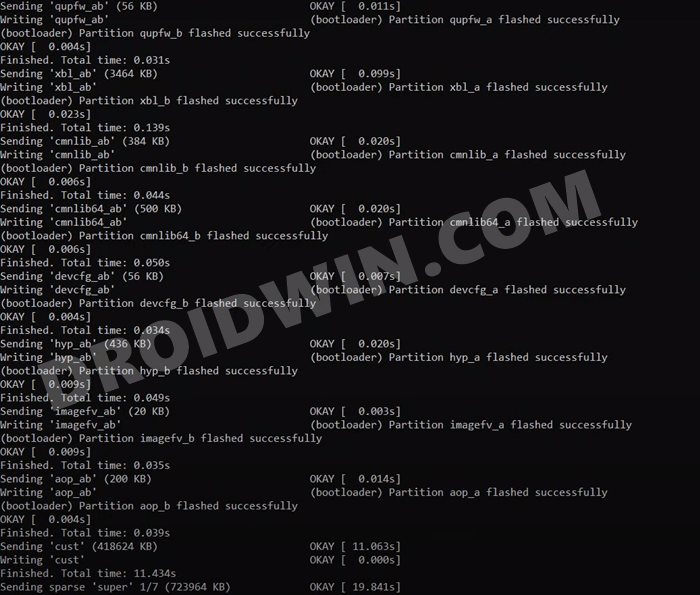
Install Xiaomi EU ROM on Poco F3 via Fastboot Commands
fastboot -w

fastboot flash dsp_ab dsp.img

fastboot flash xbl_config_ab xbl_config.img

fastboot flash boot_ab boot.img

fastboot flash modem_ab modem.img

fastboot flash vbmeta_system_ab vbmeta_system.img

fastboot flash tz_ab tz.img

fastboot flash vbmeta_ab vbmeta.img

fastboot flash bluetooth_ab bluetooth.img

fastboot flash abl_ab abl.img

fastboot flash dtbo_ab dtbo.img

fastboot flash featenabler_ab featenabler.img

fastboot flash vendor_boot_ab vendor_boot.img

fastboot flash keymaster_ab keymaster.img

fastboot flash uefisecapp_ab uefisecapp.img

fastboot flash qupfw_ab qupfw.img

fastboot flash xbl_ab xbl.img

fastboot flash cmnlib_ab cmnlib.img

fastboot flash cmnlib64_ab cmnlib64.img

fastboot flash devcfg_ab devcfg.img

fastboot flash hyp_ab hyp.img

fastboot flash imagefv_ab imagefv.img

fastboot flash aop_ab aop.img

fastboot flash cust cust.img

fastboot flash super super.img

fastboot set_active a

fastboot reboot
Install Xiaomi EU ROM on Mi 11i via Fastboot Commands
fastboot flash dsp_ab dsp.img

fastboot flash xbl_config_ab xbl_config.img

fastboot flash boot_ab boot.img

fastboot flash modem_ab modem.img

fastboot flash vbmeta_system_ab vbmeta_system.img

fastboot flash tz_ab tz_ab.img

fastboot flash vbmeta_ab vbmeta.img

fastboot flash bluetooth_ab bluetooth.img

fastboot flash abl_ab abl.img

fastboot flash cpucp_ab cpucp.img

fastboot flash dtbo_ab dtbo.img

fastboot flash featenabler_ab featenabler.img

fastboot flash vendor_boot_ab vendor_boot.img

fastboot flash keymaster_ab keymaster.img

fastboot flash uefisecapp_ab uefisecapp.img

fastboot flash qupfw_ab qupfw.img

fastboot flash xbl_ab xbl.img

fastboot flash devcfg_ab devcfg.img

fastboot flash hyp_ab hyp.img

fastboot flash imagefv_ab imagefv.img

fastboot flash shrm_ab shrm.img

fastboot flash aop_ab aop.img

fastboot flash cust cust.img

fastboot flash super super.img

fastboot erase metadata

fastboot -w

fastboot set_active a

fastboot reboot

- Awais 2 years ago Reply Can I install Xiaomi.eu ROM in Xiaomi 11t
- Jay 4 years ago Reply Thank you for this. I spent 2 days on TWRP and eventually gave up, it just wouldn’t pass the problem of “cannot write to block” or something like that. This way it was done in 10 minutes!!
- jaro 4 years ago Reply Sadique Hassan,very nice guide,thx a lot.Coukd u pls write a guard how to instal eu.rom on mi max 3?I have unlocked bootloader.I read on many sites how to do it,but sometimes there are so mistakes.Your guides are perfect.Thank You in advance! Sadique Hassan 4 years ago Reply Thanks for the encouraging words Jaro, means a lot. And just give me a couple of days, will surely cover it up Salman Shahzad 4 years ago Reply Hello, Very Detail Guide. There is Only one confusion. That why click “update_rom” and why not “first_install” .bat file. i am shifting from stock to eu rom
(Cancel Reply)
Δ
