Then if we turn our attention towards the eighth generation, it was mainly focused on the kids. However, its latest iteration, the Fire 10 tablet, has stuck an equilibrium with the feature set and its cost. Providing a plethora of features without burning a hole in your pockets,m there’s not much left to ask.
- How to Remove Lock Screen Ads From Amazon Fire Tablets Install Android SDK Enable USB Debugging/ADB on Amazon Fire 7/8/10 Tablets Verify Amazon Fire Tablet ADB Connection Remove Lock Screen Ads in Amazon Fire Tablet via ADB Commands
The below instructions are listed under separate sections for ease of understanding. Make sure to follow in the exact same sequence as mentioned. Droidwin and its members wouldn’t be held responsible in case of a thermonuclear war, your alarm doesn’t wake you up, or if anything happens to your tablet and its data by performing the below steps.
Install Android SDK
To begin with, head over to the Settings menu on your tablet.
Then go to Device options and tap on Serial Number 7 times.
You will now get a message that “You are now a Developer” (or something along the similar lines).
Now exit this Device Options and re-enter it. You shall now see the Developer Options at the end of the page.
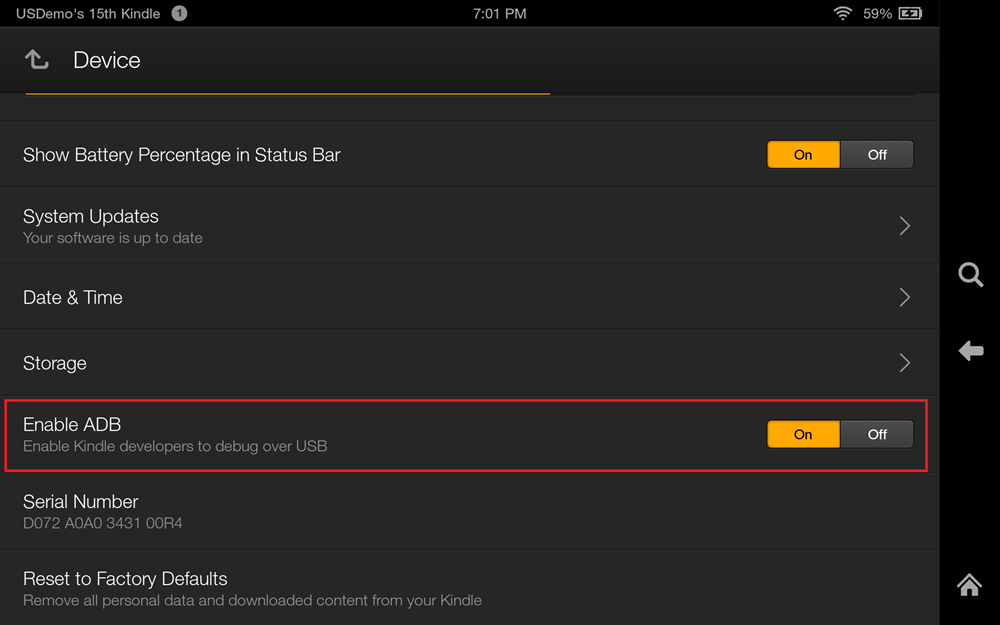
Go to Developer Options and enable the ‘USB Debugging’ toggle (or the ‘Enable ADB’ toggle in some tablets).
First off, connect your tablet to the PC via the USB cable.
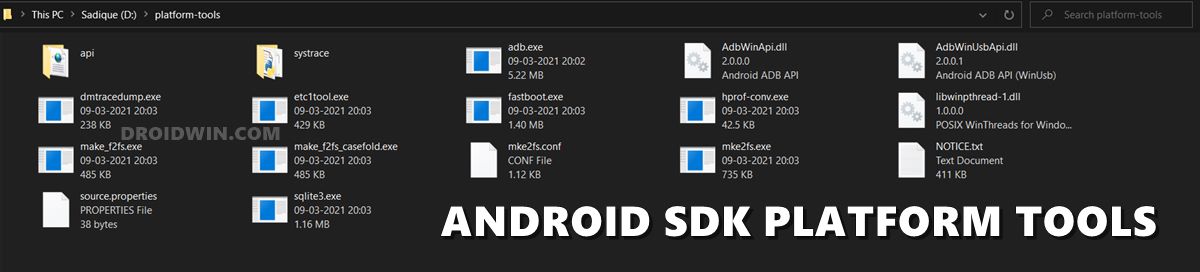
Then head over to the platform-tools folder, type in CMD in the address bar, and hit Enter.
This shall launch the Command Prompt window.
Execute the below command to verify a successful ADB Connection: adb devices
If you get an alphanumeric code followed by the ‘device’ keyword, then the connection stands successful.
Copy-paste the below command in the CMD window that you have opened in the platform-tools folder and hit Enter:
adb shell pm uninstall --user 0 com.amazon.kindle.kso
- Remove/Uninstall Bloatware Apps from Android via ADB
- Fix An error has occurred DP-4040: Fire TV Live Stream
- How to Cast Hotstar on TV without Chromecast
- How to Remove Ads on Nvidia Shield and other Android TVs

- Kyle 4 years ago Reply Well, doesn’t appear to work now. D:\Downloads\platform-tools>adb shell pm uninstall –user 0 com.amazon.kindle.kso Failure [DELETE_FAILED_INTERNAL_ERROR] D:\Downloads\platform-tools>
(Cancel Reply)
Δ
